.png?width=180&height=32&name=NW%20Logo%20(2).png)
Endpoint Sources - GroupsEndpoint Sources - Groups
Note: The information in this topic applies to NetWitness Version 11.3 and later.
The  (Admin) > Endpoint Sources view contains two tabs: Groups and Policies.
Workflow
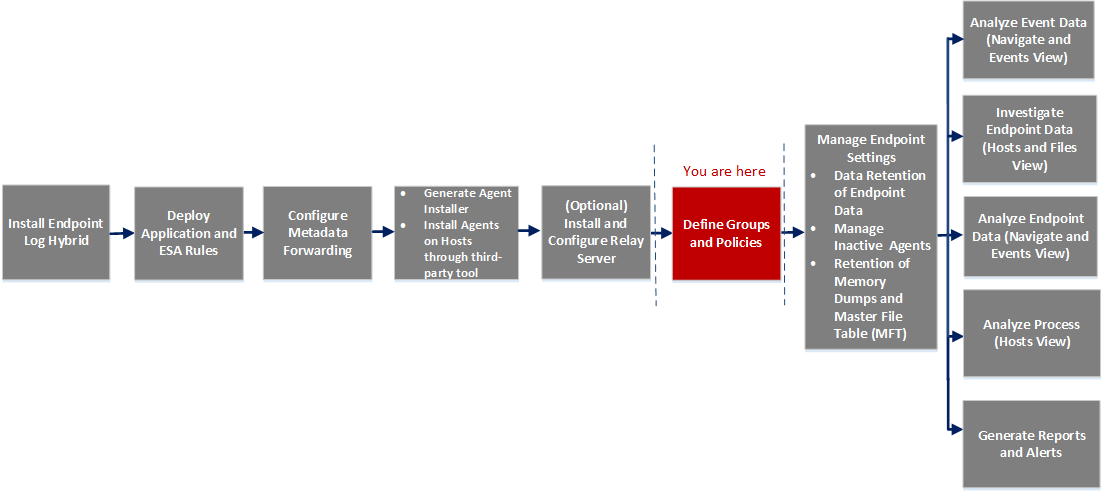
What do you want to do?
*You can perform this task in the current view.
Related Topics
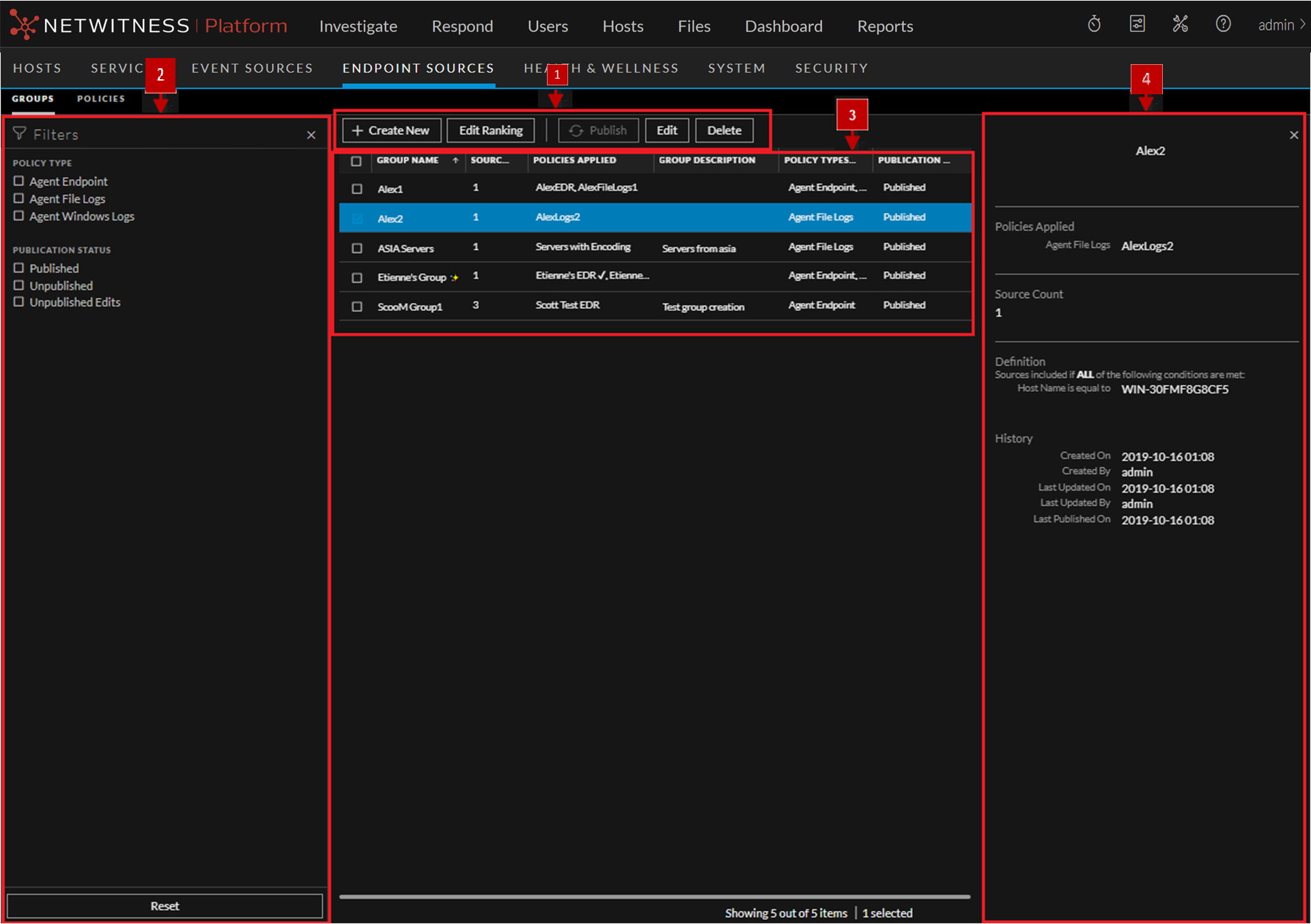
Quick Look
Below is an example of the Groups tab:
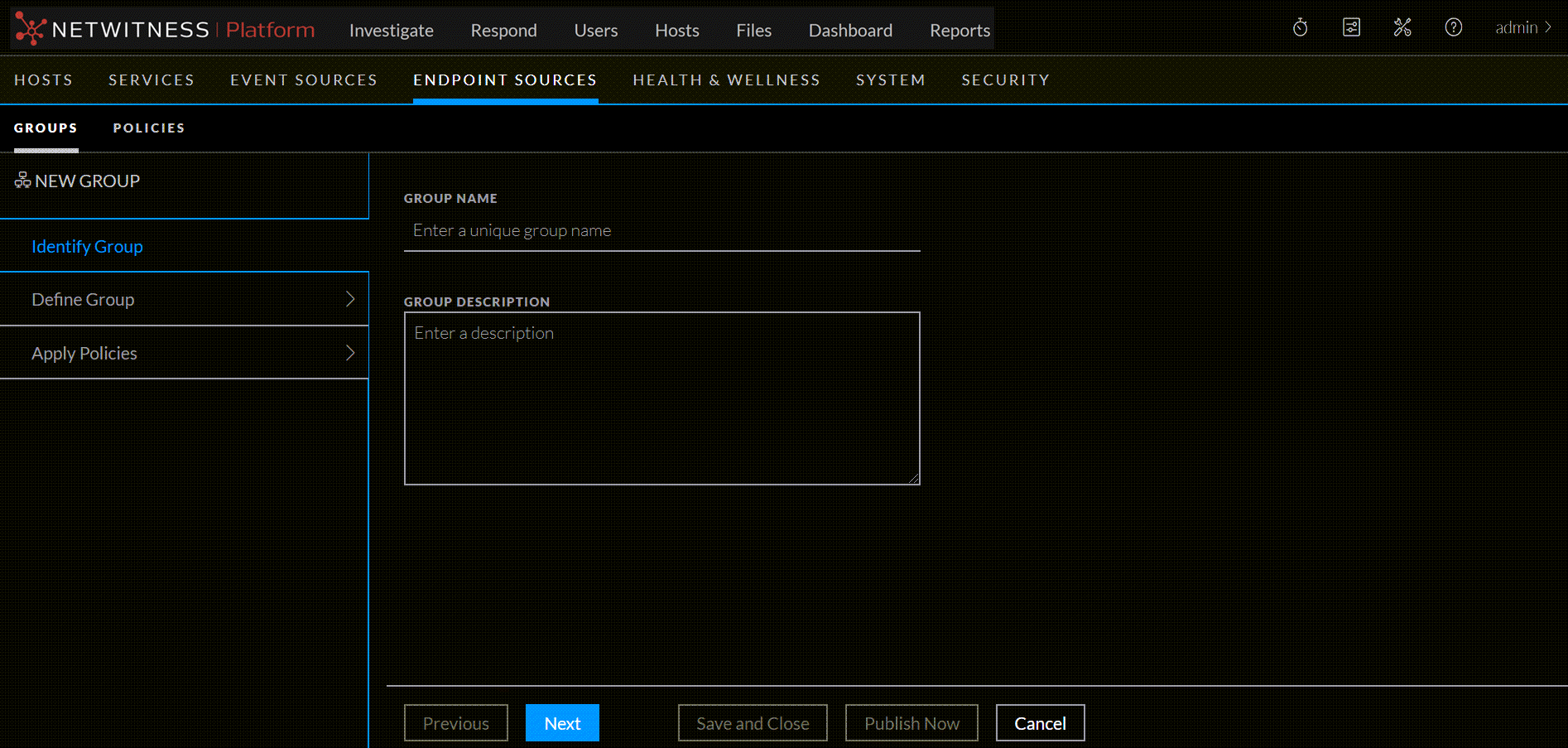
Create Group
Below is an example of the Create Group dialog. The table describes the information and options in the Create Group dialog.
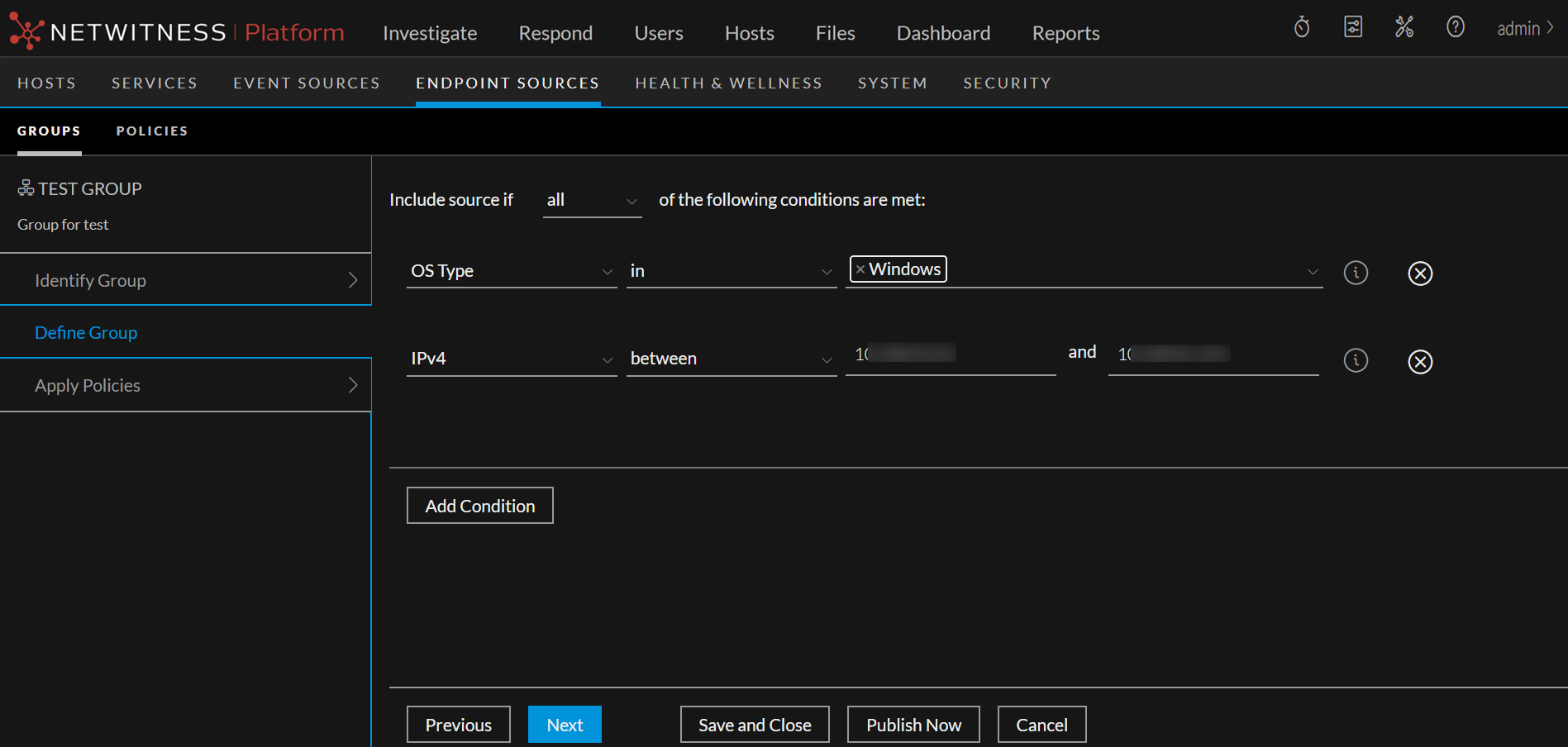
Define Group
Below is an example of Define Group panel. The table describes the information and options in the Define Group panel:
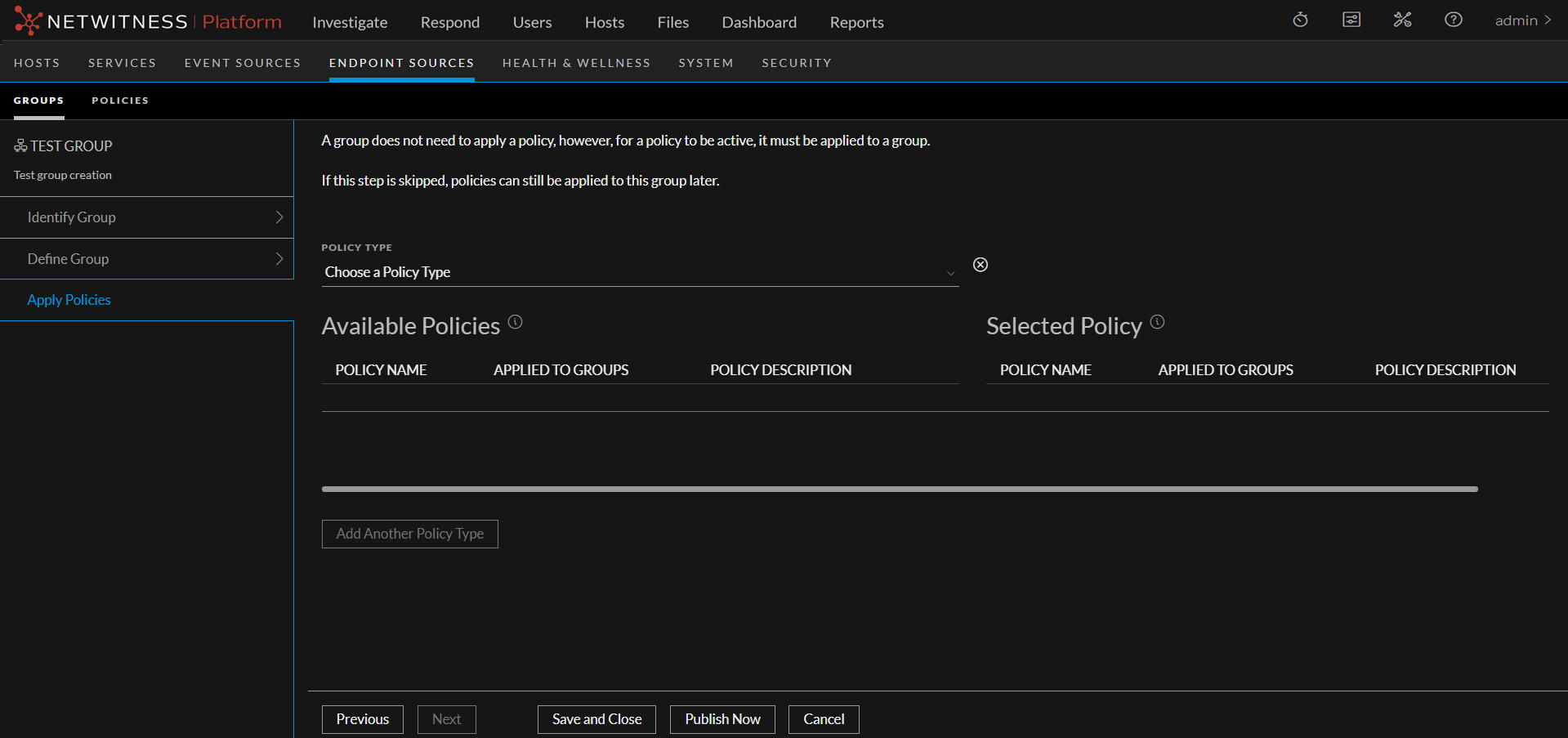
Apply Policies
Below is an example of Apply Policies panel. The table describes the information and options in the Apply Policies panel:
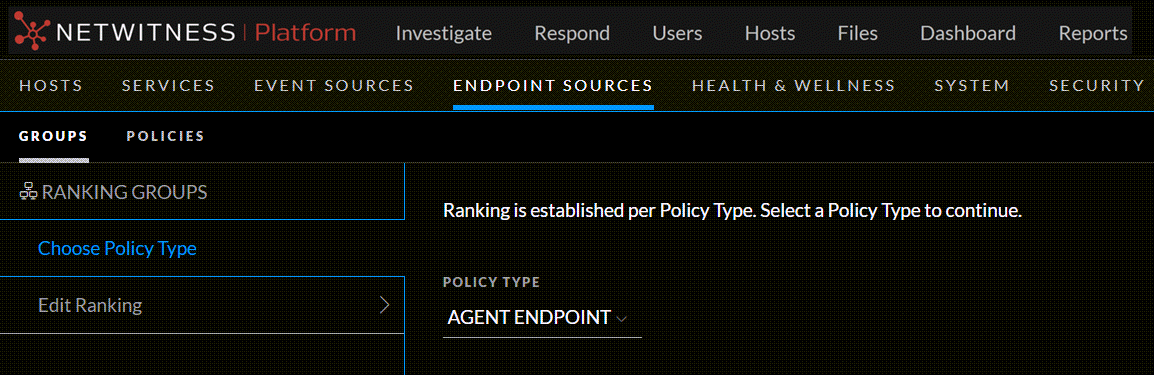
Ranking Groups
Below is an example of the Ranking Groups dialog. The table describes the information and options in the Ranking Groups dialog.
Below is an example of the Edit Ranking panel.
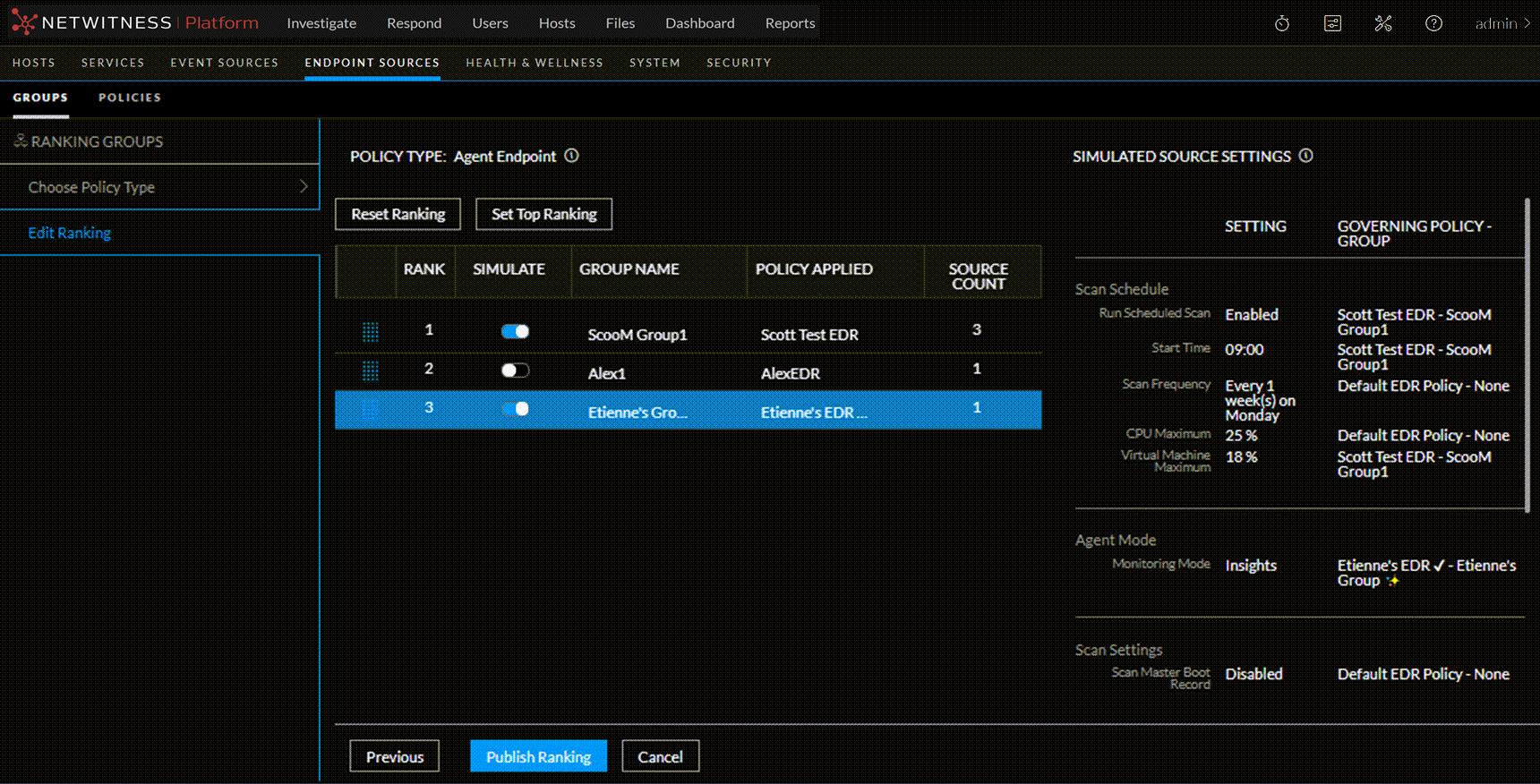
From this panel, you can do the following:
- Drag the group up or down to change the priority. Priority decreases from top to bottom.
- Turn the Simulate slider on or off, to simulate your policy settings and how they affect the endpoints within their groups. For more details, see Simulation Examples.
-
Use the available buttons to perform actions:
- Reset Ranking: Resets the ranking to the original order.
- Set Top Ranking: Moves the selected group to the top.
- Previous: Navigates to the Choose Source Type panel.
- Publish Ranking: Lets you edit the details of an existing group. For more information, see Edit a Group.
- Cancel: Discards the changes and returns to the Groups tab.