.png?width=180&height=32&name=NW%20Logo%20(2).png)
Issue
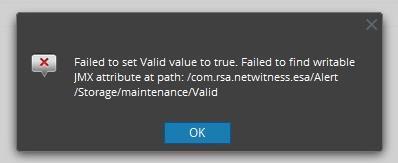
While configuring ESA maintenance schedule in the Security Analytics UI at ESA > Explore > Storage > Maintenance, an error similar to the example below is displayed.
Failed to set Valid value to true. Failed to find writable JMX attribute at path: /com.rsa.netwitness.esa/Alert/Storage/maintenance/Valid
Resolution
The "Valid" setting is a read-only value and cannot be set by the user. It is assigned the "false" value if the following two settings are not accurate:- DatabaseDiskUsageLimitInMB (Database size threshold; when exceeded, alerts will be deleted)
- KeepAlertsForDays (Number of days to keep the alerts in the database before they are removed)
To fix the issue you need to go to ESA > Explore > Storage > Maintenance and modify the following settings according to your policy:
- DatabaseDiskUsageLimitInMB
- KeepAlertsForDays
Once the following two settings are accurate the "Valid" settings will take the value "True" instead.
Product Details
NetWitness Product Set: NetWitness PlatformNetWitness Product/Service Type: All Nodes
NetWitness Version/Condition: 11.x, 12.x
Platform: CentOS/Alma Linux
Approval Reviewer Queue
Technical approval queue