.png?width=180&height=32&name=NW%20Logo%20(2).png)
Issue
The error message "No Log Data" is displayed when attempting to view logs on an RSA Security Analytics Log Decoder.The Log Decoder also does not appear to be consuming logs.
Cause
This issue occurs because the /var/netwitness/logdecoder/cache directory is filled and exceeds the default size of 4GB, which fill the Log Decoder disk space.
Workaround
The following steps must be done in order to resolve this issue:- Log into the Netwitness GUI and go to Admin -> Services.
- Select the Log Decoder, click the red Actions button, and select View -> Explore.
- Right-click on the sdk node, and select Properties.
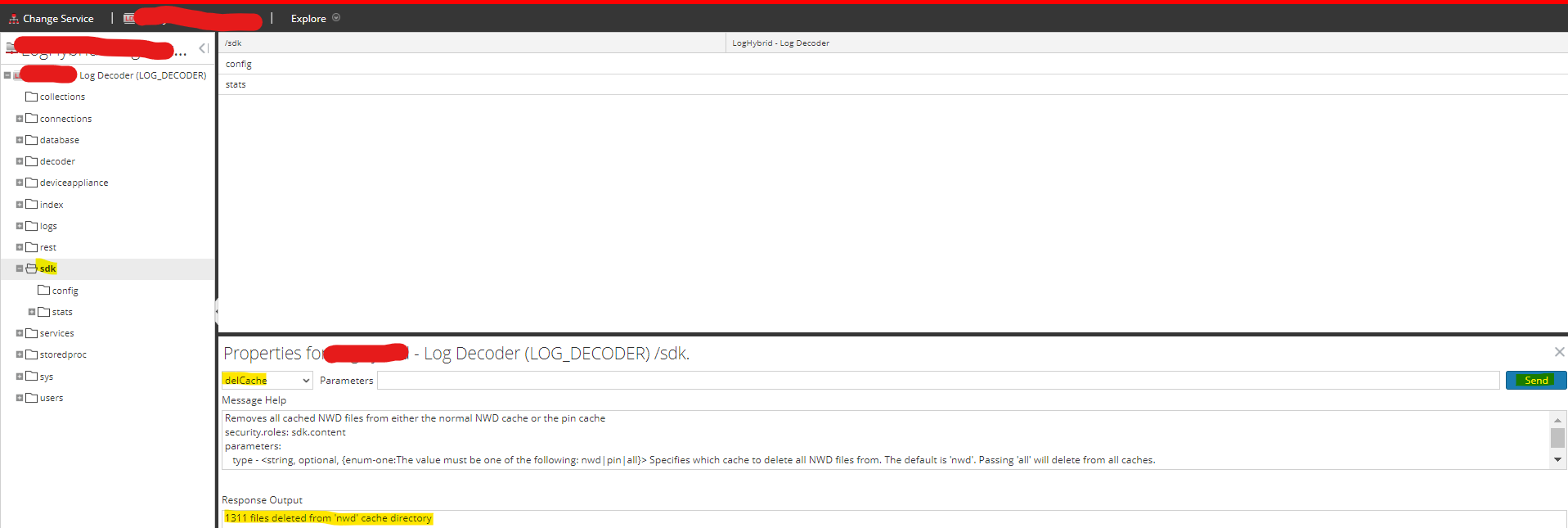
- Select delCache from the drop-down menu and click the Send button as shown below. This deletes all .nwd files under /var/netwitness/logdecoder/cache.
- In the same Explore view, go to the LDecoder -> SDK ->config node.
- Modify the cache.size value from default the default 4 GB to 5 GB.
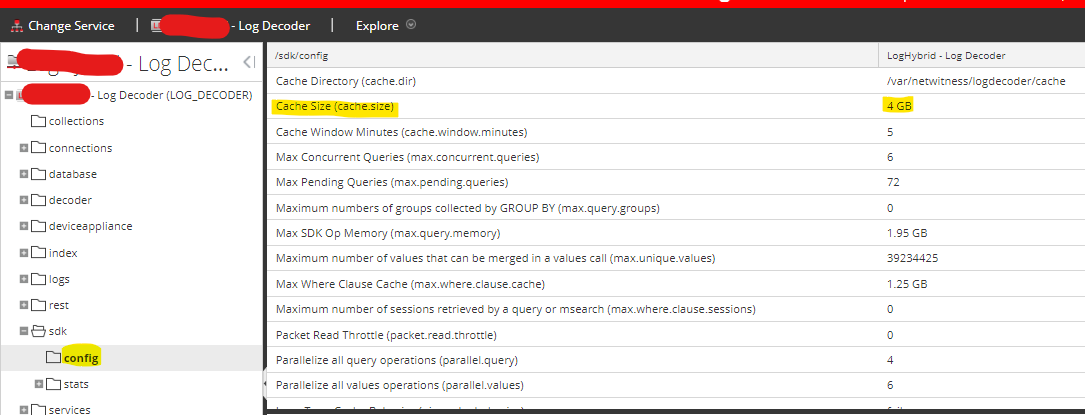
- Change the value back again to the original value of 4 GB. The changes take effect immediately. (no service restart needed)
If you are unsure of any of the steps above or experience any issues, contact RSA Support and quote this article number for further assistance.
Internal Comments
Silky Kothari 09/01/2020Changed Product Set to NetWitness and Version/Condition to 11.x
Product Details
RSA Product Set: NetWitness PlatformRSA Product/Service Type: Log Decoder
RSA Version/Condition: 11.x, 12.x
Platform: CentOS
O/S Version: EL6/7
Approval Reviewer Queue
Technical approval queue