.png?width=180&height=32&name=NW%20Logo%20(2).png)
ESA Correlation Details ViewESA Correlation Details View
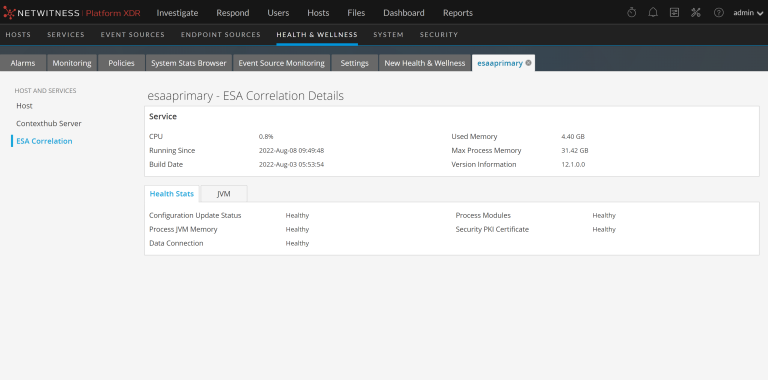
The ESA Correlation Details view provides information for the ESA Correlation service. The following figure shows the ESA Correlation service details.
For the related procedure, see Monitor Service Details.
Many services, including the ESA Correlation service, have Health Stats and Java Virtual Machine (JVM) tabs. The Health Stats tab provides information about the health status of the service. The JVM tab shows the total memory used by the selected service and the total memory capacity of the host.
For more information on the ESA Correlation service and ESA Rule memory usage, see the Alerting with ESA Correlation Rules User Guide.
Health Stats TabHealth Stats Tab
The Health Stats tab provides information about the health status of the selected service.

The services on this tab can show one of three states:
- Healthy: The service is healthy.
- Unhealthy: The service is mostly functional, but it needs attention to mitigate potential down time.
- Fatal: Action needs to be taken to restore the service.
JVM TabJVM Tab
The JVM tab shows the total memory used by the selected service and the total memory capacity of the host.
