.png?width=180&height=32&name=NW%20Logo%20(2).png)
Issue
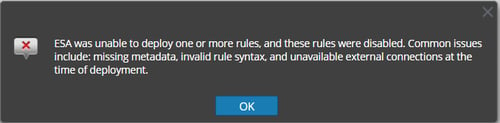
In 11.X version, An ESA rule is disabled after being deployed to the ESA service and reports the error below.
ESA was unable to deploy one or more rules, and these rules were disabled. Common issues include: missing metadata, invalid rule syntax, and unavailable external connections at the time of deployment.
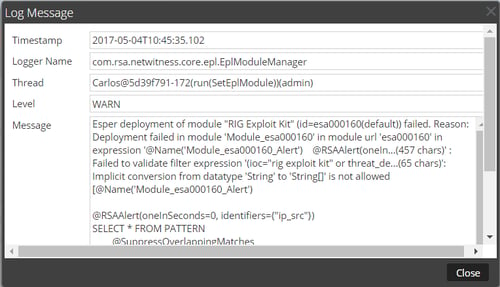
Implicit conversion from datatype 'String' to 'String[]' is not allowed
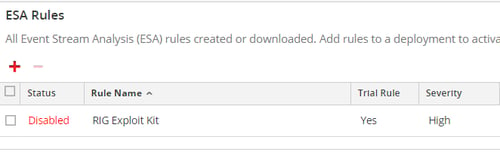
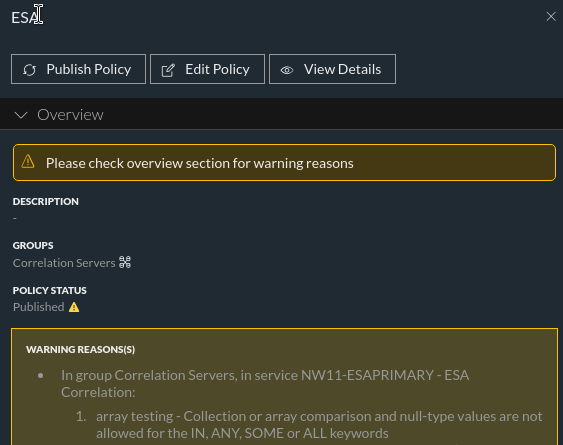
In 12.3 version, The deployed rule with an array error, shows the error in the UI under the ESA Deployment stats. Navigate to Policies>Content>hover over the policy status and it will show below errors.
ESA /var/log/netwitness/correlation-server/correlation-server.log shows below errors:
Caused by: com.espertech.esper.compiler.client.EPCompileException: Failed to validate filter expression '"google"=any(alias_host) or alias_h...(51 chars)': Collection or array comparison and null-type values are not allowed for the IN, AN
Y, SOME or ALL keywords [@RSAAlert(oneInSeconds=0) SELECT * FROM Event( /* Statement: finding array */ (( 'google' = ANY( alias_host ) ) OR alias_host IN ( 'login' )) )]
Y, SOME or ALL keywords [@RSAAlert(oneInSeconds=0) SELECT * FROM Event( /* Statement: finding array */ (( 'google' = ANY( alias_host ) ) OR alias_host IN ( 'login' )) )]
Cause
Within the ESA service, some meta keys were changed from a string type to a multi-valued type. This affected the following rules:Resolution
To change the string type meta keys to string array type meta keys in NetWitness Platform 11.3, see “Configure Meta Keys as Arrays in ESA Correlation Rule Values” in the ESA Configuration Guide for RSA NetWitness® Platform 11.3
NetWitness 11.3:
If you had any of the above listed rules deployed before 11.3, note any rule parameters that you have changed in order to adjust the rules for your environment. Download the updated rules from Live. Reapply any changes to the default rule parameters and deploy the rules. (For instructions, see “Download RSA Live ESA Rules” in the Alerting with ESA Correlation Rules User Guide for RSA NetWitness® Platform 11.3
NetWitness 11.2 and Prior:
- In the NetWitness UI, go to Administration > Services > ESA > Explore > Workflow > Source > nextgenAggregationSource > ArrayFieldNames.
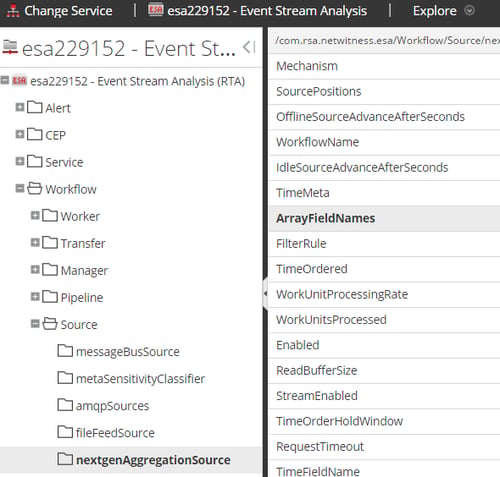
- In the ArrayFieldNames property, enter the meta keys separated by commas. Be sure to use underscores for multi-word meta keys.

- Restart the ESA service using below command.
service rsa-nw-correlation-server restart
Product Details
NetWitness Product Set: NetWitness PlatformNetWitness Product/Service Type: Event Stream Analysis (ESA)
NetWitness Version/Condition: 11.3 and Higher version
Platform: CentOS 7 / Alma
Approval Reviewer Queue
Technical approval queue