Events View - File Tab
The File tab is in the Event Details panel. Here you can safely view a list of files and download one or more files in an event.
Workflow
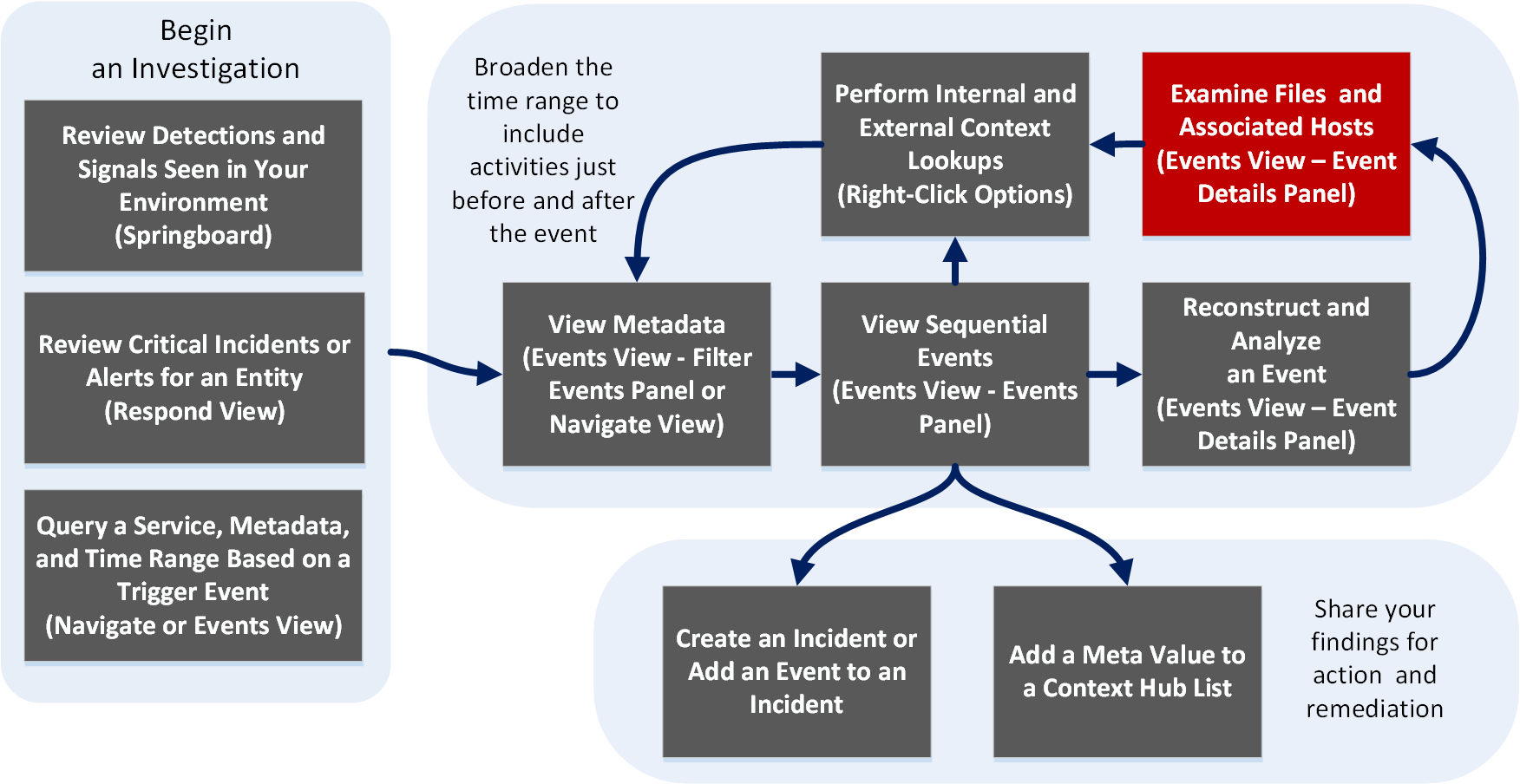
What do you want to do?
- User Role:
Incident Responder or Threat Hunter
- I want to ...:
review detections and signals seen in my environment
- Show me how:
NetWitness Platform Getting Started Guide
- User Role: Incident Responder
- I want to ...:
review critical incidents or alerts
- Show me how:
NetWitness Respond User Guide
- User Role: Threat Hunter
- I want to ...: query a service, metadata, and time range
- Show me how:
Begin an Investigation in the Events View
Begin an Investigation in the Navigate or Legacy Events View
- User Role: Threat Hunter
- I want to ...:
view metadata
- Show me how:
- User Role: Threat Hunter
- I want to ...:
view sequential events
- Show me how:
- User Role:
Threat Hunter
- I want to ...:
reconstruct and analyze an event
- Show me how:
- User Role: Threat Hunter
- I want to ...: examine files and associated hosts*
- Show me how:
Download Data in the Events View
- User Role: Threat Hunter
- I want to ...: perform lookups
- Show me how:
- User Role: Threat Hunter
- I want to ...: create an incident or add to an incident
- Show me how:
- User Role:
Threat Hunter
- I want to ...:
add a meta value to a Context Hub list
- Show me how:
*You can perform this task in the current view.
Related Topics
- How NetWitness Investigate Works
- Events View - Packet Tab
- Events View - Text Tab
- Events View - File Tab
- Events View - Email Tab
- Events View - Host Tab
Quick Look
The File panel displays a list of files associated with a network event. You can download files in this view.
Below is an example of the File panel.
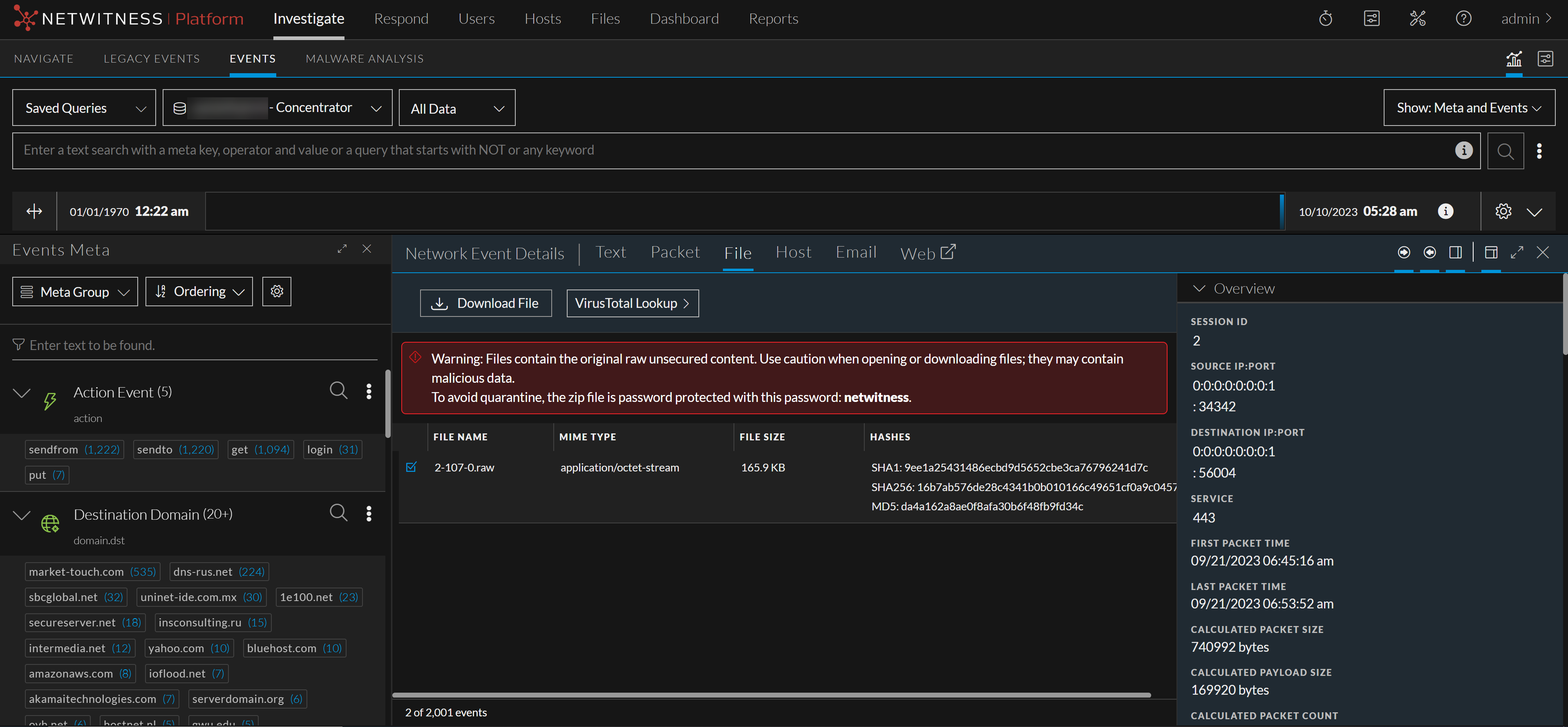
- Feature: Download Files button
- Description: Click to download one or more selected files.
- Feature: Event Header
- Description: The Event Header displays summary information for the network event that contains the files.
- Feature: Files List
- Description: Scrollable list of associated files that you can select and download.
- Feature: VirusTotal Lookup
- Description: Click to perform a search on MD5, SHA1, or SHA256.