Skip to content
  • There are no suggestions because the search field is empty.

Events View - Host Tab

Events View - Host Tab

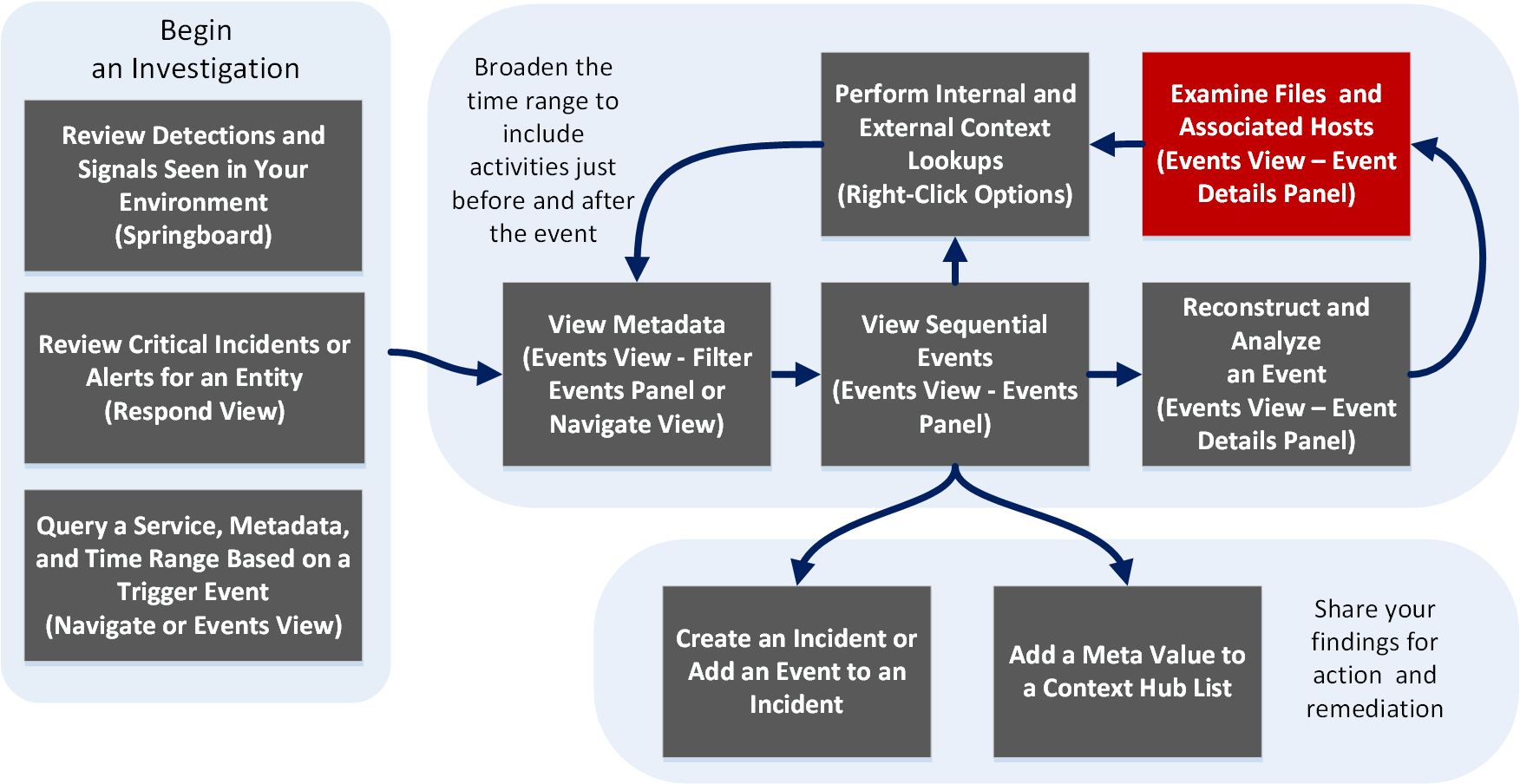
The Host tab is in the Event Details panel. Here you can view network events enriched with endpoint data such as host and process triggered for the selected network event and other details such as risk score, reputation, and logged in user. The host panel is available for network events with endpoint data only.

Workflow
netwitness_wkflow-emailrecon.png

What do you want to do?

  • User Role:

    Incident Responder or Threat Hunter

  • I want to ...:

    review detections and signals seen in my environment

  • Show me how:

    NetWitness Platform Getting Started Guide


  • User Role: Incident Responder
  • I want to ...:

    review critical incidents or alerts

  • Show me how:

    NetWitness Respond User Guide


*You can perform this task in the current view.

Related Topics

Quick LookQuick Look

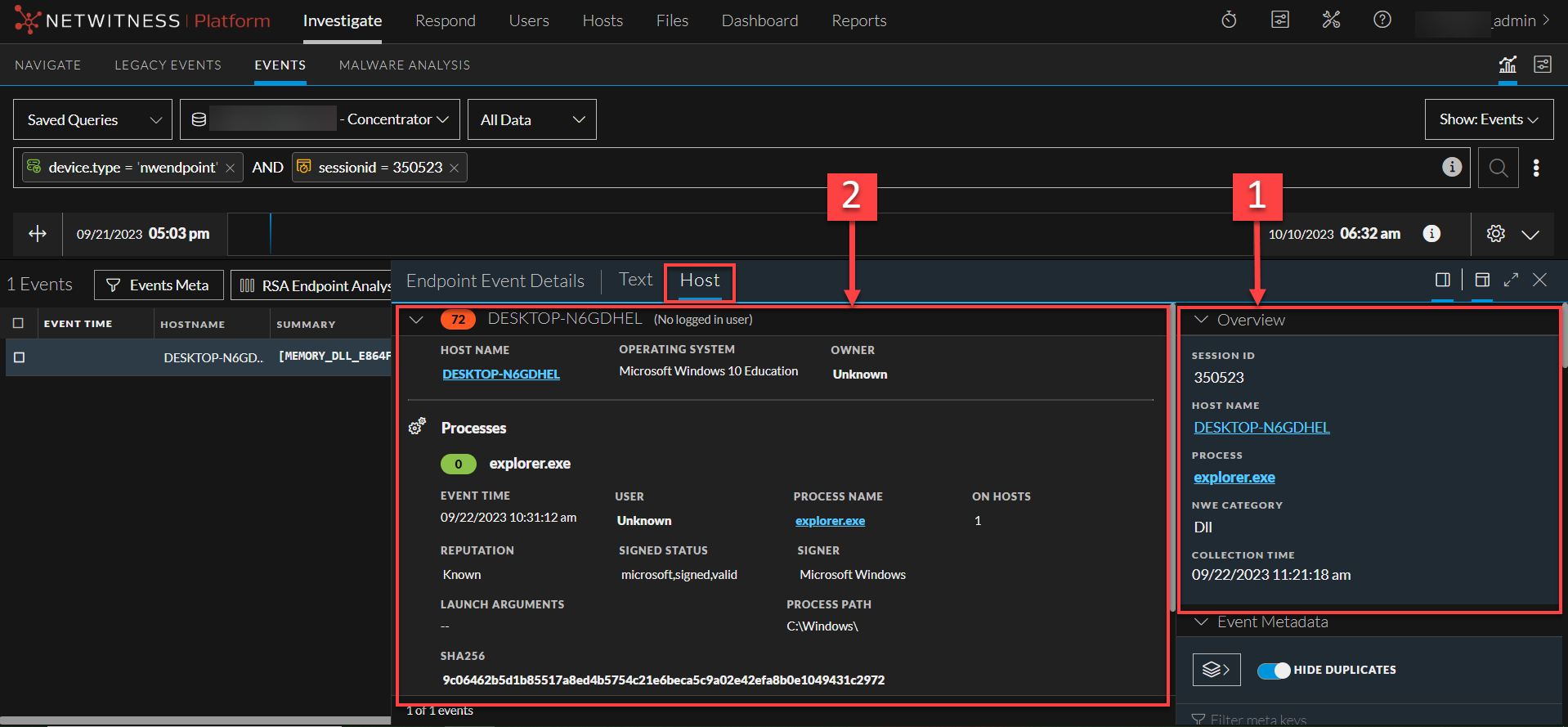
Below is an example of the Host panel with labeled features.
122_Hostsview_1122.png

  • Column 1: 1
  • Column 2:

    The event header displays the summary of network events enriched with endpoint data. It includes:

    • Host - The host from where the event originated.
    • Process - The source process which triggered the event.
    • User - The user associated with the triggered process.

  • Column 1: 2
  • Column 2:

    You can view additional details about the host and process. For more information, see Host Information.