.png?width=180&height=32&name=NW%20Logo%20(2).png)
Issue
During 12.4x upgrades, an issue was found where the kernel binaries weren't being created during the upgrade. Once the device was rebooted it failed to find the root partition, causing a kernel panic.
Cause
Kernel updates failing to generate the required initramfs and vmlinuz binaries
Resolution
Start by downloading the AlmaLinux LiveCD ISO from Index of /almalinux/8/live/x86_64/.
Mount it in the iDRAC as Virtual Media then trigger a one-time boot using the Virtual Media.
When prompted boot the Live Environment:
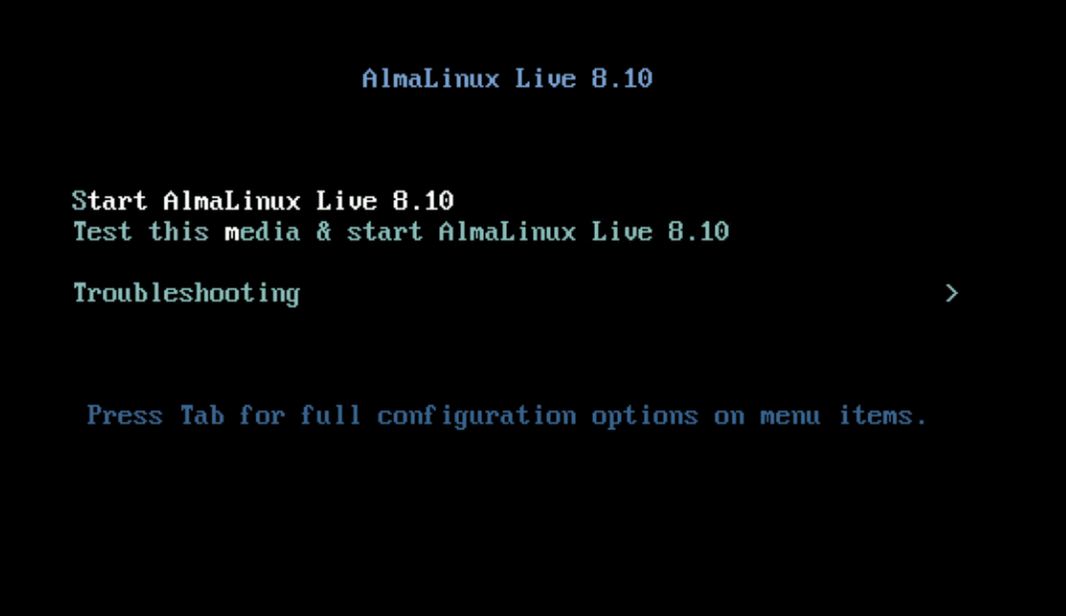
Once you've booted into the LiveCD environment, open X-Term from the menu and run the following commands:
Switch to root
sudo -i
Confirm the devices/mounts
lsblk
Create a mount point then mount our root & boot partitions
mkdir /mnt/sysimage
mount /dev/netwitness_vg00/root /mnt/sysimage
mount /dev/sda1 /mnt/sysimage/boot
Note: on Hybrids, the boot partition could be on /dev/sda2 instead of /dev/sda1, if you do "ll /mnt/sysimage/boot" and it doesn't look similar to the below screenshot, run "umount /mnt/sysimage/boot" and try it with /dev/sda2.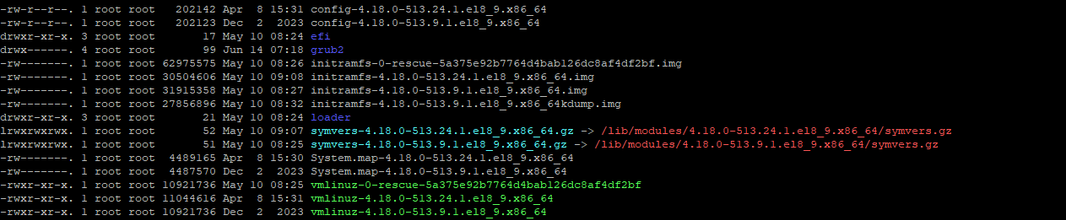
Example of unmounting /dev/sda1 from /mnt/sysimage/boot and remounting /dev/sda2 instead:
 umount /mnt/sysimage/boot
 mount /dev/sda2 /mnt/sysimage/boot
Mount the remaining partitions then change root into our environment
mount --bind /proc /mnt/sysimage/proc
mount --bind /dev /mnt/sysimage/dev
mount --bind /sys /mnt/sysimage/sys
chroot /mnt/sysimage
Create the kernel binaries with dracut
dracut -f --regenerate-all -v
Update our boot menu to use the correct kernel
grub2-mkconfig -o /boot/grub2/grub.cfg
Confirm the vmlinuz & initramfs files for the 4.xx (AlmaLinux) kernel are present
grub2-mkconfig -o /boot/grub2/grub.cfg
Exit the chroot environment & unmount
exit
umount /mnt/sysimage/boot
umount /mnt/sysimage/proc
umount /mnt/sysimage/dev
umount /mnt/sysimage/sys
umount /mnt/sysimage
Reboot the device. While it's rebooting you can disconnect/remove the Virtual Media.
The appliance should boot into the AlmaLinux kernel without issue.
Notes
Prevention Method:
Before rebooting the node after a successful upgrade, inspect the boot files
ls -l /boot/vmlinuz-* /boot/initramfs-*
If the initramfs file is missing for the newly installed kernel, execute the following command to regenerate them
dracut -f --regenerate-all && grub2-mkconfig -o /boot/grub2/grub.cfg
Confirm the grub config is updated appropriately using following command
cat /boot/grub2/grub.cfg | grep -A1 " BEGIN /etc/grub.d/10_linux"
Product Details
NetWitness Product Set: NetWitness Platform
NetWitness Product/Service Type: All Hosts
NetWitness Version/Condition: 12.4x
Platform: AlmaLinux
Summary
A new issue has been discovered where some devices will experience a kernel panic after upgrading to 12.4.1. This is due to kernel updates failing to generate the required initramfs and vmlinuz binaries which are the equivalent of the newest kernel. A kernel panic can occur if the node is rebooted without these files.
Approval Reviewer Queue
Technical approval queue