.png?width=180&height=32&name=NW%20Logo%20(2).png)
Hosts View - Process Tab
Note: The information in this topic applies to NetWitness Version 11.1 and later.
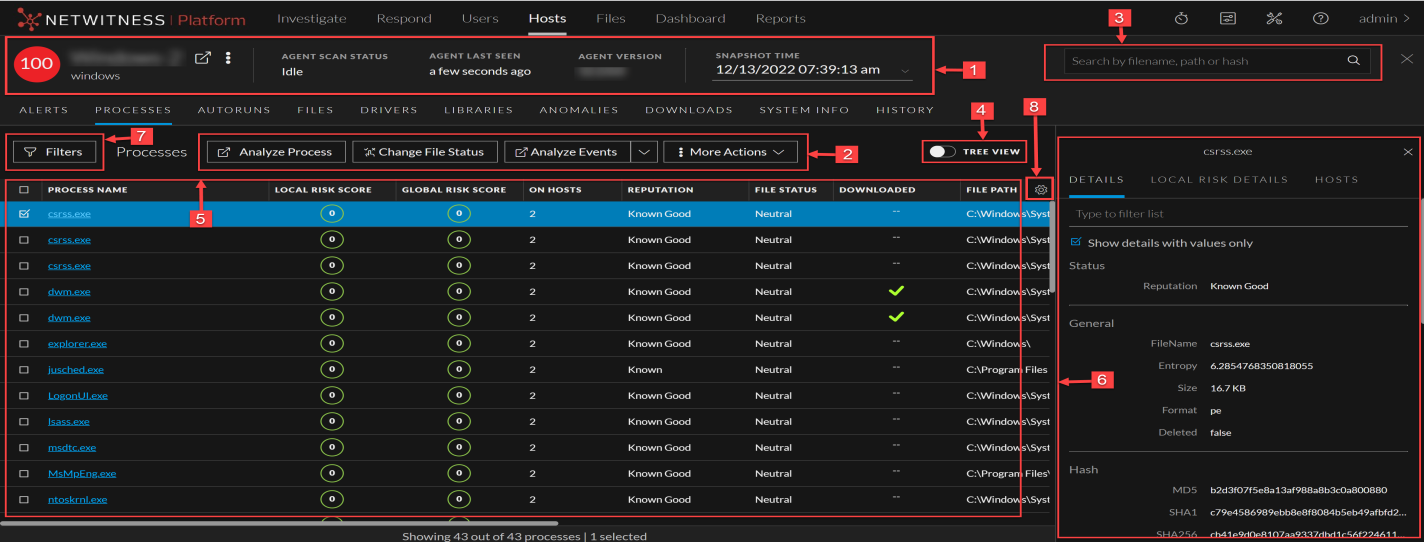
The Process panel provides a list of processes running on the host. To access this tab, select a host from the Hosts view and click the Process tab.
Workflow
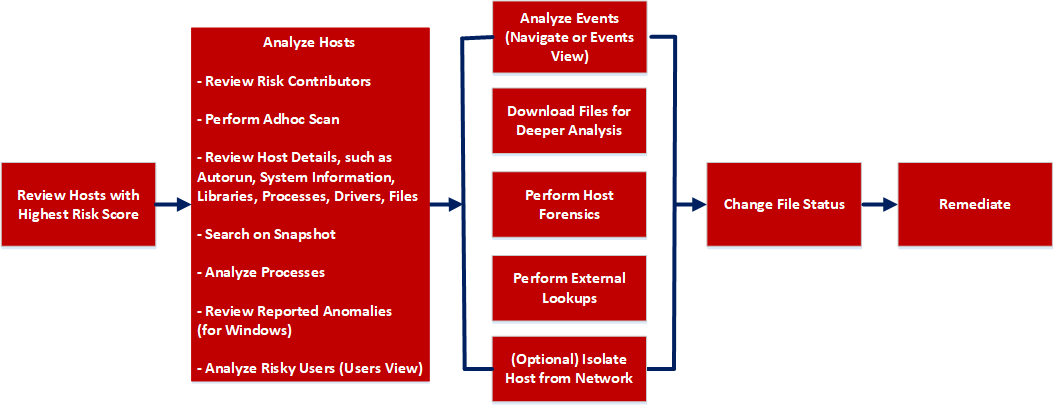
What do you want to do?
*You can perform this task in the current view.
Related Topics
- Focusing on Endpoint Analysis
- Investigating Hosts
- Analyzing Downloaded Files
- Changing File Status or Remediate
- Investigating a Process
- Analyzing Events
- Performing Host Forensics
- Isolating Hosts from Network
Quick Look
Below is an example of the Process tab:
Process Details
Clicking the process name displays the process details of a specific process as shown in the following figure:
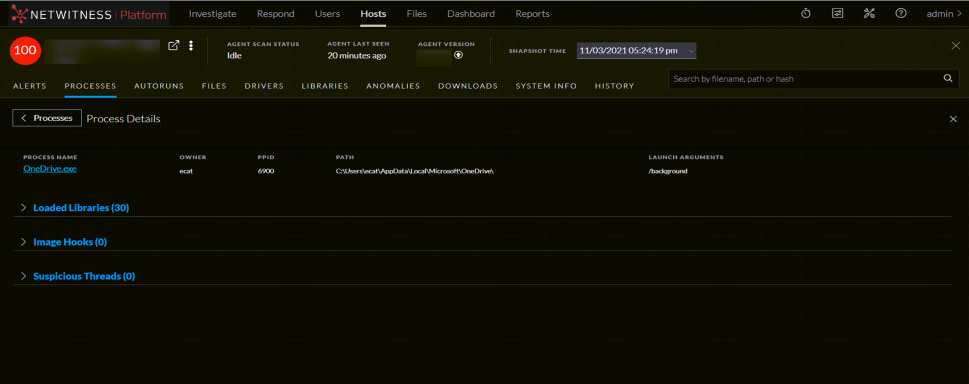
- List of loaded libraries for the selected process, such as DLLs (for Windows), Dylibs (for Mac), or .SO (for Linux).
- List of autoruns (if configured).
- List of image hooks and suspicious threads (for Windows).