.png?width=180&height=32&name=NW%20Logo%20(2).png)
Issue
I need to know how to renew my expiring and expired maintenance contracts for my RSA products.
Resolution
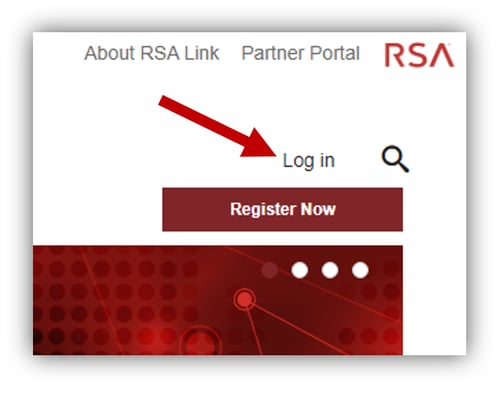
You can request a maintenance renewal by performing the steps below.- Log in to the RSA Link website by clicking on the Log in button in the top-right corner or by navigating directly to community.rsa.com/login.
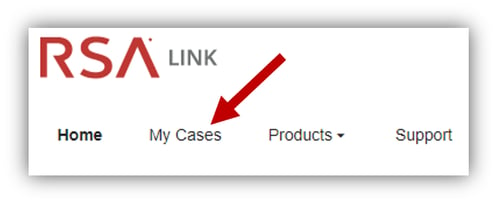
- Click on the My Cases option in the main menu to access the RSA Case Management portal.
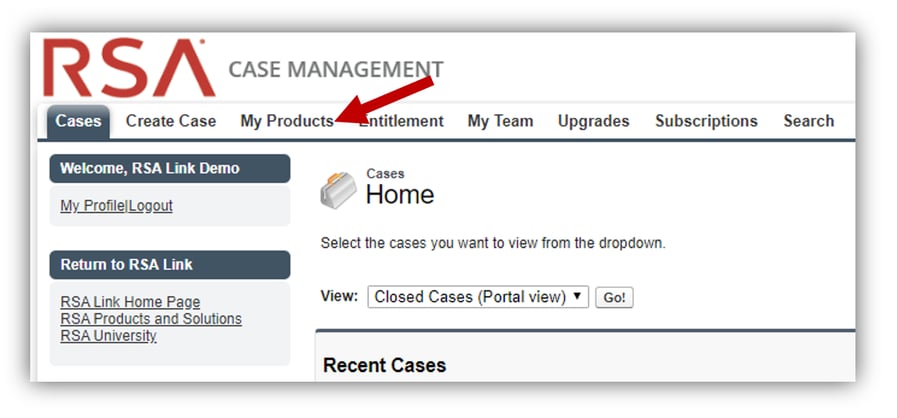
- Click on the My Products tab.
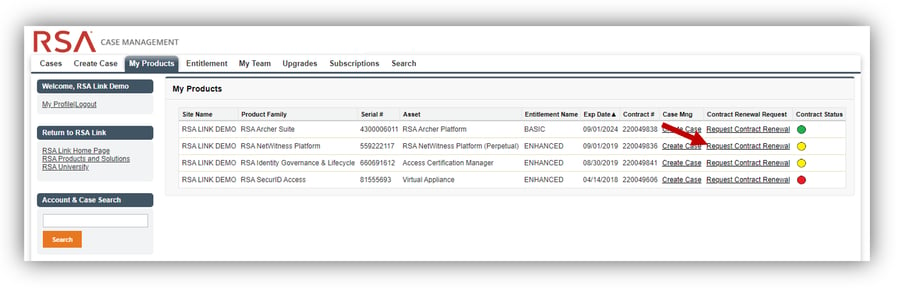
- Locate the asset whose maintenance contract you wish to renew and click on the respective Request Contract Renewal link.
- You will be presented with a pop-up notification that a representative from the Maintenance Renewals team has been engaged and that you will be contacted within 2 business days.
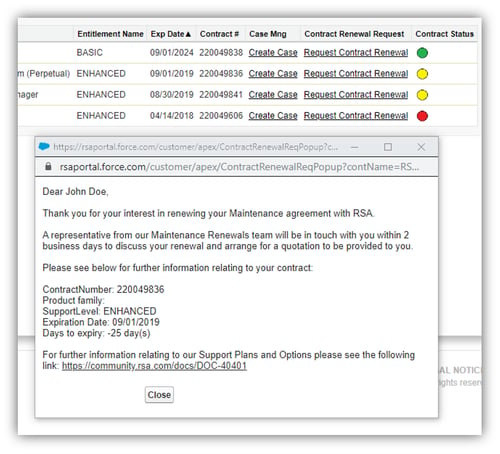
If you are not contacted within 2 business days regarding your maintenance renewal request, please contact RSA Customer Support for further assistance.
Notes
For additional information, please refer to the RSA Support Plans and Options page on RSA Link.Product Details
This article applies to RSA customers or partners who have one or more active maintenance contracts associated with their company account.
Approval Reviewer Queue
Non-Product Approval Queue