.png?width=180&height=32&name=NW%20Logo%20(2).png)
Resolution
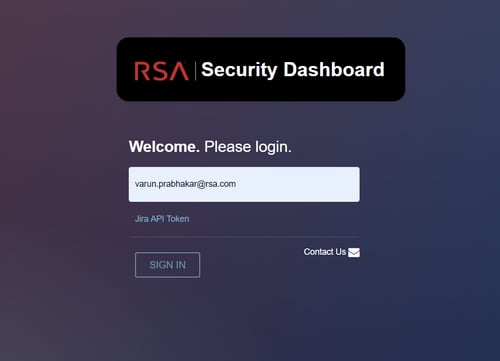
Steps to access the CVE Matrix Site ( https://10.31.205.133/cve) with JIRA API Token.- Login to the new JIRA Portal - https://nw-corp.atlassian.net/jira/your-work
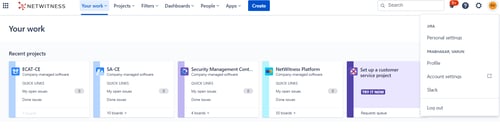
- On the top right corner click on 'Your Profile and Settings' and click on Account Settings.
- A new page 'Manage Profile' page will open, on the left panel click on 'Security'
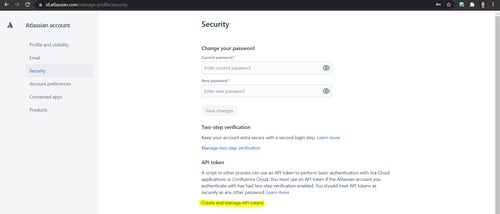
- Click on 'Create and Manage API Tokens'
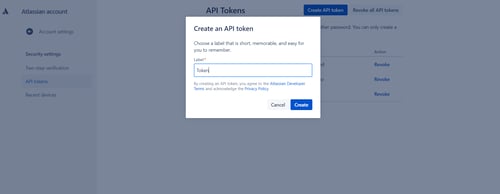
- Enter a label and click on 'Create'. Copy the newly created API token.
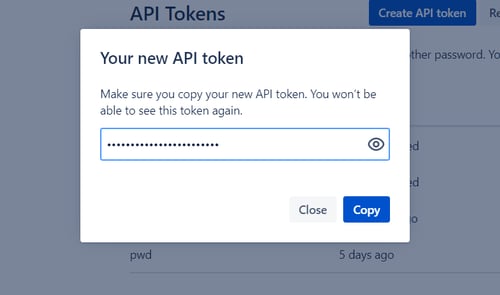
- Paste the API Token and sign-in to the CVE Matrix site.
Notes
Note: The aforementioned steps will be repeated to create a new API token and login to the CVE Matrix Site.
Product Details
RSA Product Set: NetWitness, SecurIDApproval Reviewer Queue
RSA NetWitness Suite Approval Queue