.png?width=180&height=32&name=NW%20Logo%20(2).png)
Issue
By default all Core service REST UI accessible over http. When vulnerability scans performed, Recommended to use SSL access instead of http.
Resolution
Please follow one of the below methods to switch from http to https.Method1:
- Please access REST UI using below link depending on which service requires SSL access.
http://:50102/rest/config
http://:50103/rest/config
http://:50104/rest/config
http://:50105/rest/config
http://:50108/rest/config
http://:50106/rest/config - Change SSL=on as below and press "Set".
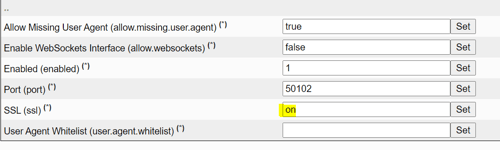
- Restart Core service to take effect the changes using one of the below commands depending on service.
systemctl restart nwlogdecoder.service
systemctl restart nwdecoder.service
systemctl restart nwconcentrator.service
systemctl restart nwarchiver.service
systemctl restart nwbroker.service
systemctl restart nwappliance.service - REST UI can be accessed using https instead of http.
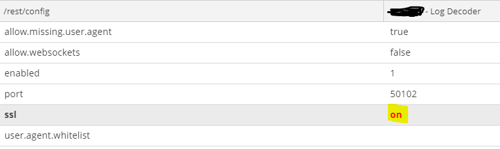
Please go to the Explore page of Core Sever (LogDecoder,PacketDecoder,Archiver,Broker) and go to rest->config page.
Change ssl=on as below and restart Core service to take effect the changes using the above Step3 commands.
Product Details
RSA Product Set: RSA NetWitness PlatformRSA Product/Service Type: Archiver, LogDecoder, PacketDecoder, Concentrator, Broker
RSA Version/Condition: 11.X
Platform: CentOS
Summary
This document outlines the procedure to switch REST access from http to https URL.
Approval Reviewer Queue
RSA NetWitness Suite Approval Queue