.png?width=180&height=32&name=NW%20Logo%20(2).png)
Issue
How to add Application Rules to RSA NetWitness Decoders using the REST API.
Resolution
- Access REST using a Web Browser
Using Web Browser navigate to: http://
:50104/decoder/config/rules Note: If SSL is enabled on REST then this will be: https://
:50104/decoder/config/rules You'll be prompted for a username and password. You could use the same credentials used to add service in Administration \ Device i.e. username: admin
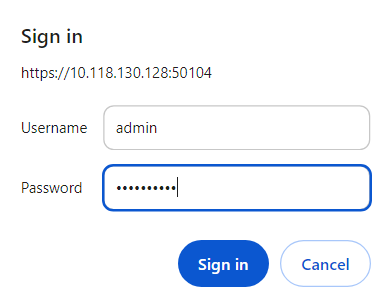
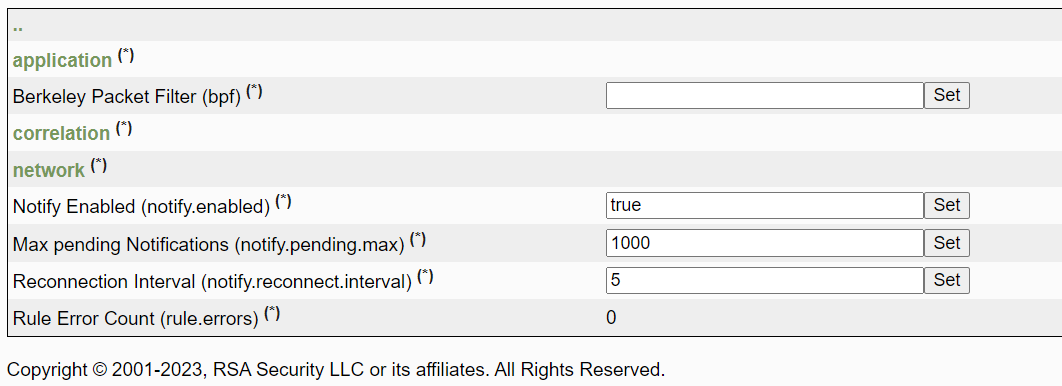
- Click the (*) next to the application
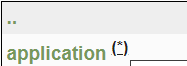
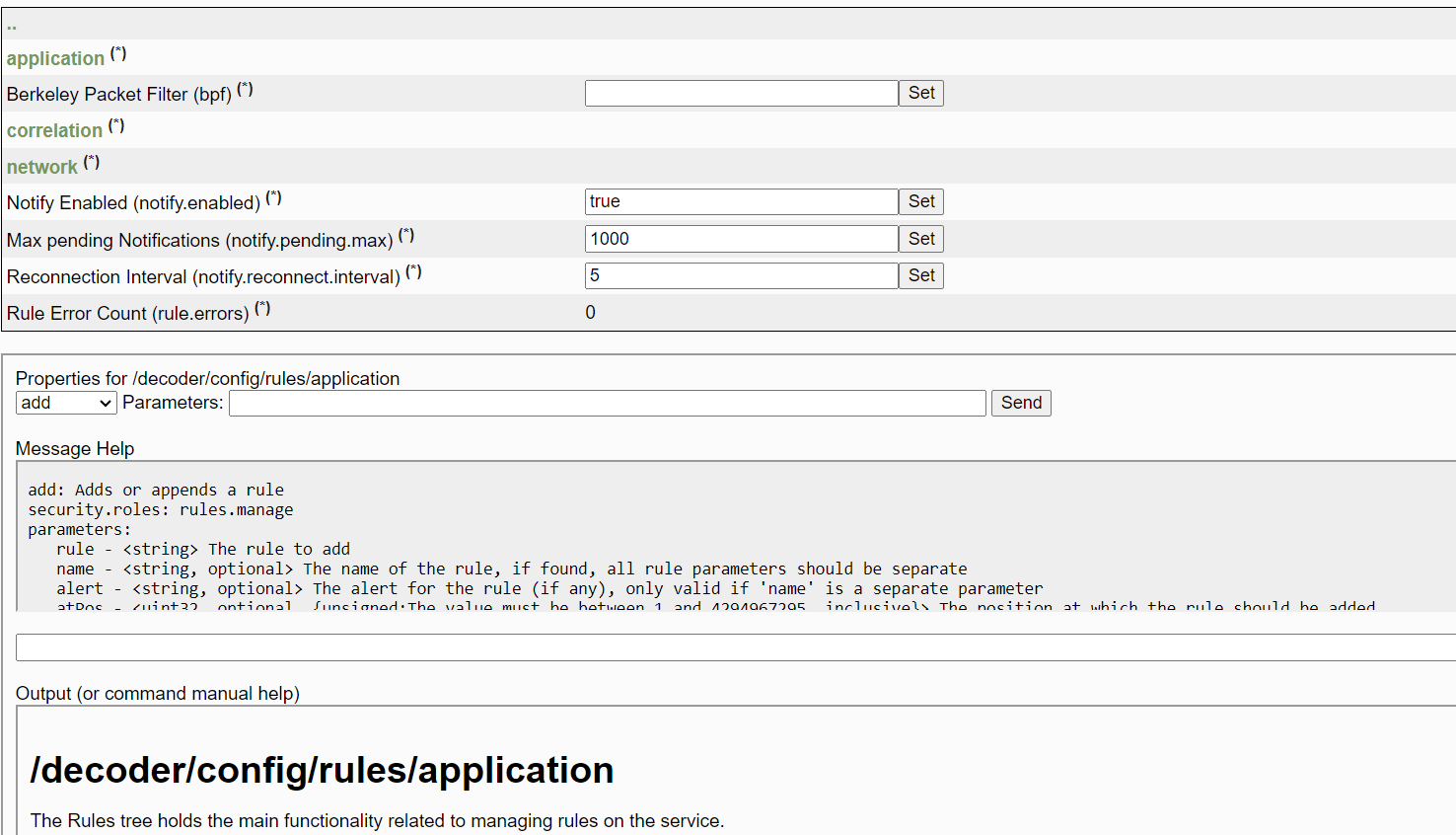
- Example of Adding Application Rule
In this example, we will alert if the DNS hostname contains "www.google.com"
method: add
Parameters: name=testAppRule rule="alias.host contains \"www.google.com\"" alert=alert
Send button
Output: Success
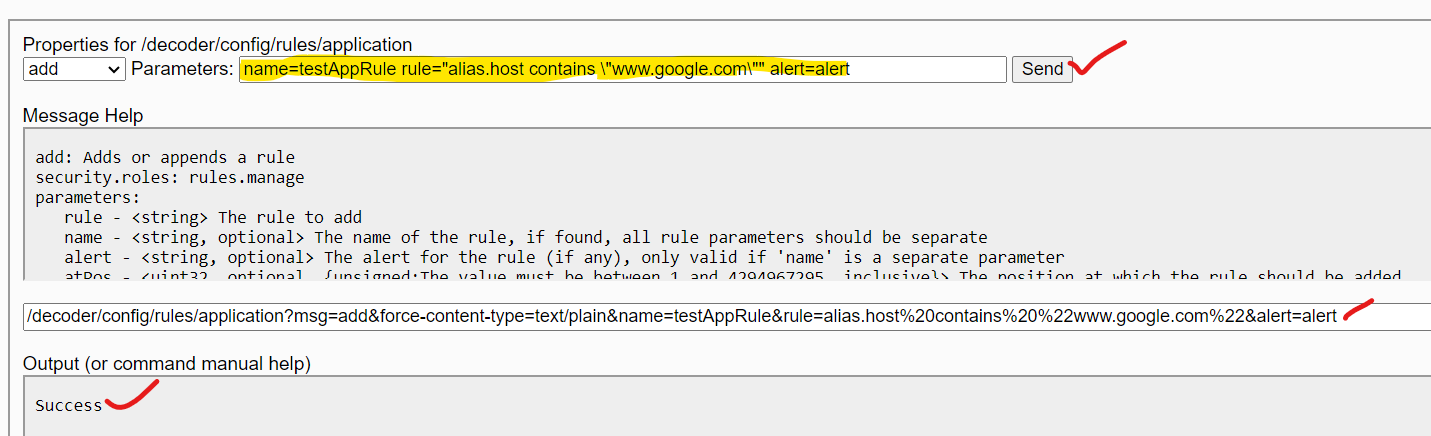
Copy the full URL:: /decoder/config/rules/application?msg=add&force-content-type=text/plain&name=testAppRule&rule=alias.host%20contains%20%22www.google.com%22&alert=alert - Displaying Application Rules
Changing back to the method: 'ls' reveals this application rule has been added as last Application Rule
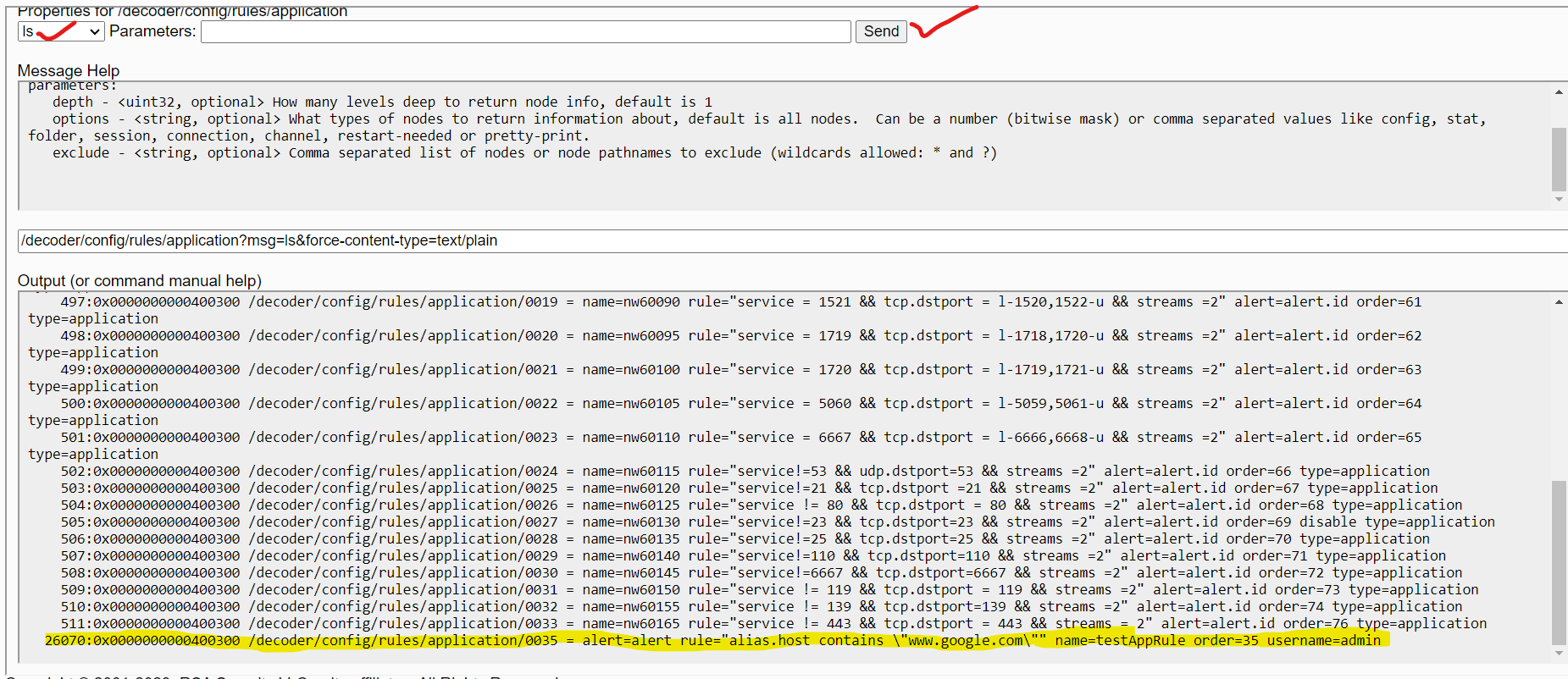
- Running REST call from the command line
Using Complete URL using curl:
curl --user ": " " http:// :50104/decoder/config/rules/application?msg=add&force-content-type=text/plain&expiry=600&name=testAppRule=alias.host%20contains%20%22www.google.com%22&alert=alert "
If you are unsure of any of the steps above or experience any issues, contact RSA Support and quote this article ID for further assistance.
Internal Comments
UserName:jmarcinkowski5/27/2014 5:53:16 PM - Images are not in the correct place.
Requesting Shawn Duggan to assist.
UserName:shurtj
8/7/2014 8:46:08 PM - Updated Article
Updated article and made changes to abide by Primus best practices.
Jemma Lee -- 30 Aug 2019
Adjusted the title to adhere to best practice and updated Product Set and Version/Condition.
While this still probably works, I feel like this should be set to internal and archived since we're requesting customers use CCM now, and I'm worried if a customer uses the REST method while CCM is enabled, it may be able to bypass the blocker like the UI has and it will break something
Product Details
RSA Product Set: NetWitness Logs & NetworkRSA Product/Service Type: Decoder
RSA Version/Condition: 11.x 12.x
Platform: CentOS 7
Approval Reviewer Queue
Technical approval queue