.png?width=180&height=32&name=NW%20Logo%20(2).png)
Issue
You have accidentally removed some hosts or services from the Hosts or Services page and you cannot re-add them back as the "+" sign is no longer visible.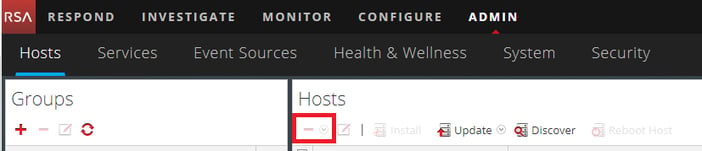
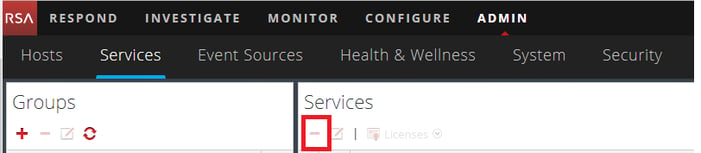
In some cases, the drop-down menu for the Host Type: in the Install Services window may not display the desired service.
e.g. Malware Analysis is not a selectable option for the newly re-imaged Malware host.

Resolution
In order to re-add the host or services, please perform the following:- Obtain the uuid for the host by running the following command from the host.
#
cat /etc/salt/minion
Example Output:
master: localhost
hash_type: sha256
log_level: info
id: 32c5b77d-309d-45ea-9134-9cd5c04791d8
Note: The output from other hosts will show the IP address of the Admin Server for
master:.
hash_type: sha256
log_level: info
id: 32c5b77d-309d-45ea-9134-9cd5c04791d8
- From the Admin Server, run the orchestration client to add the missing host back.
orchestration-cli-client --accept-key <uuid_from_above_step>
- From the Admin Server, run the orchestration client to add the missing services back.
orchestration-cli-client -i -o <uuid_from_above_step> -c <Category_Name> -b <IP_AdminServer>
The following is the list of the available Category_Name.
- AdminServer
- ESAPrimary
- ESASecondary
- Malware
- Archiver
- Broker
- Concentrator
- Decoder
- LogDecoder
- LogCollector
- PacketHybrid
- LogHybrid
- UEBA ( Only from 11.2 above )
Product Details
RSA Product Set: NetWitness Logs & NetworkRSA Version/Condition: 11.x
Component: Admin Server, Chef, all hosts
Platform: CentOS
O/S Version: EL7
Approval Reviewer Queue
RSA NetWitness Suite Approval Queue