.png?width=180&height=32&name=NW%20Logo%20(2).png)
Issue
When adding additional Metakeys on the Archiver appliance from the MetaInclude column under Config view - 'General' tab the below error shows up: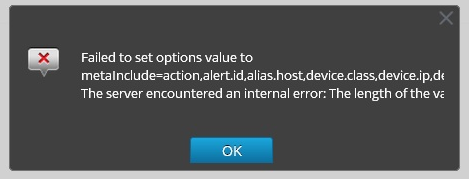
This is because the default MetaInclude max capacity is 1024 characters on the Archiver..
Resolution
To increase the length of the field please do the following.1) SSH to the Achriver
2) stop nwarchiver
3) cp /etc/netwitness/ng/NwArchiver.cfg /etc/netwitness/ng/NwArchiver.cfg.backup
4) Edit the file to find the following line:
Note here that the maxLength value is 1024.
Change the max Length Field to 2048 (or another multiple of 2 as appropriate)
The line would then appear as follows:
5) Add additional keys onto the end of this line as appropriate or add the additional keys from the
SA UI - Administration - Archiver appliance - locate the MetaInclude column under Config view -
'General' tab and select the additional metakeys to include in the Archiver.
6) start the nwarchiver service.
Product Details
RSA Product Set: Security AnalyticsRSA Product/Service Type: Security Analytics UI, Archiver
RSA Version/Condition: 10.5.x
Platform: CentOS
O/S Version: EL6
Approval Reviewer Queue
Technical approval queue