.png?width=180&height=32&name=NW%20Logo%20(2).png)
Issue
How to manually block suspicious files via RSA NetWitness UI.
Resolution
Prerequisite: You would need to deploy NetWitness Endpoint components on both the NetWitness platform and Endpoint agents on the end-user system prior to you performing these actions.- 1. Go to the Files page in UI.
(Version 11.5) go to the Files page.
(Version 11.3.x or 11.4.x) go to the Investigate-Files page.
- Choose files that you want to block, then click 'Change File Status' button.

- Choose 'Blacklist' or 'Graylist', then select 'Block'.
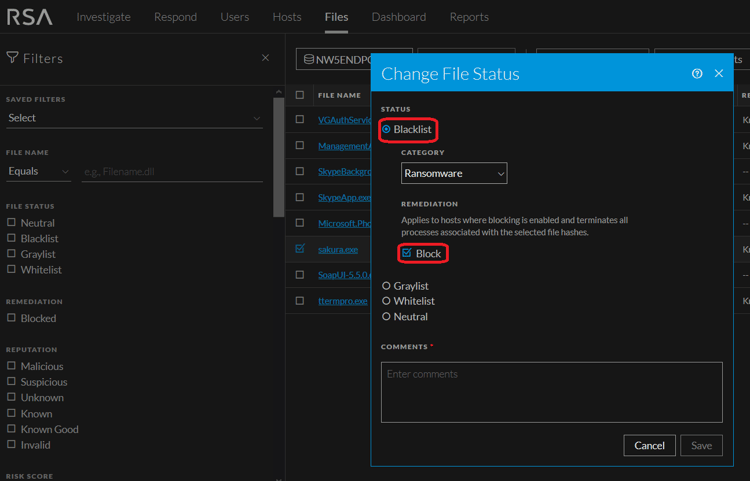
- Write comments in the 'Comments' box and click the 'Save' button.
Product Details
RSA Product Set: RSA NetWitness PlatformRSA Product/Service Type: Endpoint Advanced Agent
RSA Version/Condition: 11.3.x, 11.4,x and 11.5.x
Summary
How to manually block suspicious files via RSA NetWitness Platform.
Approval Reviewer Queue
RSA NetWitness Suite Approval Queue