.png?width=180&height=32&name=NW%20Logo%20(2).png)
Issue
How can an administrator deploy Live Feeds from an Environment with no direct Live access allowed?
Cause
Some environments are not allowed to be connected to outside network resources and can therefore not be able to synchronize Live Feeds from the NetWitness Live servers.
Resolution
Live Feeds can be downloaded manually from https://live.netwitness.com/ and then uploaded into the NetWitness CCM Interface with the following steps:
- Access https://live.netwitness.com/ with a web browser
- Login with your NetWitness Live credentials:

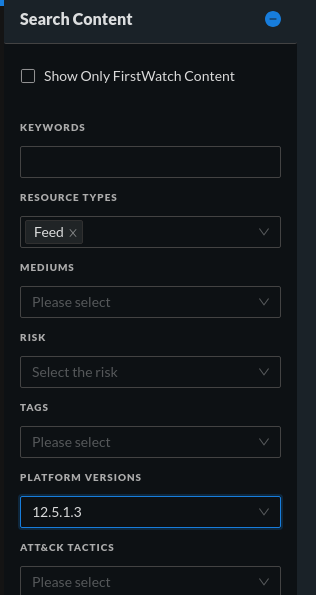
- Click Search Content and add the "Feed" Resource Type filter and select the version of your NW Environment:
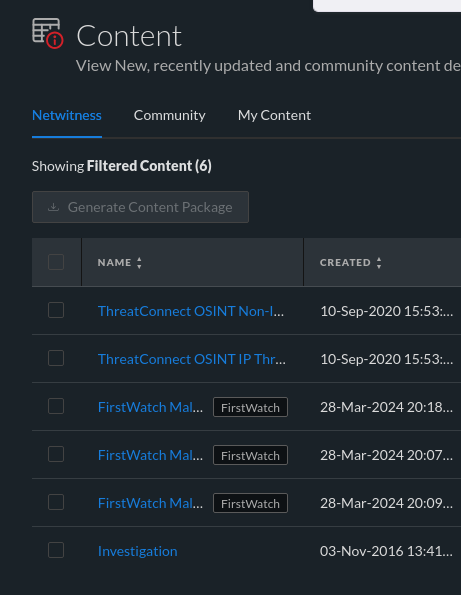
- Click the search button at the bottom and review the returned results:
- Click the desired feed and a dialog similar to this will appear:

- Click "Download" and choose where to save the zip
- Log into the NetWitness Platform and go to Configure>Policies>Content>Content Library>Feed:

- Click "Import", choose your feed Zip and select what Medium Type the feed is intended to be deployed to. Once selected click "Import"

- The newly imported Feed should now be available to deployed via CCM policies
Internal Comments
UserName:shurtj
5/21/2014 2:47:07 PM - Created Article
Created article to address the customer inquiry in case 00492734.
UserName:shurtj
8/7/2014 8:27:00 PM - Minor Changes
Updated article and made changes to abide by Primus best practices.
Jaseel K - 7 May 2024
Updated 'Title', 'Applies To' and 'Categories' section.
Evan Pols -- 14 Mar 2025
Rewrote from scratch to work within the constraints of the new Live Portal and CCM.
Product Details
NetWitness Product Set: NetWitness Logs & Network
NetWitness Product/Service Type: NetWitness Live, Admin Server, Packet Decoder, Log Decoder
NetWitness Version/Condition: 11.x, 12.x or later
Platform: CentOS/Alma Linux
Approval Reviewer Queue
Technical approval queue