.png?width=180&height=32&name=NW%20Logo%20(2).png)
Tasks
The steps below will demonstrate how to deploy the latest version of a parser through RSA Live.
Resolution
Below are the steps to update/deploy a parser from live in case CCM is disabled:- Log in to the NetWitness UI.
- In the menu in the upper left-hand corner of the UI, navigate to Live > Search.
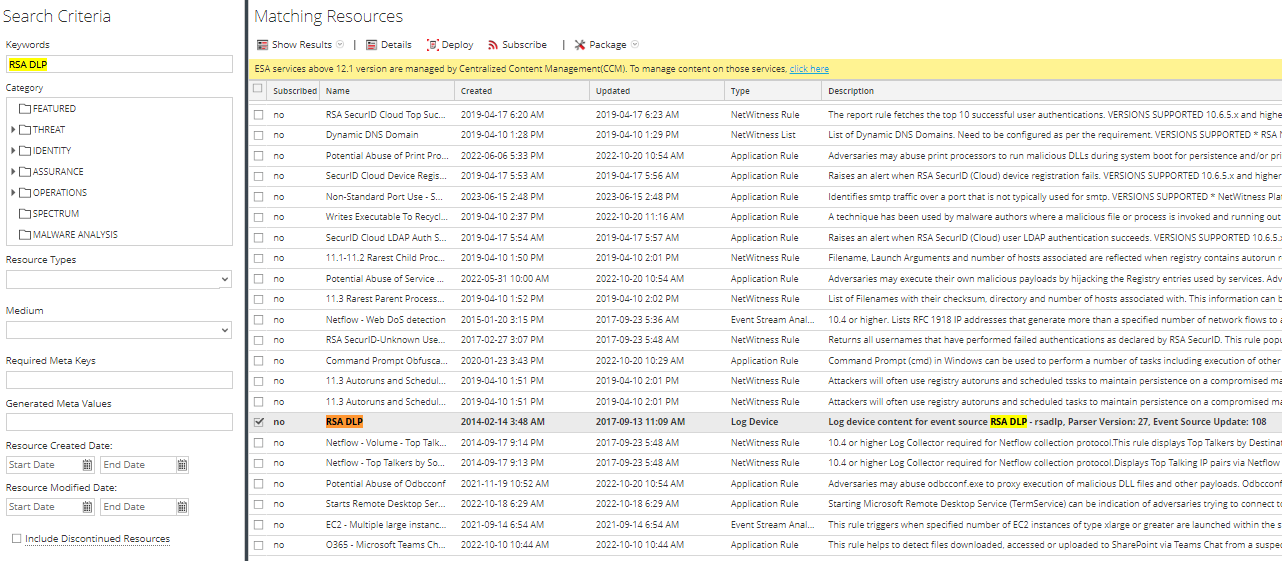
- In the "Keywords" text box, type the parser name or part of the parser name, and then press "Search."
- Once the results appear, double click the parser name of your choice, as shown in the right side panel of the screenshot below.
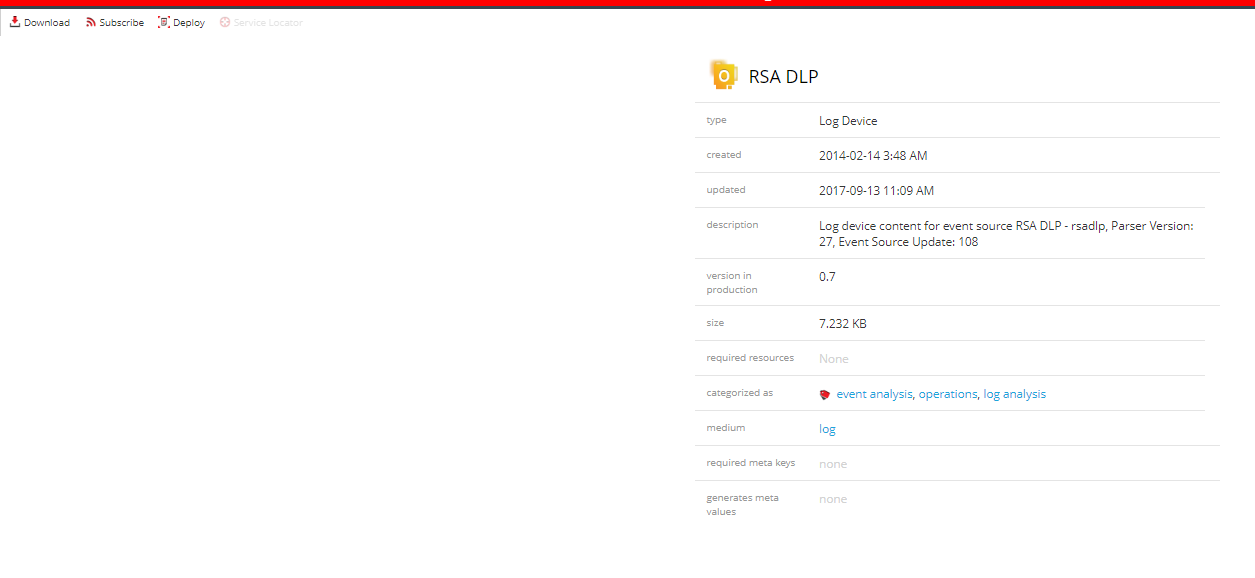
- A new window will be opened for the parser containing details about the parser. Click "deploy" to begin deploying the parser on your decoders.
- Select the resource name and then select "Next."

- Select the services that you wish to deploy the parser to.

- Review the information on the review page and click "Deploy.":

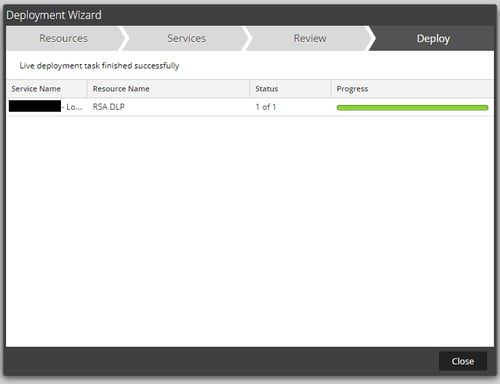
- Watch for the deployment status and then press "Close" once it has deployed successfully.
- On the decoder, check similar logs in /var/log/messages to make sure that the parser is successfully loaded.
NwLogDecoder[11691]: [Parse] [audit] User admin (session 119216, <SA_IP:58402) has started uploading file 'rsadlp.envision'
NwLogDecoder[11691]: [Parse] [audit] User admin (session 119216, <SA_IP:58402) has finished uploading file 'rsadlp.envision'
EPLH NwLogDecoder[11691]: [Decoder] [audit] User admin (session 499577, <SA_IP>:51866) has issued a parser reload
Notes
You may deploy multiple resources at the same time using the same interface by simply selecting all of the desired Live Content and pressing the "Deploy" button above the search results:

After choosing your desired Live Content and pressing "Deploy", you can proceed with Step 6 in the above steps.
Product Details
NetWitness Product Set: NetWitness Logs & Network
NetWitness Product/Service Type: NetWitness Admin Server, Live, Content Management
NetWitness Version/Condition: 12.x
Platform: CentOS , AlmaLinux
Summary
How to get the latest version of a parser using RSA Live
Approval Reviewer Queue
Technical approval queue