.png?width=180&height=32&name=NW%20Logo%20(2).png)
Incident Rules ViewIncident Rules View
The Incident Rules view enables you to manage the automated incident creation process. NetWitness Respond creates incidents in two ways:
- Incident Rules: NetWitness provides preconfigured rules that you can adjust for your environment. You can also create your own rules.
- Risk Scoring: (Endpoint Risk Scoring Settings are available in NetWitness version 11.3 and later and only apply to NetWitness Endpoint.) NetWitness Respond uses these settings to automatically create risk scoring incidents for suspicious files and hosts that cross the defined risk score thresholds. If you get too many or too few risk scoring incidents, you can adjust these thresholds.
Note: The information in this topic applies to NetWitness 11.1 and later.
What do you want to do?What do you want to do?
Go to the NetWitness All Versions Documents page and find NetWitness Platform guides to troubleshoot issues.
Related TopicsRelated Topics
Quick LookQuick Look
- To access the Incident Rules view, go to
 (Configure) > Incident Rules.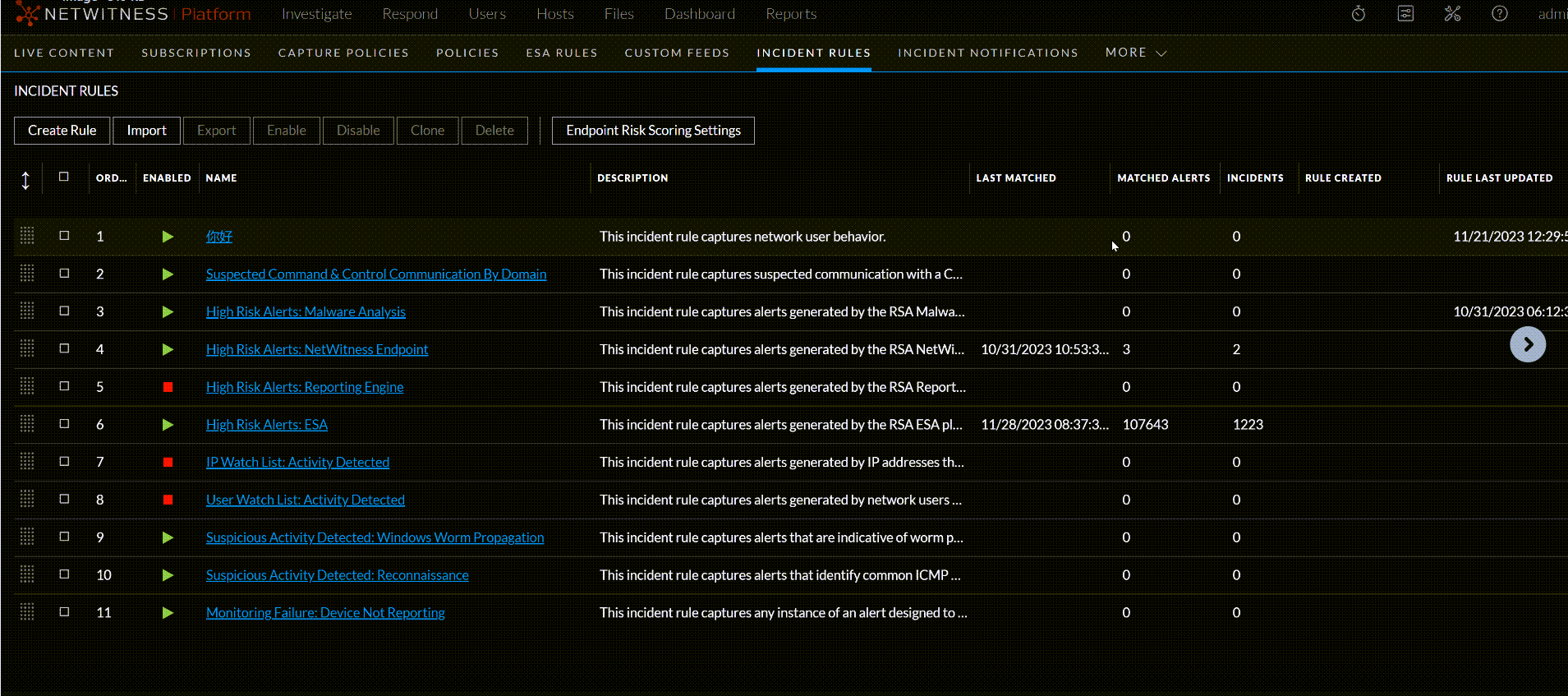
The Incident Rules view has two sections, one for each type of automated incident creation: - Endpoint Risk Scoring Settings
- Incident Rules
- To view the Endpoint Risk Scoring Settings section, click the arrow in front of Endpoint Risk Scoring Settings.
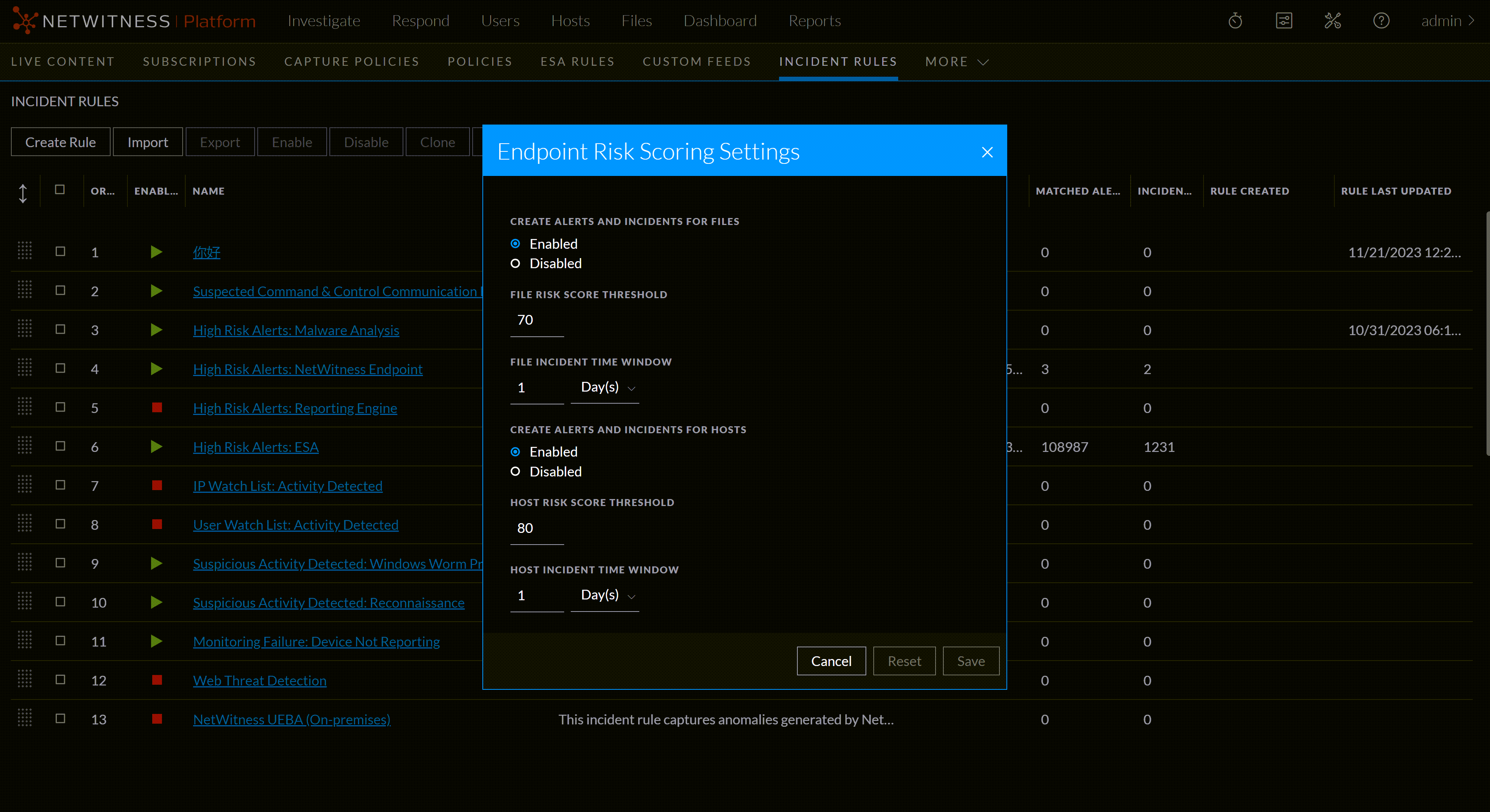
Endpoint Risk Scoring SettingsEndpoint Risk Scoring Settings
Note: Endpoint Risk Scoring Settings are available in NetWitness version 11.3 and later and only apply to NetWitness Endpoint. NetWitness Respond uses these settings to automatically create risk scoring incidents for suspicious files and hosts that cross the defined risk score thresholds.
The Endpoint Risk Scoring Settings enable you to configure the thresholds used to automatically create risk scoring alerts and incidents. When calculated risk scores for suspicious files and hosts exceed the specified thresholds, it triggers the creation of risk scoring alerts and incidents. NetWitness recommends that you keep the thresholds at the default values, but you may need to adjust these settings if you get too many or too few alerts and incidents.
For more information on configuring NetWitness Endpoint, see the NetWitnesss Endpoint Configuration Guide. Go to the NetWitness All Versions Documents page and find NetWitness Platform guides to troubleshoot issues.
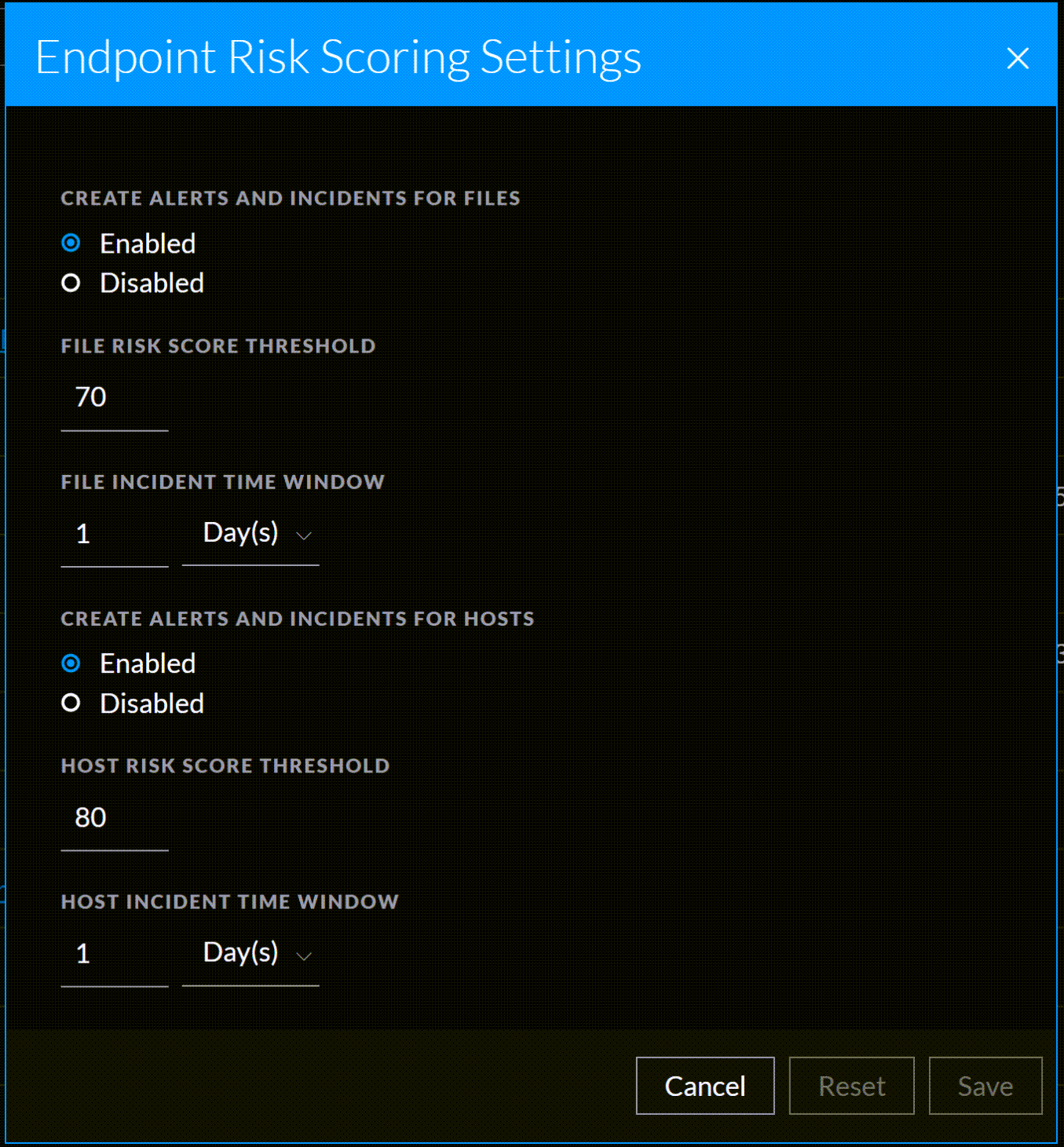
The following table describes the fields in the Endpoint Risk Scoring Settings.
Incident RulesIncident Rules
The Incident Rules section enables you to create and manage incident rules for automating the incident creation process. NetWitness provides preconfigured rules. You can add to and adjust these rules for your own environment.
The Incident Rules section consists of a list and series of buttons. The following table describes the columns in the Incident Rules list.
Incident Rules ActionsIncident Rules Actions
The following table shows the operations that can be performed on the Incident Rules list.