Skip to content
  • There are no suggestions because the search field is empty.

Investigate a Chart View

Investigate a Chart ViewInvestigate a Chart View

In the Investigate a Chart view, you can view and investigate chart details. There are options for filtering and sorting the information in the chart, as well as options for the type of chart, the number of items to chart, and charting values or totals. When viewing a chart, you can open the charted sessions in the Investigation module and save the chart as a PDF.

Workflow
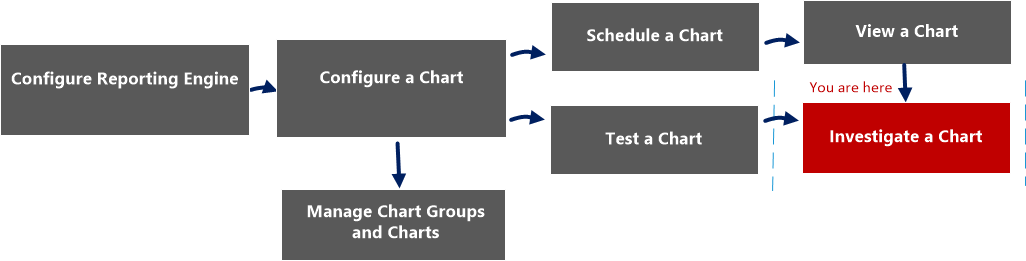
netwitness_investigate_chart_workflow.png

What do you want to do?

  • Role:

    Administrator/ Analyst

  • I want to ...:

    Configure Reporting Engine

  • Documentation:

    For more information, see "Configure Reporting Engin" in the Reporting Engine Configuration Guide.


  • Role: Administrator/ Analyst
  • I want to ...: Configure a chart
  • Documentation: Configure a Chart

  • Role:

    Administrator/ Analyst

  • I want to ...:

    Schedule a chart

  • Documentation:

    Schedule a Chart


  • Role:

    Administrator/ Analyst

  • I want to ...:

    View a chart

  • Documentation:

    View a Chart


  • Role: Administrator/ Analyst
  • I want to ...: Test a chart
  • Documentation: Test a Chart

  • Role: Administrator/ Analyst
  • I want to ...: Investigate a chart*
  • Documentation: Investigate a Chart


*You can complete these tasks here.

Related Topics

Quick View

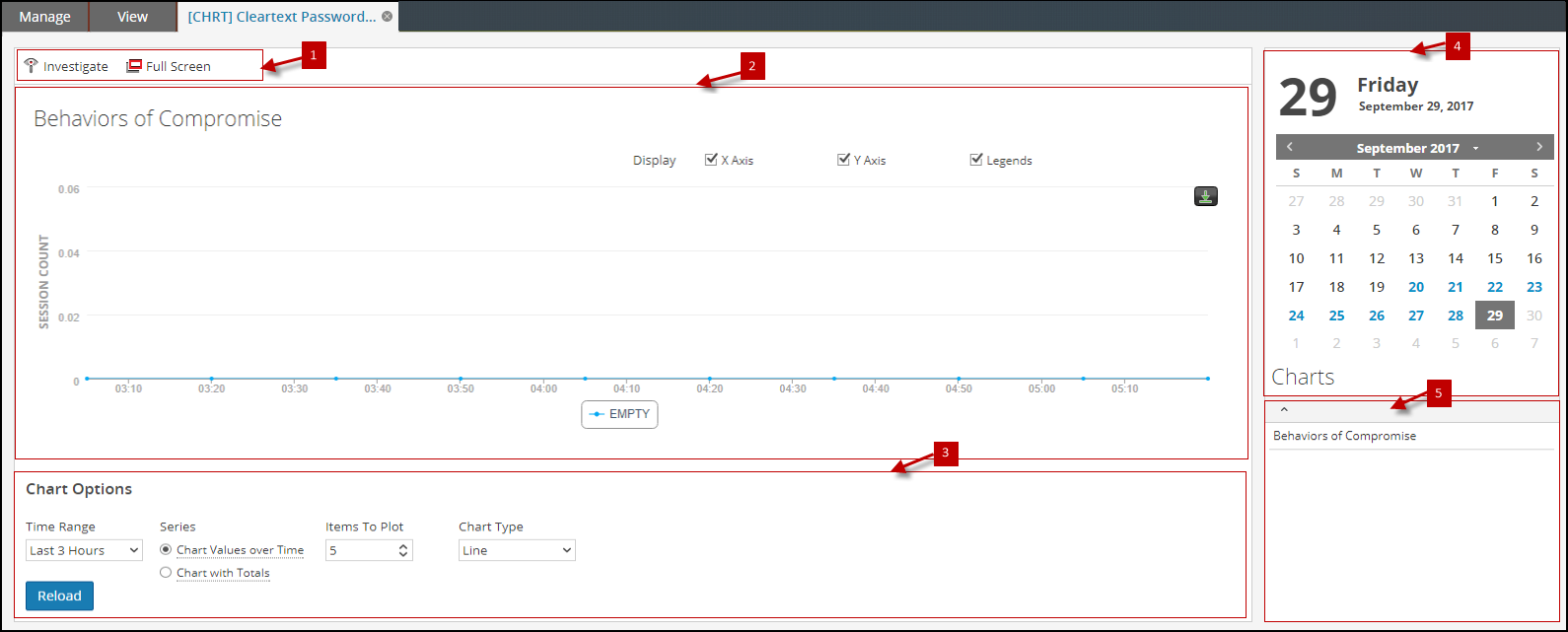
The following figure is an example with the important features labeled.
netwitness_view_chart_panel_callout.png

The View a Chart panel includes the following panels:

  • Column 1: 1
  • Column 2: Chart toolbar

  • Column 1: 2
  • Column 2: Chart Output panel

  • Column 1: 3
  • Column 2: Chart Calendar panel

  • Column 1: 4
  • Column 2: Chart Options panel

  • Column 1: 5
  • Column 2: Chart Executed list

Chart Toolbar

The Chart toolbar has options that allow you to investigate, and view the chart on another screen.

netwitness_view_chart_toolbar.png

The following table lists the options in the Chart toolbar.

  • Operation: Investigate
  • Description: Investigates the chart details.

  • Operation: Full Screen
  • Description: Displays the chart on a full screen.