.png?width=180&height=32&name=NW%20Logo%20(2).png)
Issue
NetWitness Admin Server /opt/rsa/sms/logs/sms.log file is not having the latest logs.Cause
This is a known issue in 11.6.X and 11.7.X versions.
Resolution
Please follow the below steps in Admin Server.- Copy the file logback.xml (attached in this KB) to the path /opt/rsa/sms directory.
- Add the following runtime argument in the file /opt/rsa/sms/conf/wrapper.conf
wrapper.java.additional.8=-Dlogback.configurationFile=/opt/rsa/sms/logback.xml
sample output:
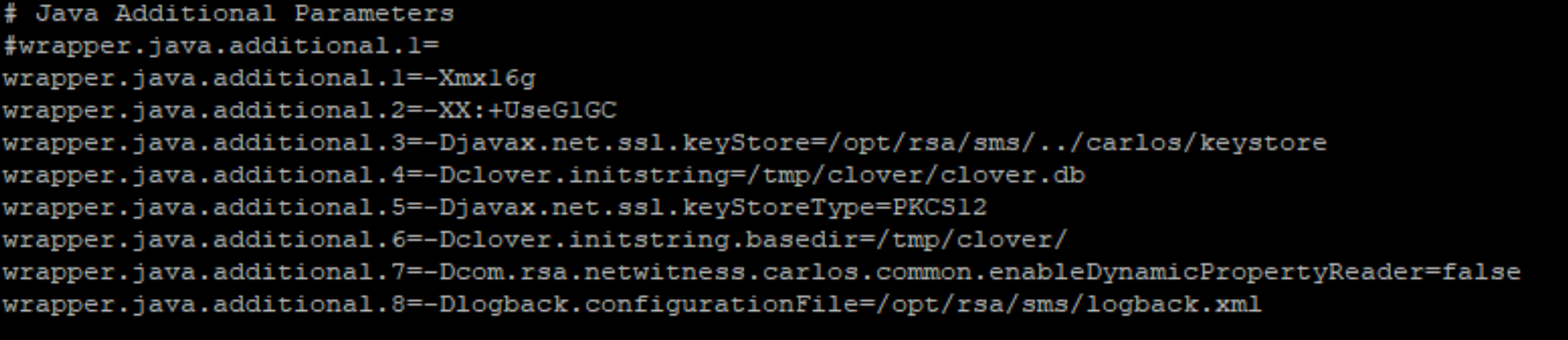
3. Restart rsa-sms service : systemctl restart rsa-sms
4. Verify if logs are being written to the /opt/rsa/sms/logs/sms.log file now.
Product Details
RSA Product Set: RSA NetWitness PlatformRSA Product/Service Type: NetWitness AdminServer
RSA Version/Condition: 11.7.1.1
Platform: CentOS
O/S Version: 7
Summary
This document outlines the procedure to log the latest logs in sms.log file.
Approval Reviewer Queue
Technical approval queue