.png?width=180&height=32&name=NW%20Logo%20(2).png)
Issue
Log Decoder / Log Collector appliances which are upgraded from older versions of NetWitness may contain a script that causes the incorrect creation of 2 queues of similar names: "Logdecoder" (with a capital "L") and "logdecoder" (with a lower case "l"). Should this occur, the named queue with the upper case "L" should be removed.
Resolution
To remove the duplicate Log Decoder queue on event processors do the following from the Admin Server UI as an administrative account:
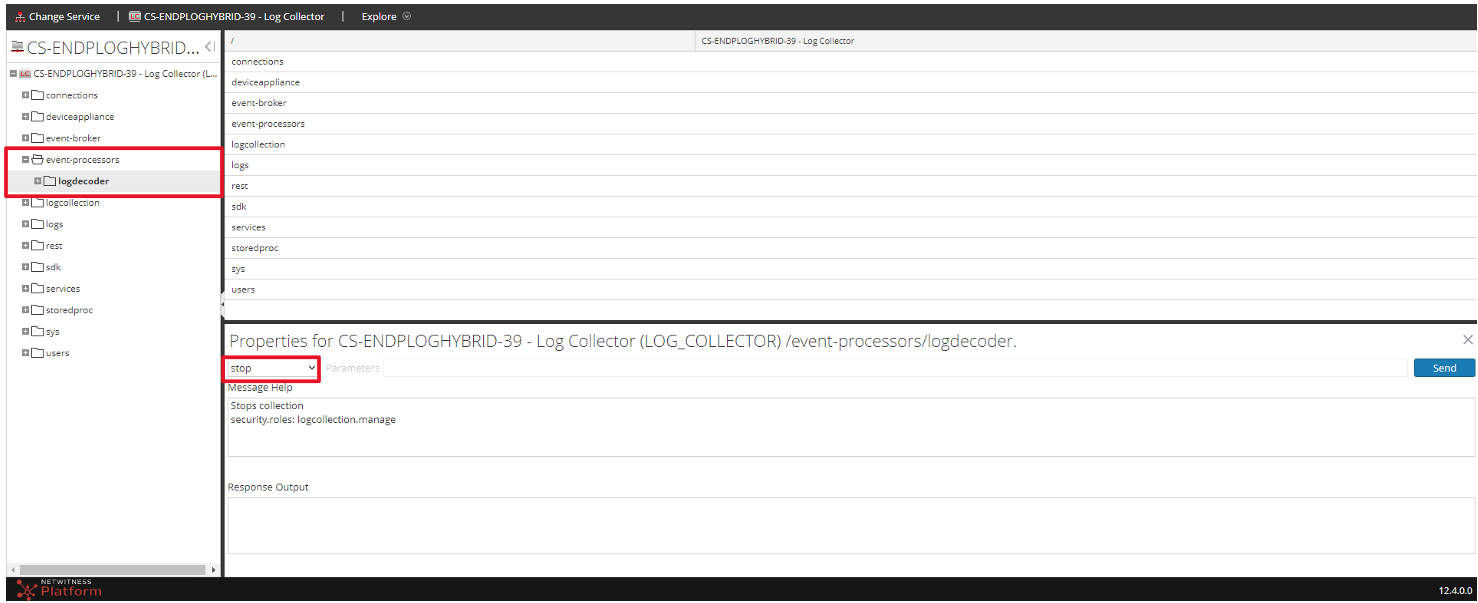
- Go to Explore view of the Log Collector, then expand the event processors -> right click on the Logdecoder select properties -> on the properties section, then on the drop down menu select stop:
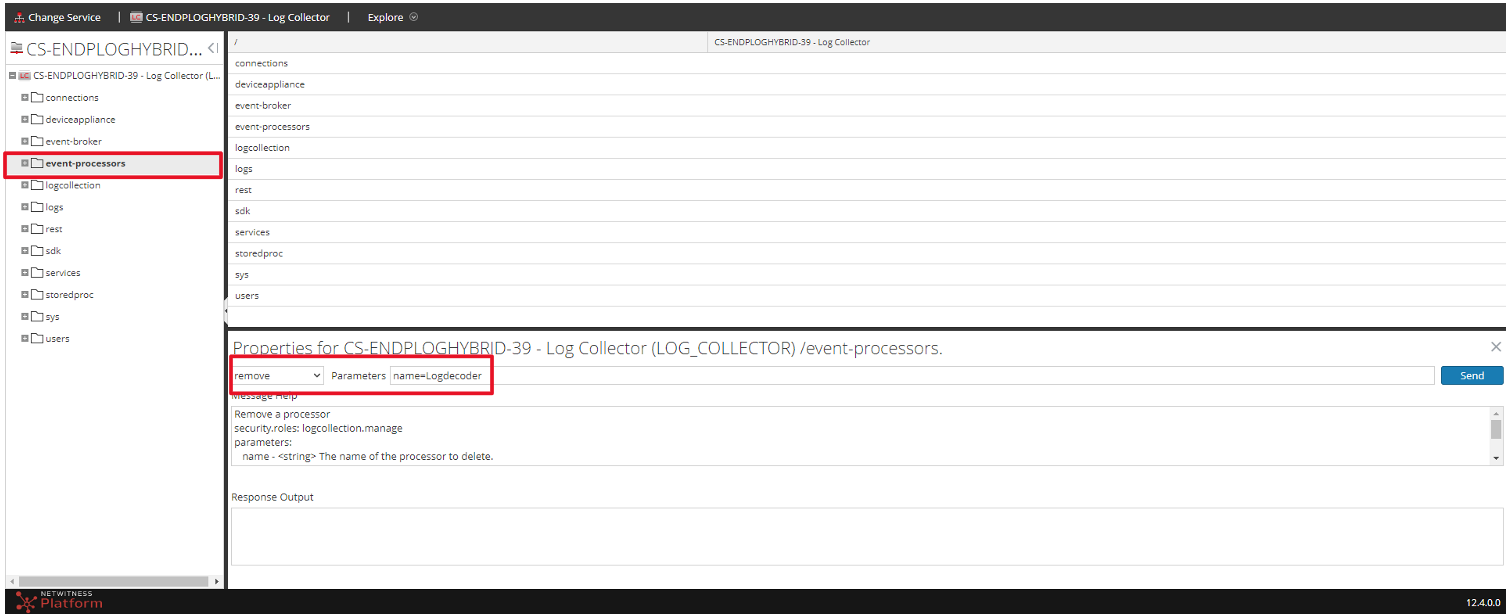
- Go to event processors -> right click properties -> on the properties section on the drop down menu, select remove from the parameters box, then type name=Logdecoder and then click Send :
- This can take a few minutes to complete. After completion, refresh the web page, then check the Explorer -> expand the event processors. Only the logdecoder with small "l" should be present:

Product Details
NetWitness Product Set: NetWitness Logs & Network
NetWitness Product/Service Type: Log Collector, Log Decoder
NetWitness Version/Condition: 11.x, 12.x
Platform: CentOS , AlmaLinux
Summary
This article describes how to fix the issue when a duplicate queue appears under event processors on the Log Collector or Log Decoder appliances.
Approval Reviewer Queue
Technical approval queue