.png?width=180&height=32&name=NW%20Logo%20(2).png)
Issue
When handling license issues, Enabling DEBUG logs would help to find the relevant errors in the logs.Tasks
Enabling DEBUG logs would need changes mentioned in Resolution section. Post checking the errors, reverting the DEBUG level back to normal will stop extra logging in logs.
Resolution
Please follow below steps to enable DEBUG logs for License issues.1. Login to NetWitness GUI as admin.
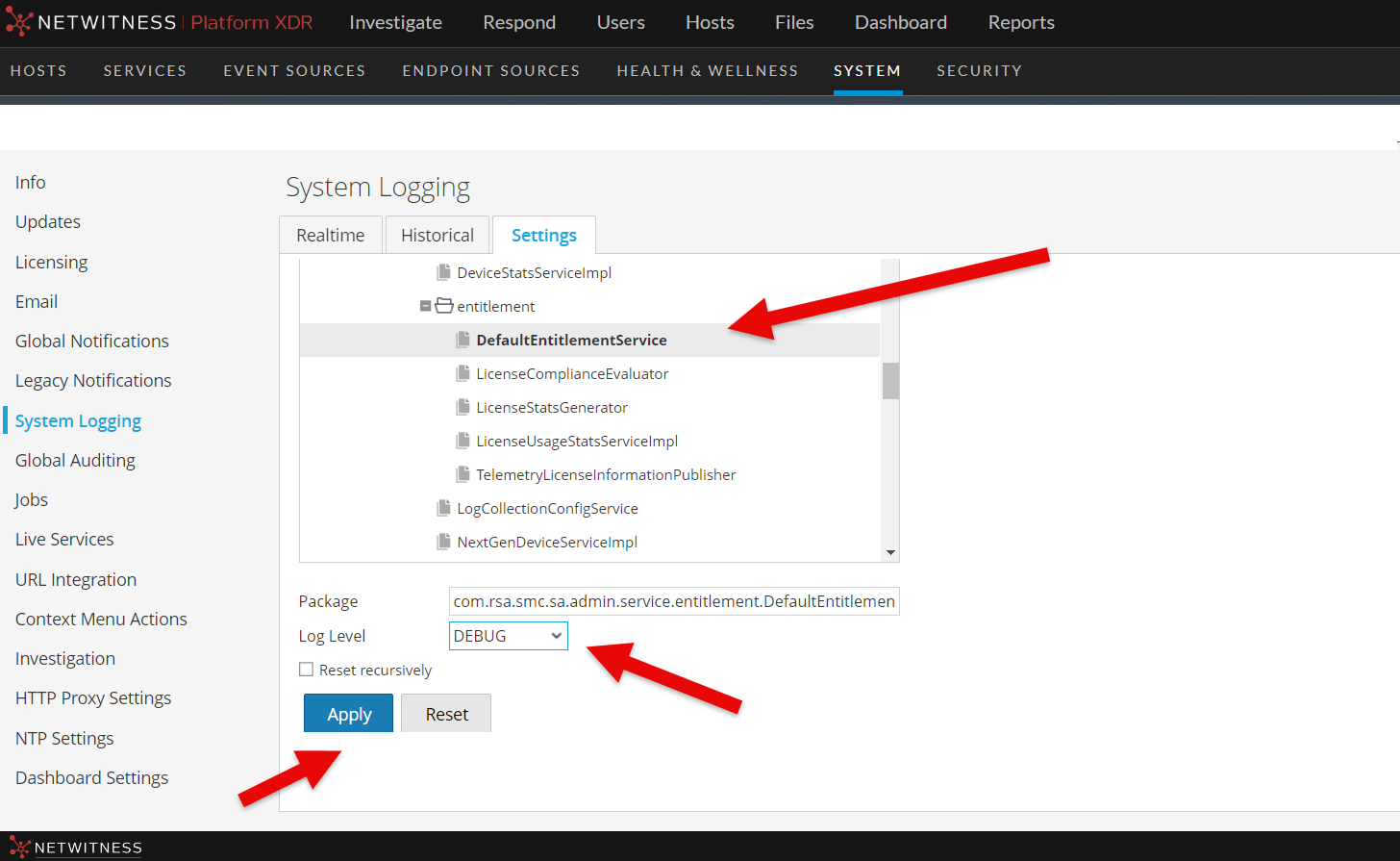
2. Navigate to Administration->System->System Logging->Settings page.
3. Select below Packages in Package Configuration.
com.rsa.smc.sa.admin.service.entitlement.DefaultEntitlementService
4. Change Log Level to DEBUG as below and Click "Apply".
5. /var/lib/netwitness/uax/logs/sa.log will have the more relevant logs for Licensing issues.
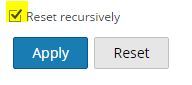
6. Please use "Reset recursively" Check box in the same page mentioned in Step2 and Click Apply to revert DEBUG level to normal logging.
Product Details
RSA Product Set: NetWitnessRSA Product/Service Type: NetWitness
RSA Version/Condition: 12.x and above
Summary
When handling License issues, enabling DEBUG logs is good idea to find the relevant errors.
Approval Reviewer Queue
Technical approval queue