.png?width=180&height=32&name=NW%20Logo%20(2).png)
Issue
The Precheck tool fails with the below error message:

Cause
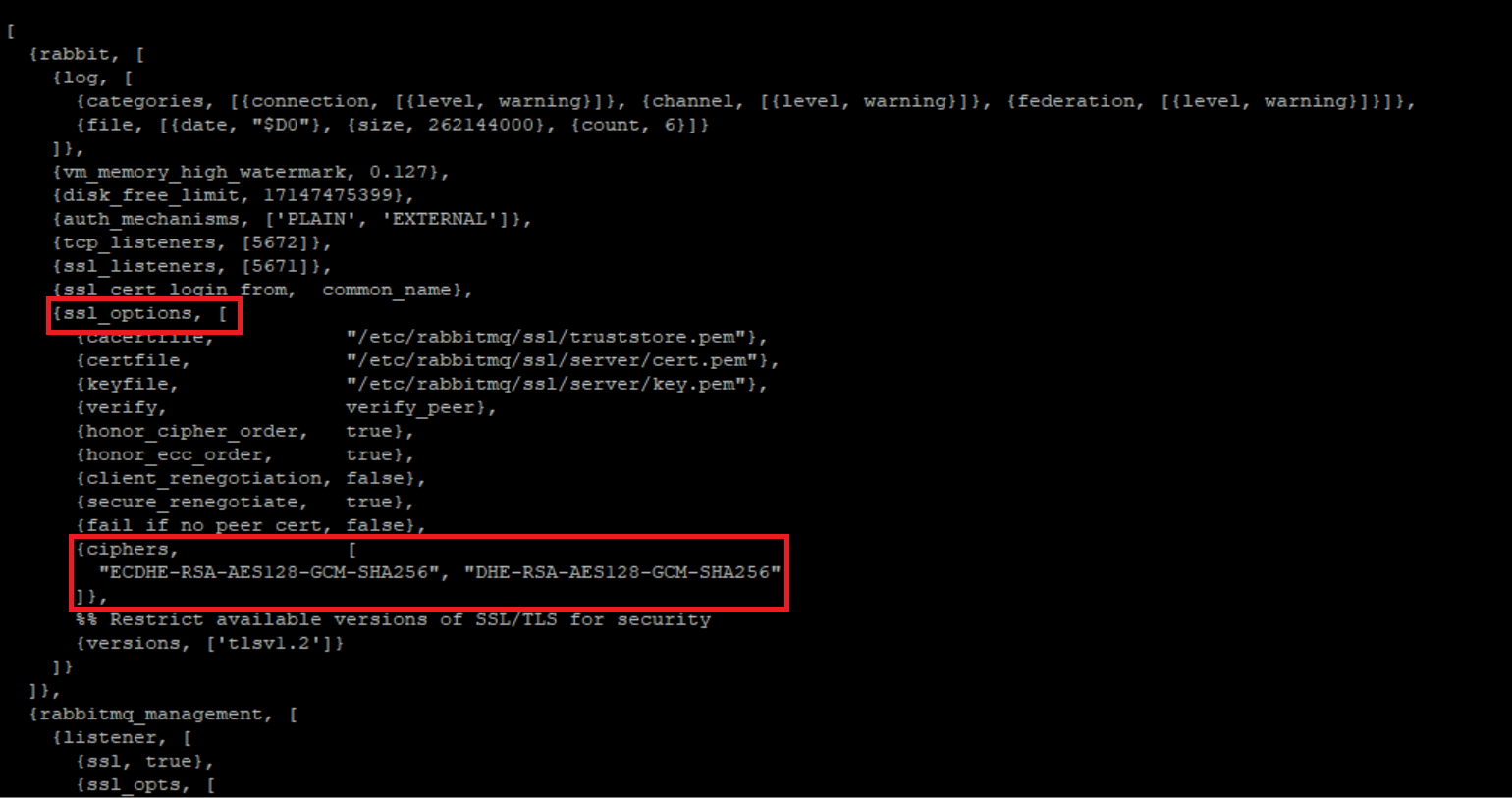
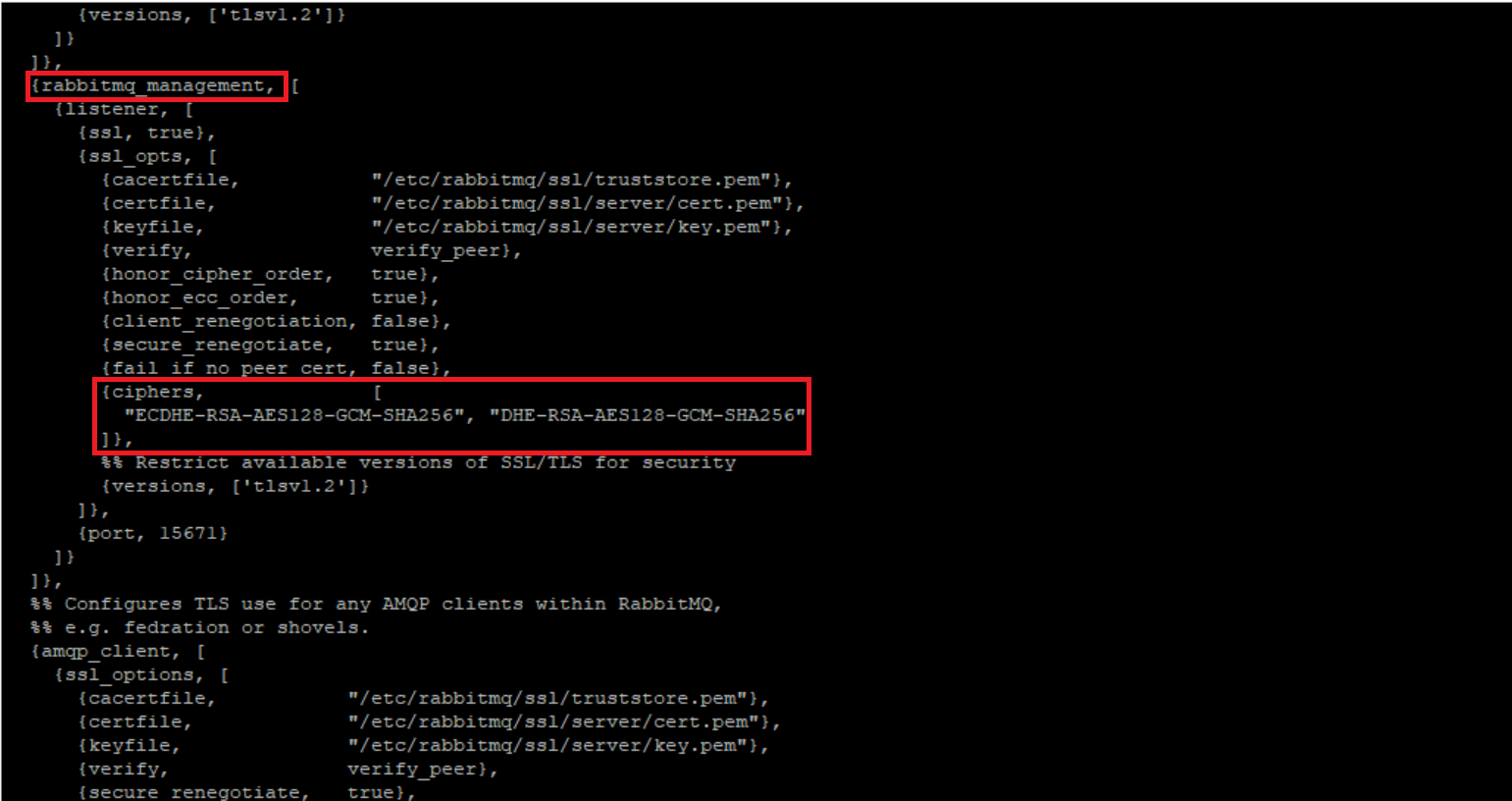
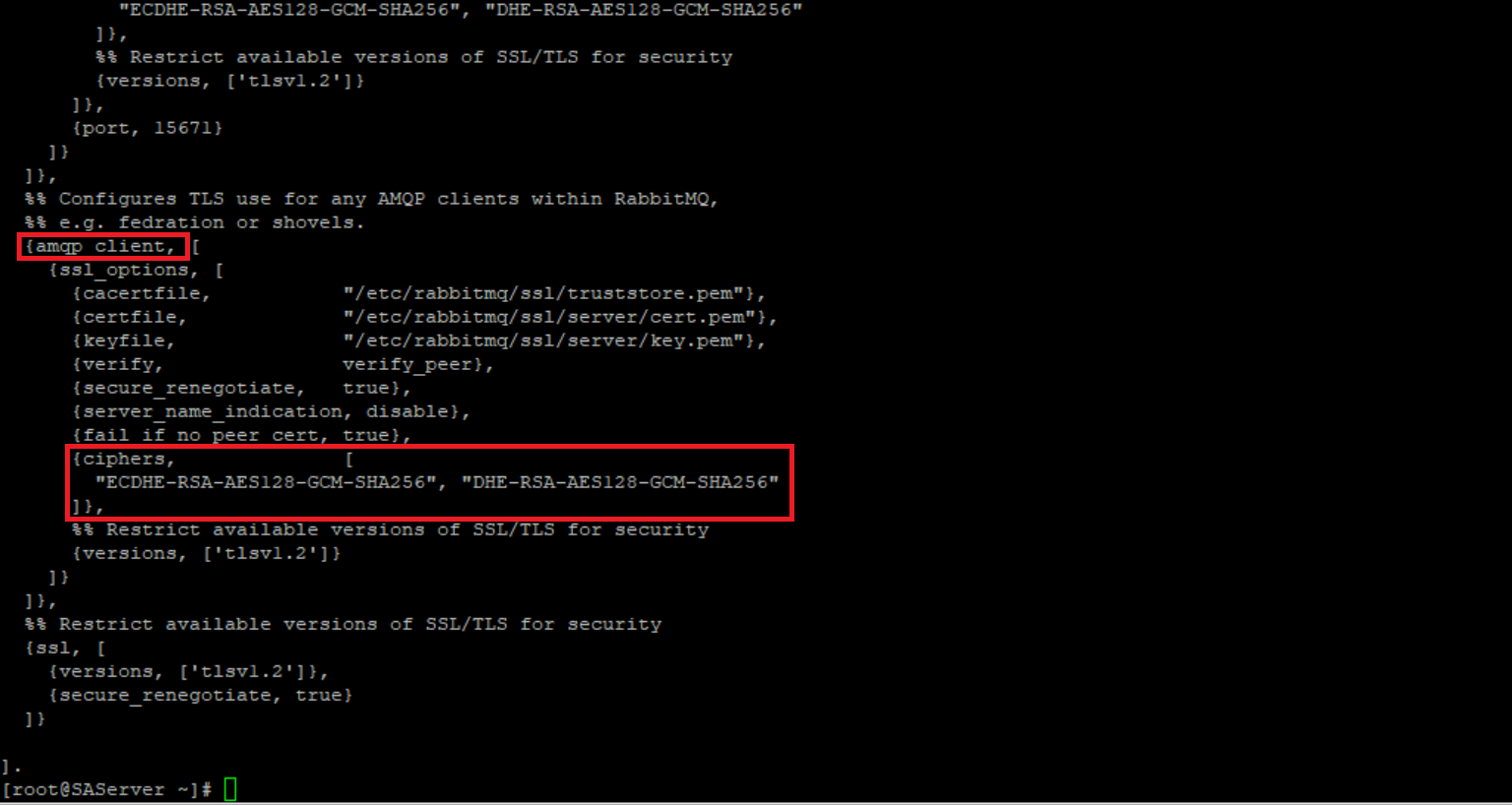
This error is due to the file /etc/rabbitmq/rabbitmq.config does not have the ciphers ‘ECDHE-RSA-AES128-GCM-SHA256’ and ‘DHE-RSA-AES128-GCM-SHA256’. The two ciphers could be found under three locations within the file:1. ssl_options
2. rabbitmq_management
3. amqp_client
Resolution
Note: File /etc/rabbitmq/rabbitmq.config should be backed up prior to running the cookbook instructions below. The file will get overwritten after the cookbook is executed.You can perform it by executing the command:
cp /etc/rabbitmq/rabbitmq.config /etc/rabbitmq/rabbitmq.configbackup
Running the RabbitMQ cookbook on the affected node will resolve this issue.
Please perform the following action:
- Execute the command to run the RabbitMQ cookbook on the affected node:
chef-client -r "recipe[nw-rabbitmq]" --config /var/lib/netwitness/config-management/client.rb --json-attributes /etc/netwitness/config-management/node.json
- Then verify /etc/rabbitmq/rabbitmq.config file has the ciphers ‘ECDHE-RSA-AES128-GCM-SHA256’ and ‘DHE-RSA-AES128-GCM-SHA256’, per the screen shots within the Cause section of this article.
Notes
If any changes are made in this /etc/rabbitmq/rabbitmq.config for file size limitations, you must ensure that the backup of these changes are taken prior to running the cookbook. This file will get overwritten after the cookbook is executed.
Product Details
RSA Product Set: NetWitness PlatformRSA Product/Service Type: All Nodes
RSA Version/Condition: 12.0 or later
Platform: CentOS
Approval Reviewer Queue
Technical approval queue