.png?width=180&height=32&name=NW%20Logo%20(2).png)
Issue
The Precheck tool fails with the below error message: This probe checks for the existence of ‘
yum.conf’ file and presence of proxy within the file.
This probe checks for the existence of ‘
yum.conf’ file and presence of proxy within the file.
Cause
The system upgrade fails if proxy is present and enabled in ‘/etc/yum.conf’.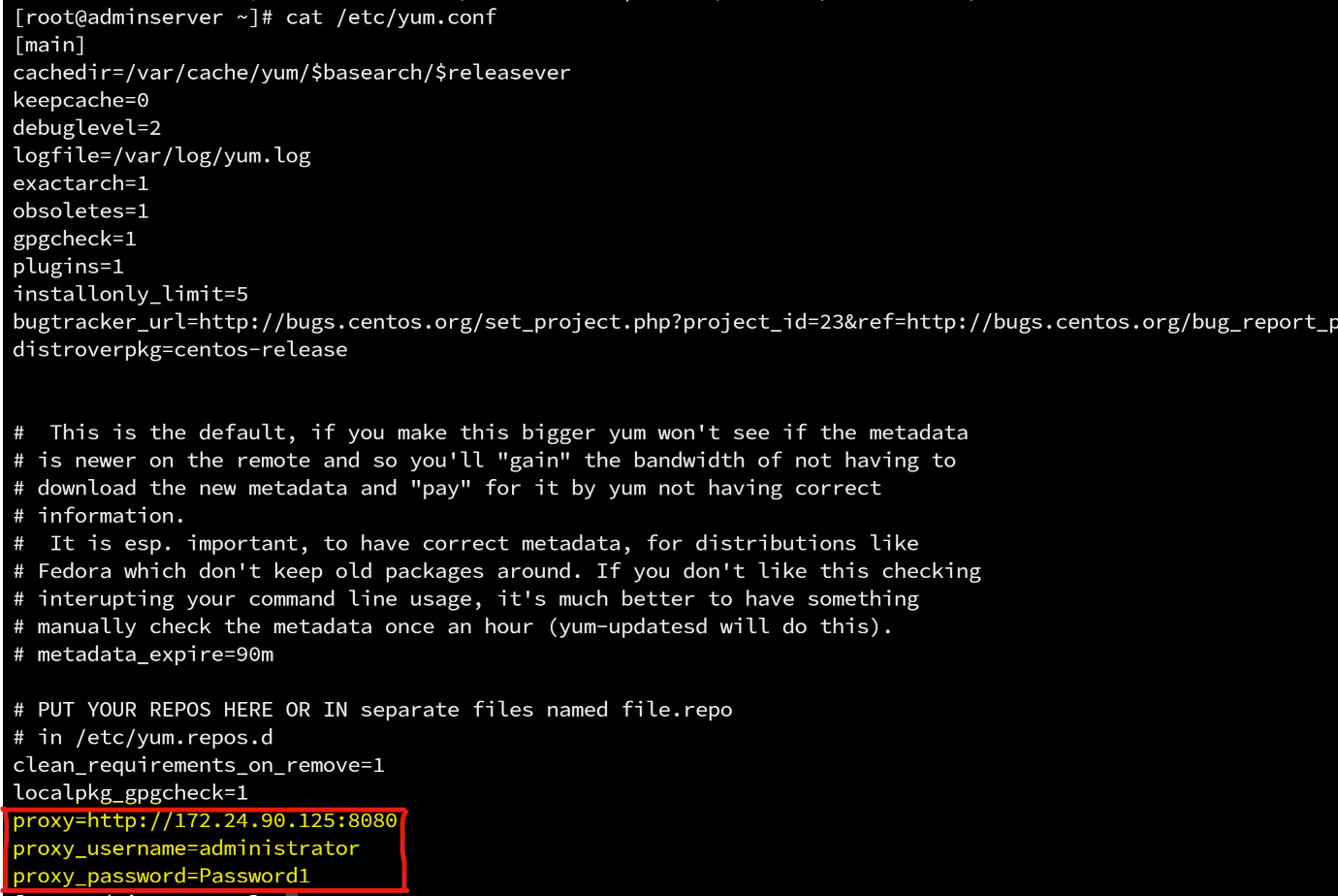 .
.
To ensure that upgrades and installations proceed smoothly, it is necessary to remove any proxy settings beforehand. This is because the process relies on receiving accurate responses to multiple API calls, which can misfire if a proxy is set up. After the upgrade or installation is complete, custom proxy settings can be re-added.
Resolution
Navigate to ‘/etc/yum.conf’ file and remove the proxy information. Follow these steps to remove the proxy information:
1. vi /etc/yum.conf Get into insert mode (press i)
2. Remove the following lines:
proxy= <porxy_URL>
proxy_username=<proxy_username>
proxy_password=<proxy_password>
proxy_username=<proxy_username>
proxy_password=<proxy_password>
3. Save the changes.
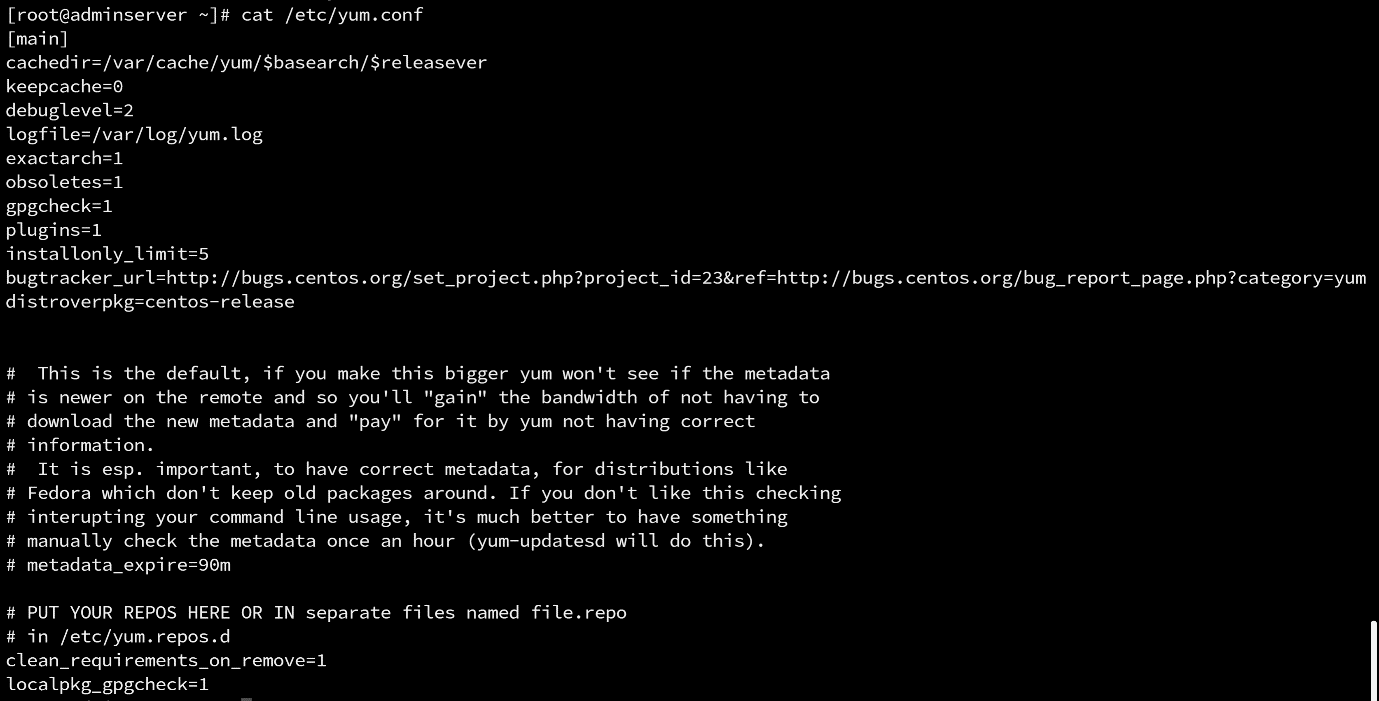
4. After saving file without proxy entries, precheck tool shows success for Yum Proxy Check probe. Sample screenshot for the same:

Notes
If looking for how to address the YUM Proxy error for Node-X servers, please following the below link:
Product Details
RSA Product Set: NetWitness Platform
RSA Product/Service Type: All nodes
RSA Version/Condition: 12.4 or later
Platform: CentOS
Summary
This knowledge base article is for addressing YUM proxy errors on Node0 Admin servers only. If the error being seeing is for a Node-X server, please see the Notes section for a link to the knowledge base article that addresses that issue.
Approval Reviewer Queue
Technical approval queue