.png?width=180&height=32&name=NW%20Logo%20(2).png)
Issue
Creating a Reporting Engine Alert (UI > Reports > Manage > Alerts), fails with 'Datasource is required' after clicking on Create.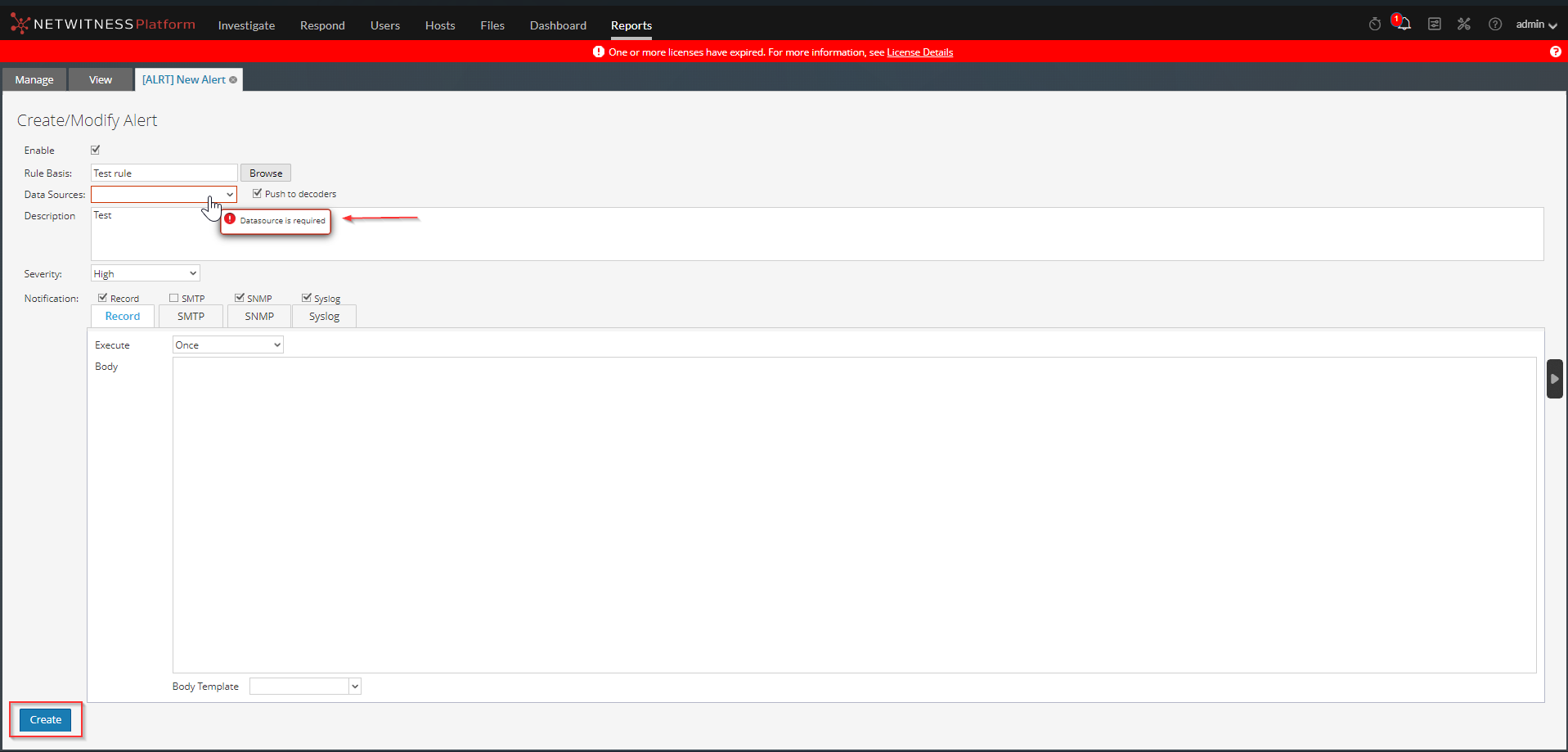
Cause
The issue occurs because no Data Source is added as NWDB Data Sources in Reporting Engine configuration.For the Reporting Engine to run reports and alerts, it has to extract the data from a Data Source.
Resolution
To add Data Source under Reporting Engine Config page:- Login to UI
- Click on Admin
- Click on Services
- Select Reporting Engine Service
- Click on the GearBox under Actions Column
- Press on View
- Select Config
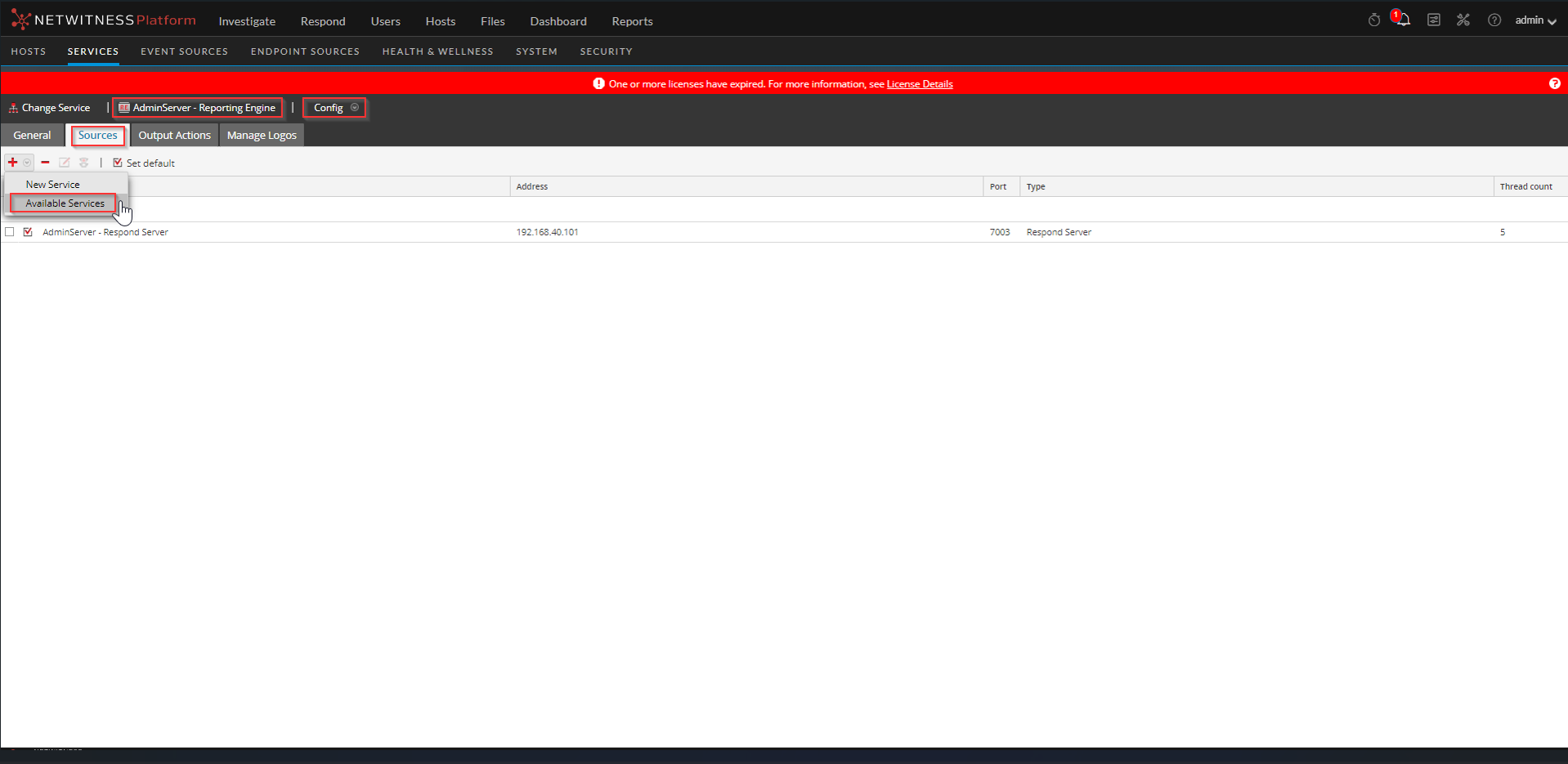
- Click on Sources
- Click on + and select Available Services
- Select the Service and Press OK
Product Details
NetWItness Product Set: NetWitness PlatformNetWItness Product/Service Type: Reporting Engine
NetWItness Version/Condition: 11.x, 12.x
Platform: CentOS 7 / Alma
Approval Reviewer Queue
Technical approval queue