.png?width=180&height=32&name=NW%20Logo%20(2).png)
Issue
RMA process for swapping drives with new RAID controller and avoiding data loss.
Cause
The internal PERC H740 RAID controller within Series 6 appliances may fail or require replacement. Since the PERC H740 is being phased out and replaced by the newer PERC H750 model, customers needing to replace or upgrade their appliance must transfer their existing drives to a new appliance equipped with the H750 controller. Without a proper process, this transfer poses a risk of data loss or corruption due to compatibility or configuration issues between the different controller models.
Resolution
Perform any one of the following:
Swapped drives are encrypted on the failed host and migrated to the new host (with PERC H750)
-
Power on the appliance
-
Press F2 to enter System Setup > Select Device Settings > Select appropriate device (For example, PERC H750).
-
In the Dashboard view, select the Main Menu.
-
To enable Security on the PERC H750 Controller, enter the Pass Phrase and Key ID (These are the values set when encrypting the drives on the original appliance).
-
Press F2 > Device Settings >
 > Main Menu -> Controller Management > Advanced Controller Management > Enable Security > Select Local Key Management (LKM) and Press OK.
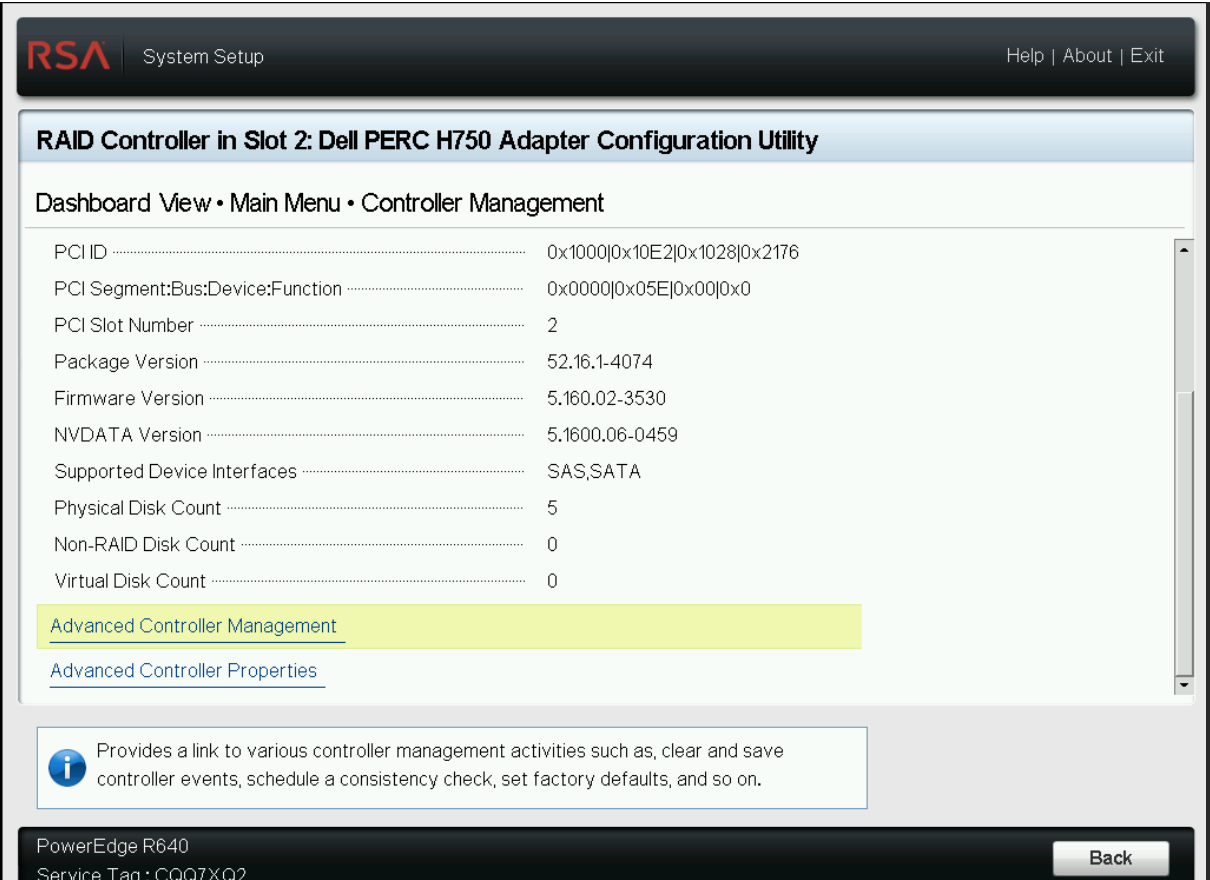
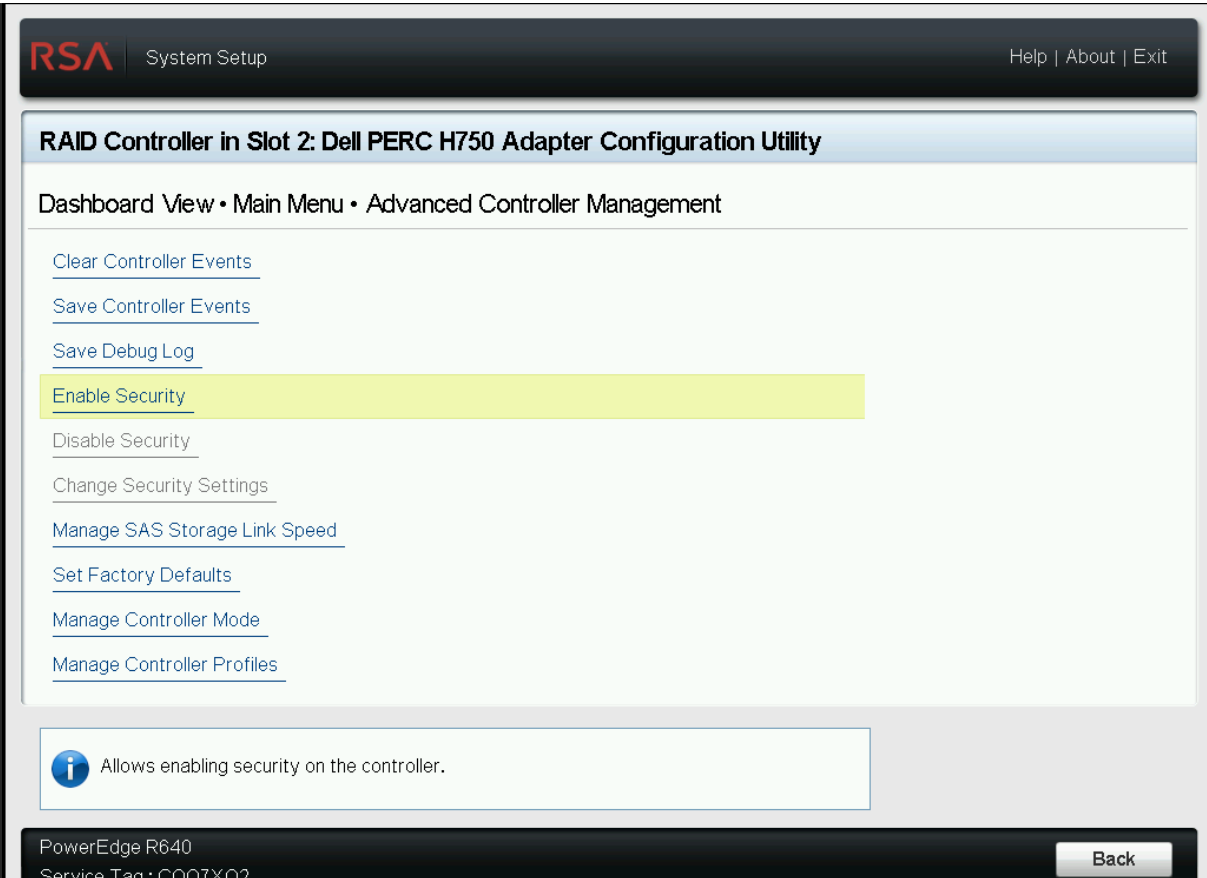
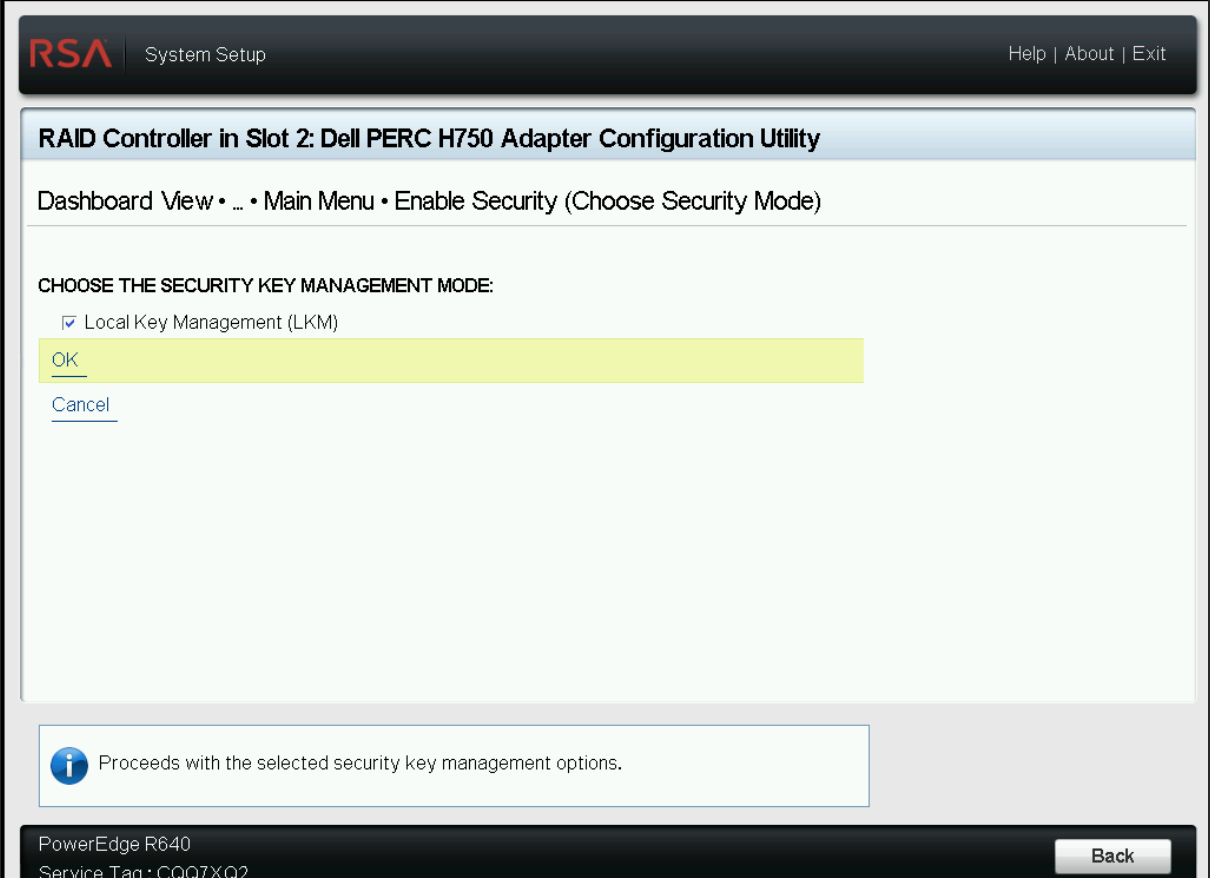
-
Enter the Security Key Identifier and Passphrase used to encrypt the drives on the failed host, Select Enable Security, confirm and OK. For example, ‘Netwitness1!’ is used as Key Identifier and Passphrase to encrypt drives initially on the failed host. Use the same values on the new host controller. NOTE: If you enter incorrect Security Key Identifier or Passphrase, IO errors is displayed after booting and the appliance is not usable.
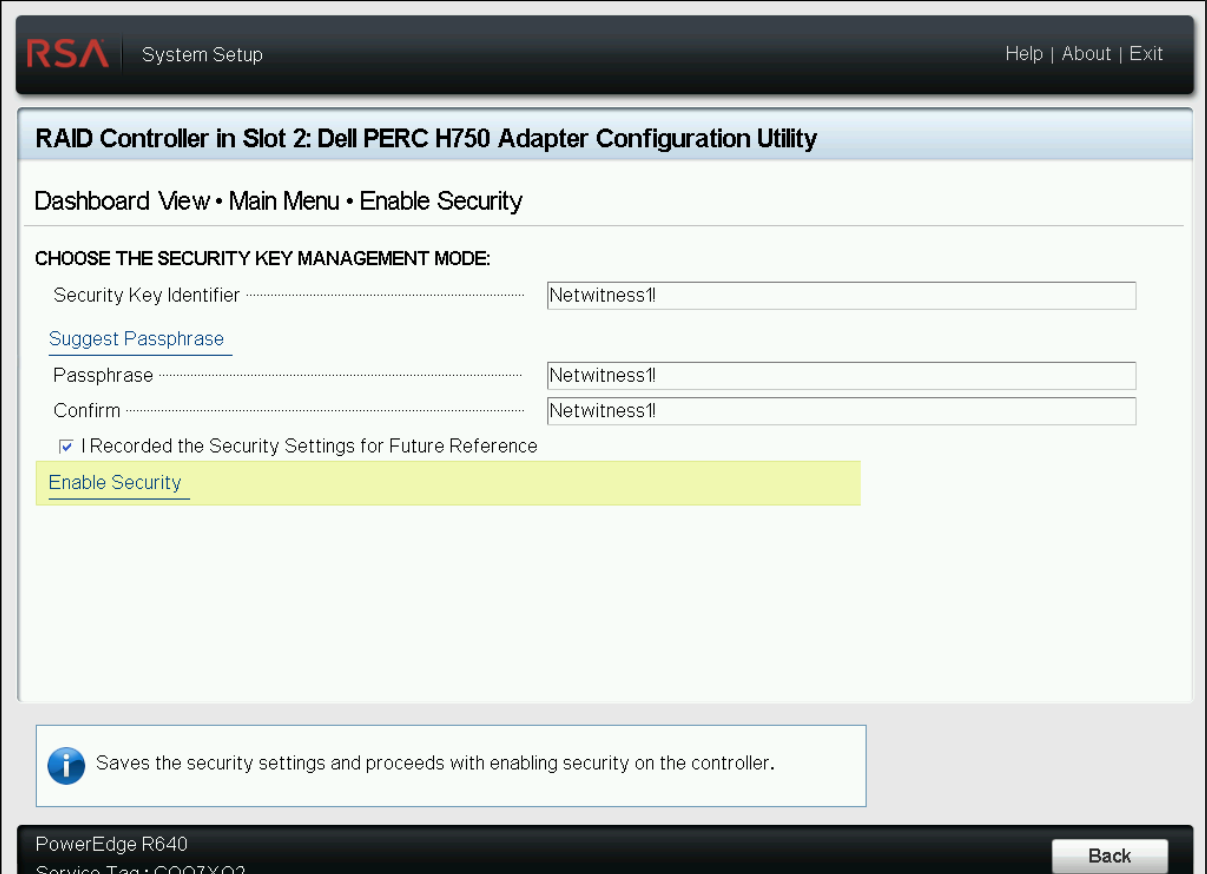
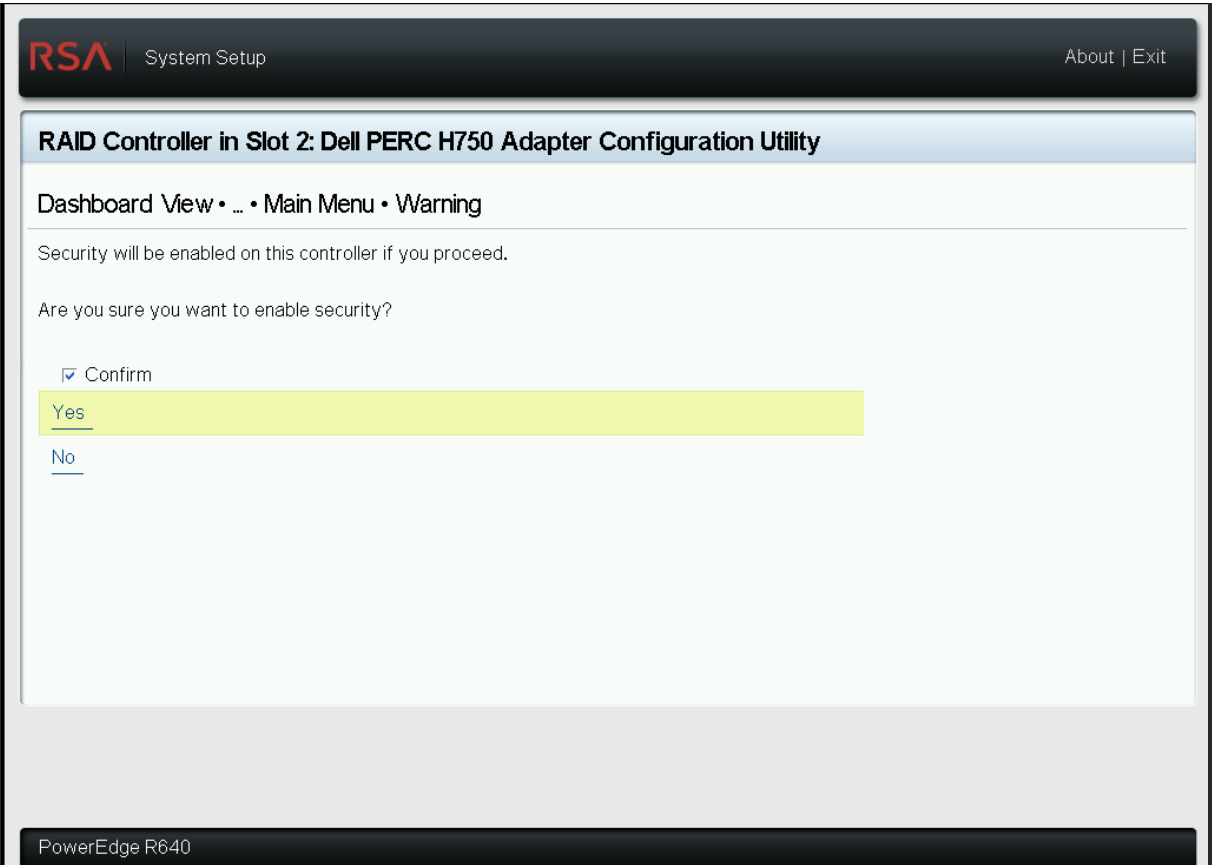
-
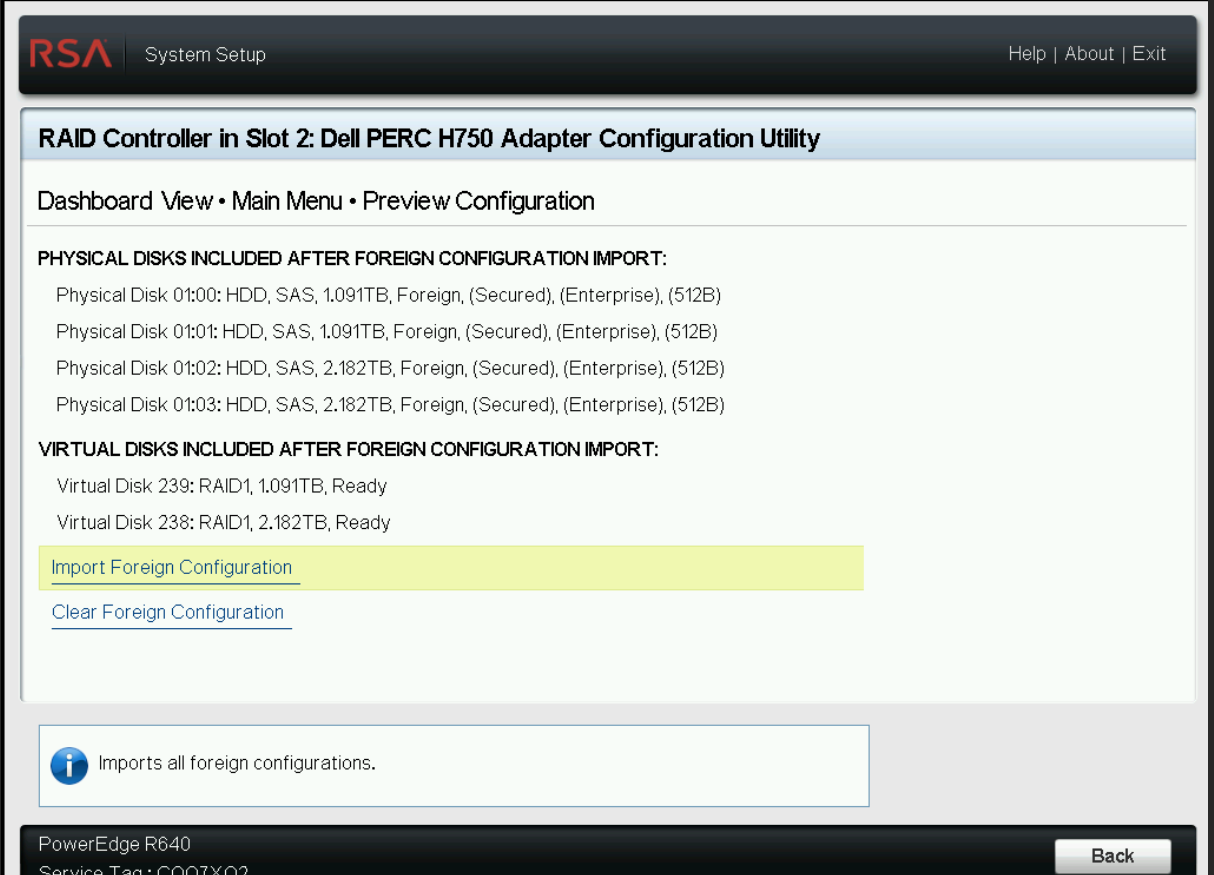
To Import Foreign Configuration, return to Main Menu and Select Manage Foreign Configuration > Preview Foreign Configuration > Import Foreign Configuration F2 > Device Settings >
 > Main Menu > Configuration Management > Manage Foreign Configuration
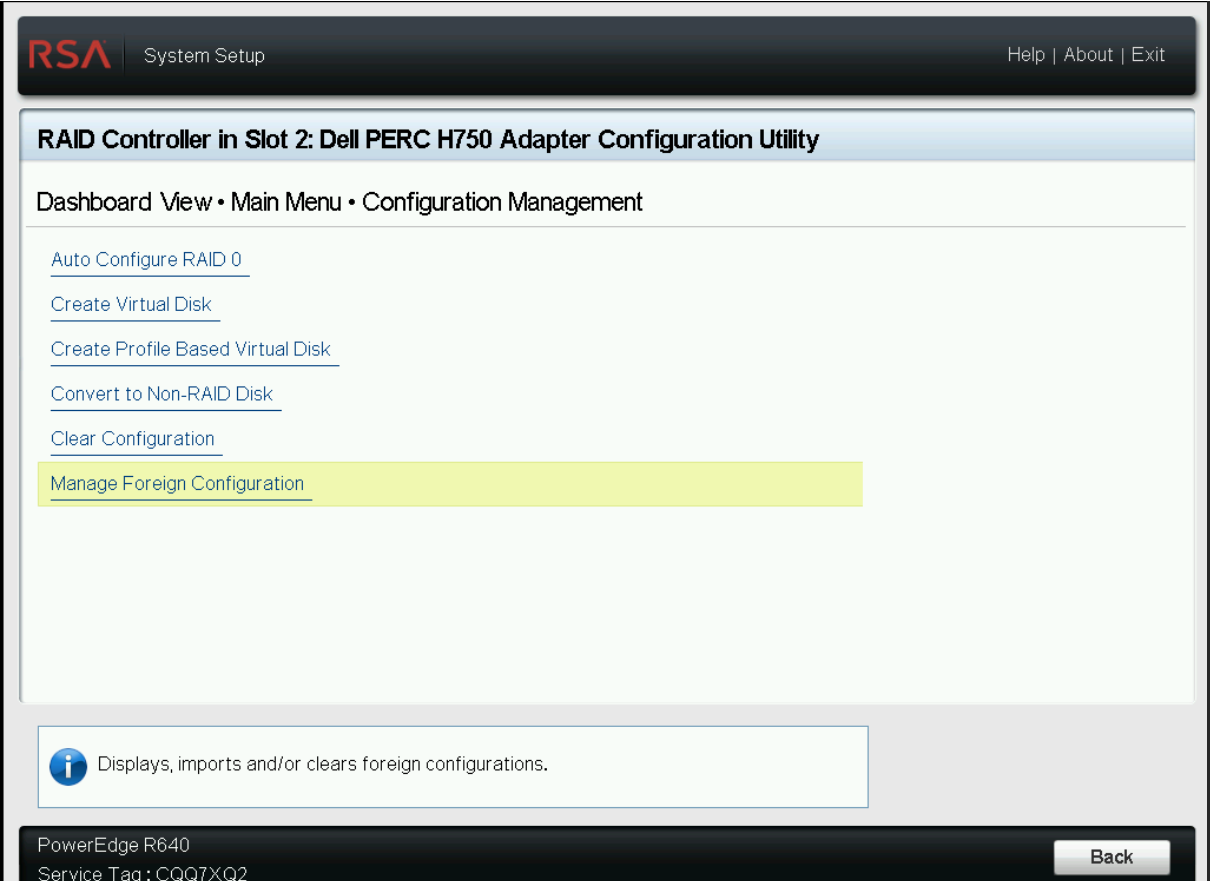
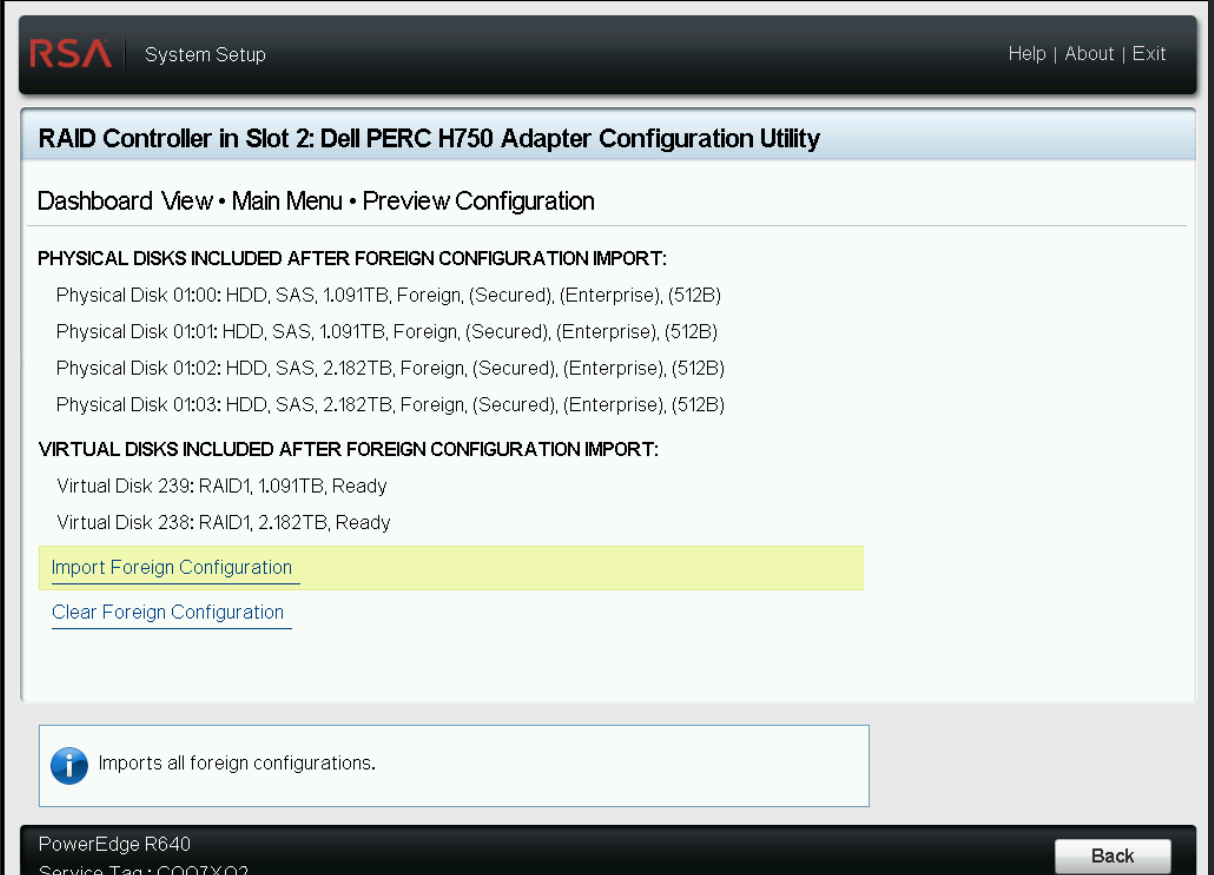
-
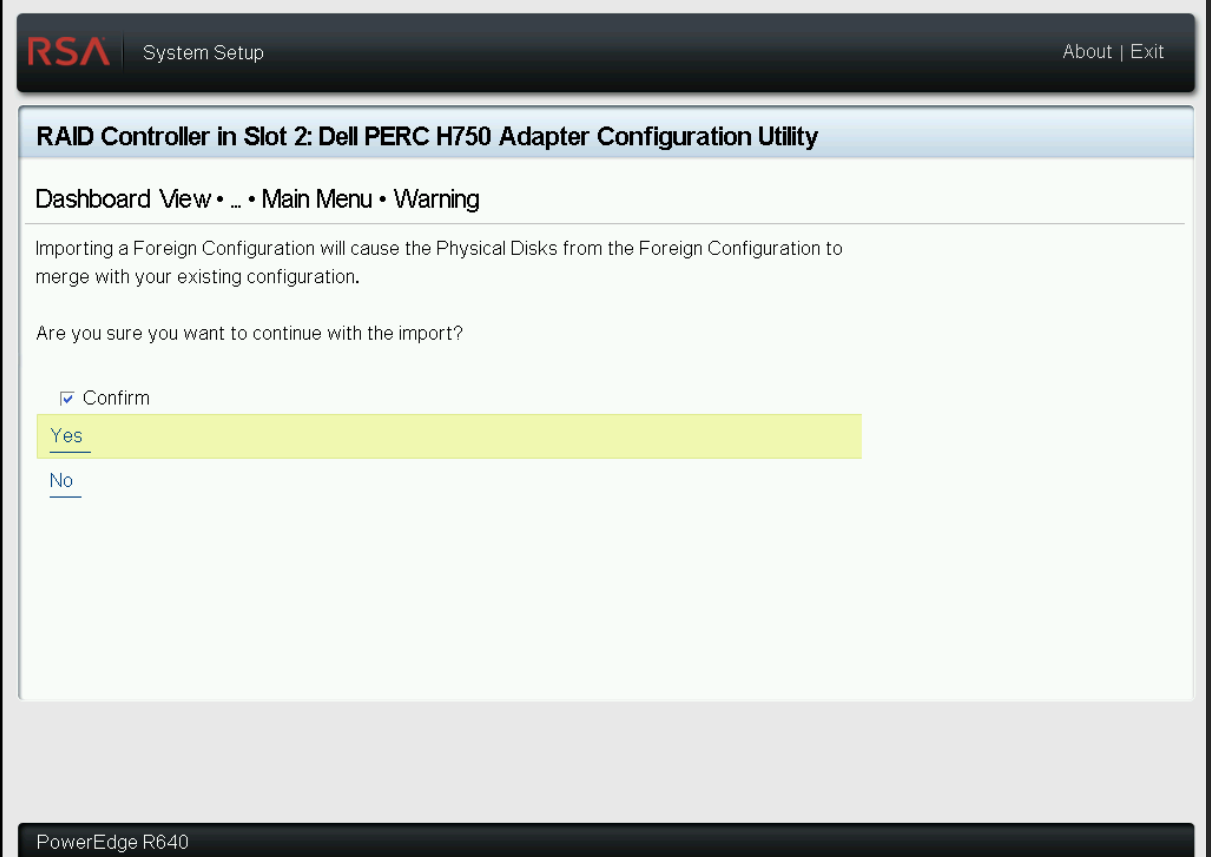
Select Confirm and press Yes.
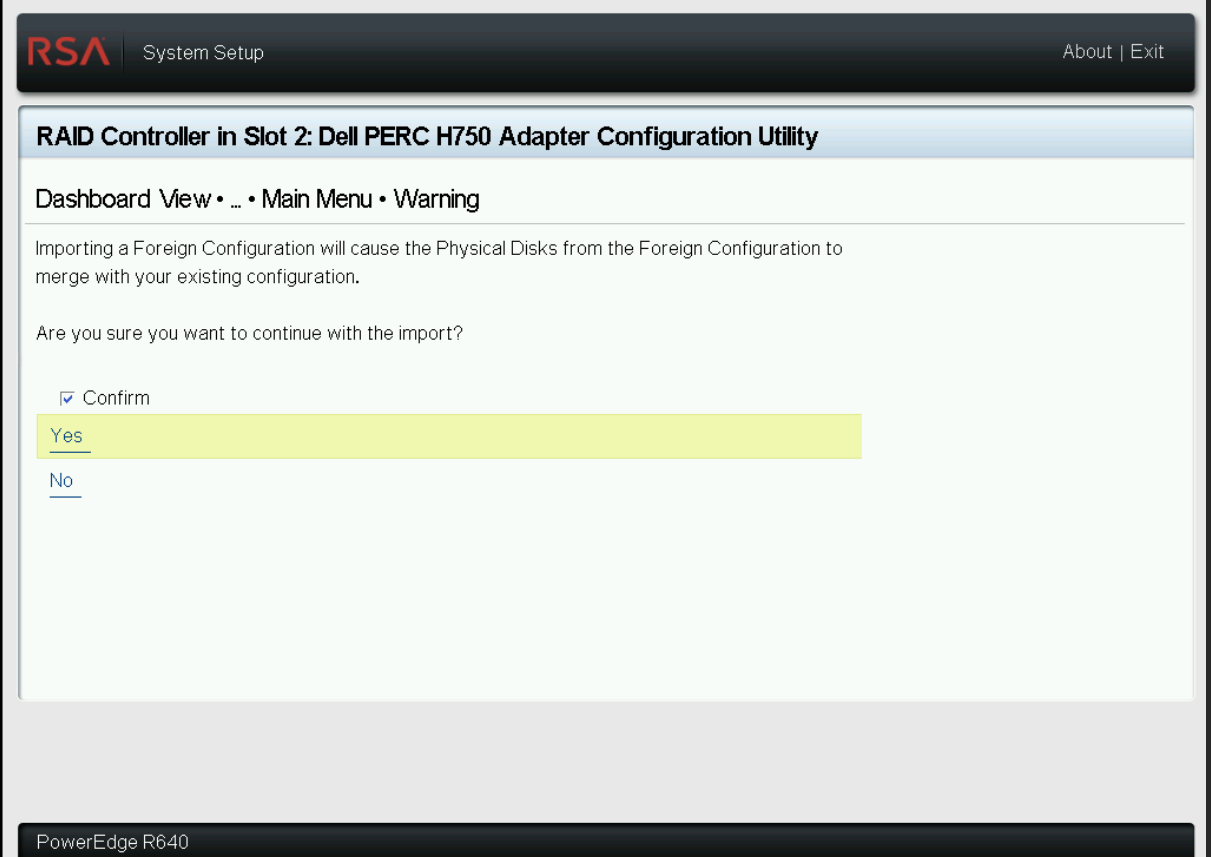
-
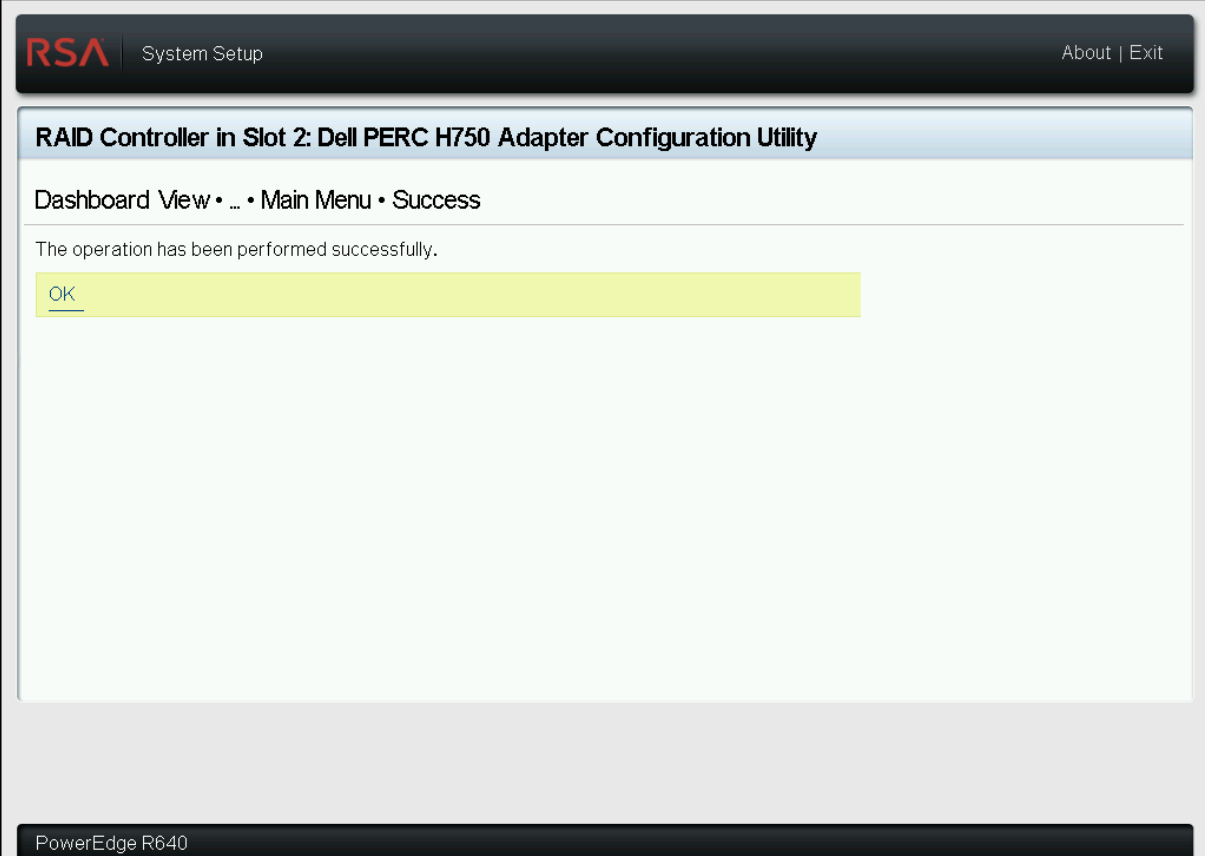
Press OK on the success status page.
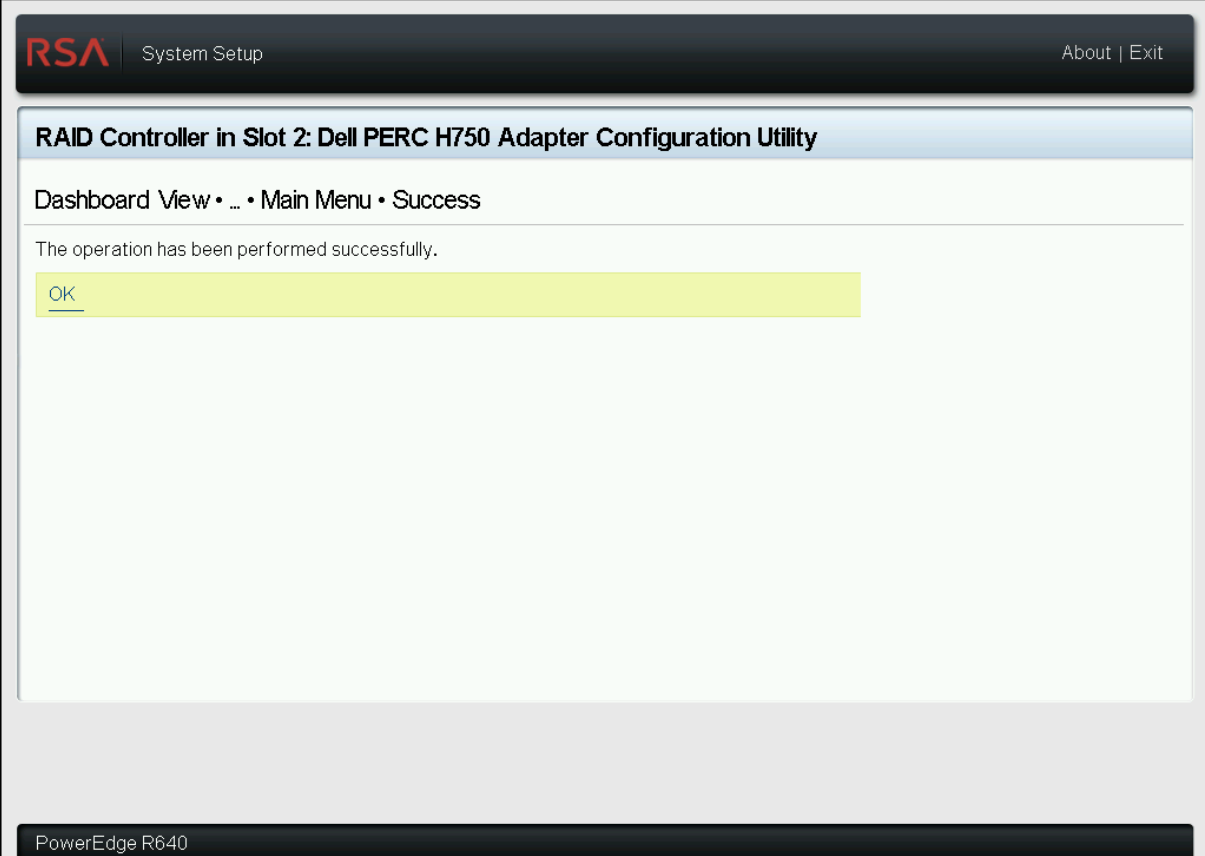
-
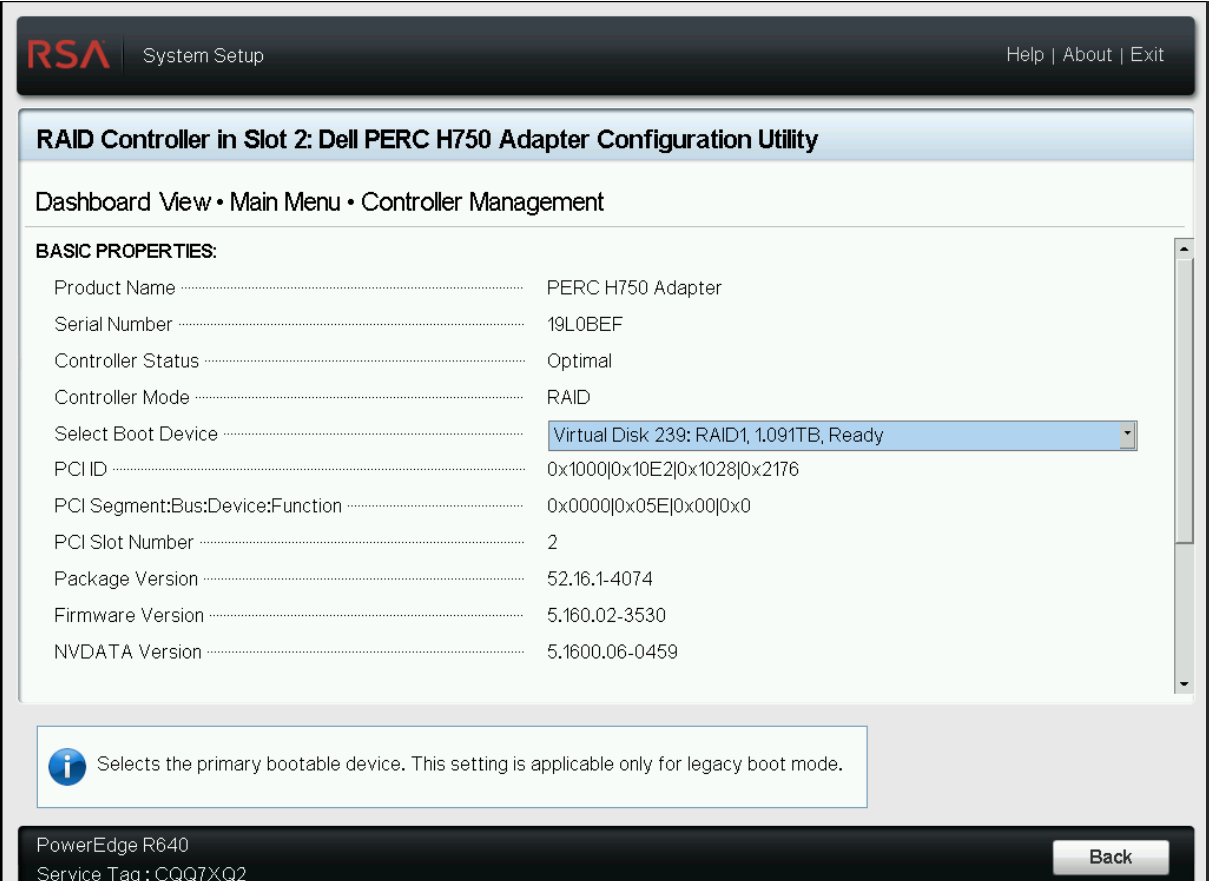
Set the Boot Device (post drive swap) by Selecting Main Menu > Controller Management F2 > Device Settings >
 > Main Menu > Controller Management > Select Boot Device > Select VD corresponding to 1.091 TB. Note: Usually this is VD239
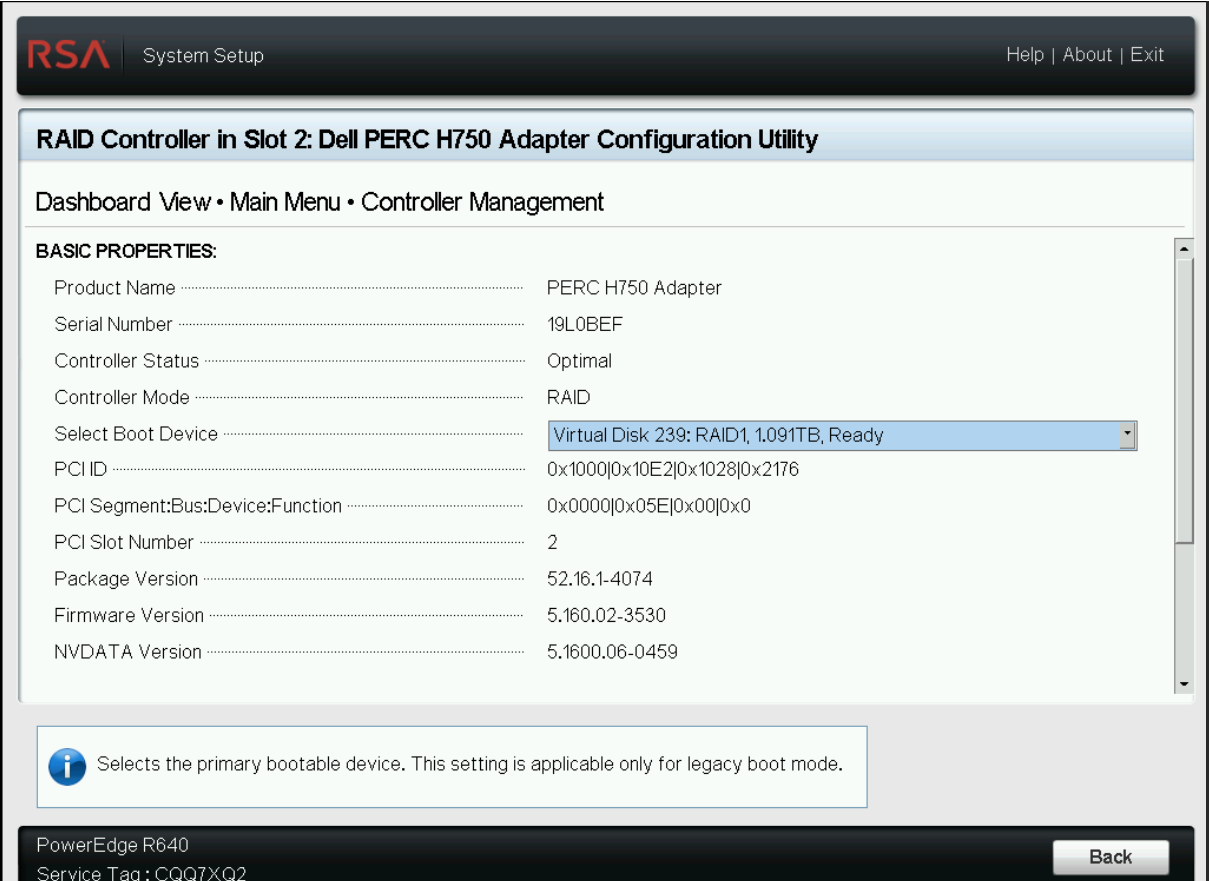
-
Revert to the Main Menu and select Finish as necessary to complete the configuration.
-
Reboot the appliance (Cold Boot / Power Cycle System).
-
To update network configurations, update udev rules and network configuration (/etc/sysconfig/network-settings/ifcfg-em1 – update the mac address and IP settings).For information on udev update instructions see, https://community.netwitness.com/t5/netwitness-knowledge-base/guide-for-replacing-the-entire-chassis-on-an-rsa-netwitness/ta-p/677557
Swapped drives are not SED Capable, or Encryption is not enabled on the failed host and migrated to the new host (PERC H750)
-
Power on the appliance.
-
Press F2 > Device Settings >
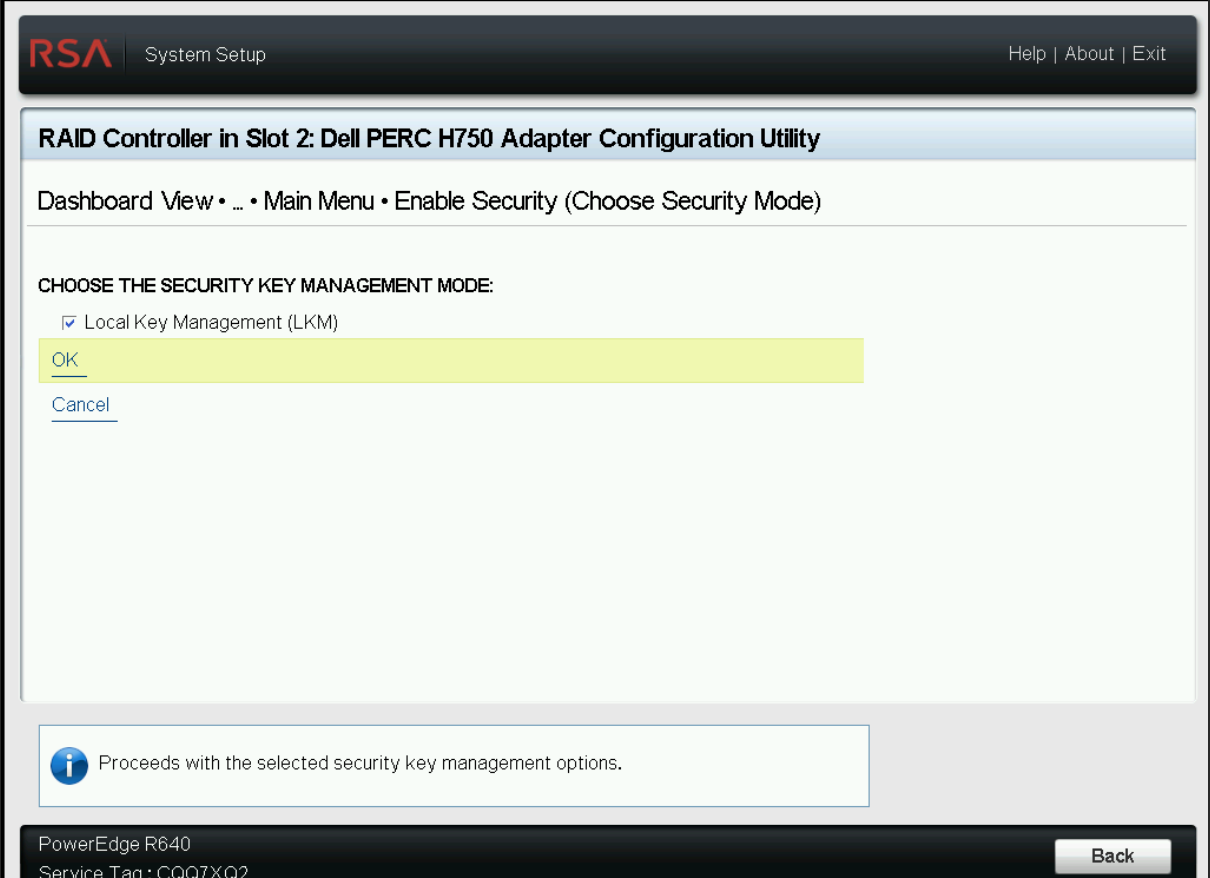
 > Main Menu -> Controller Management > Advanced Controller Management > Enable Security > Select Local Key Management (LKM) and Press OK.
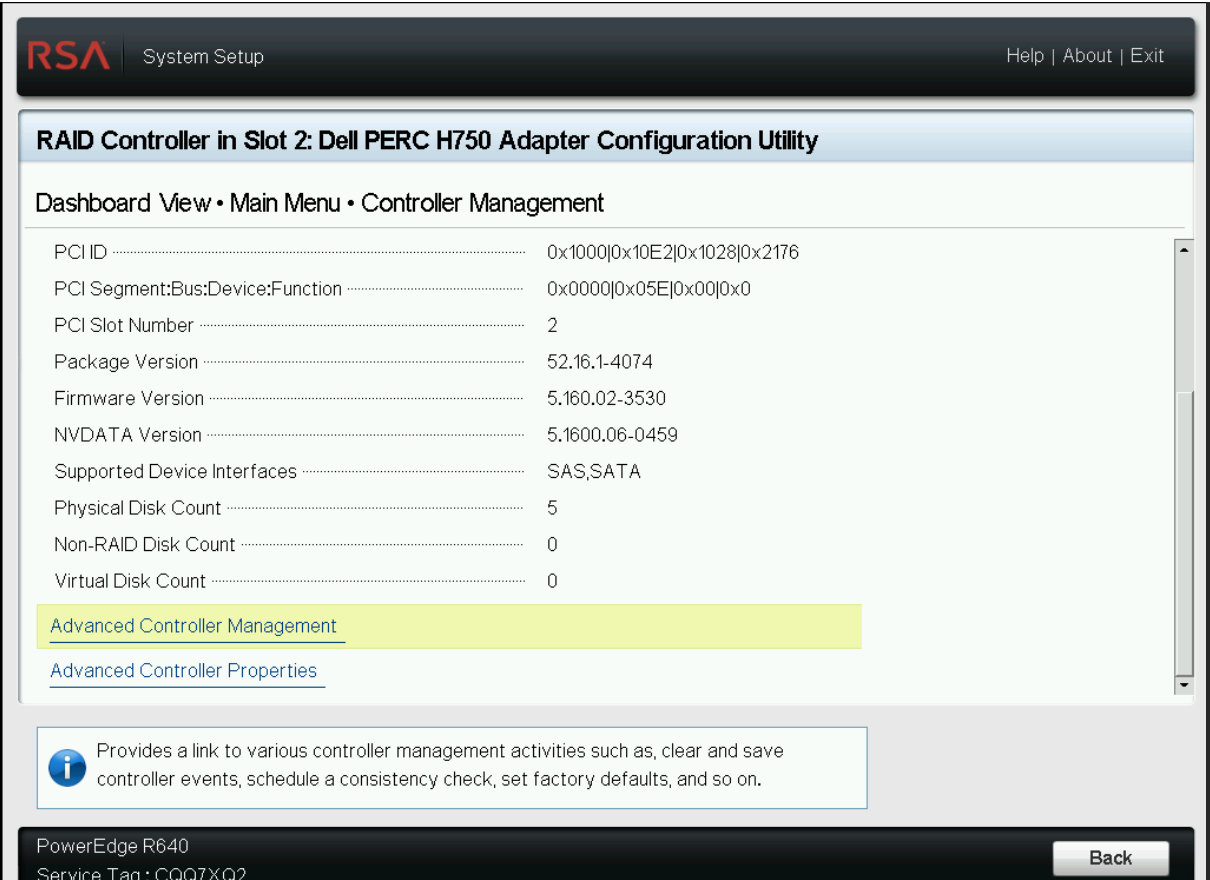
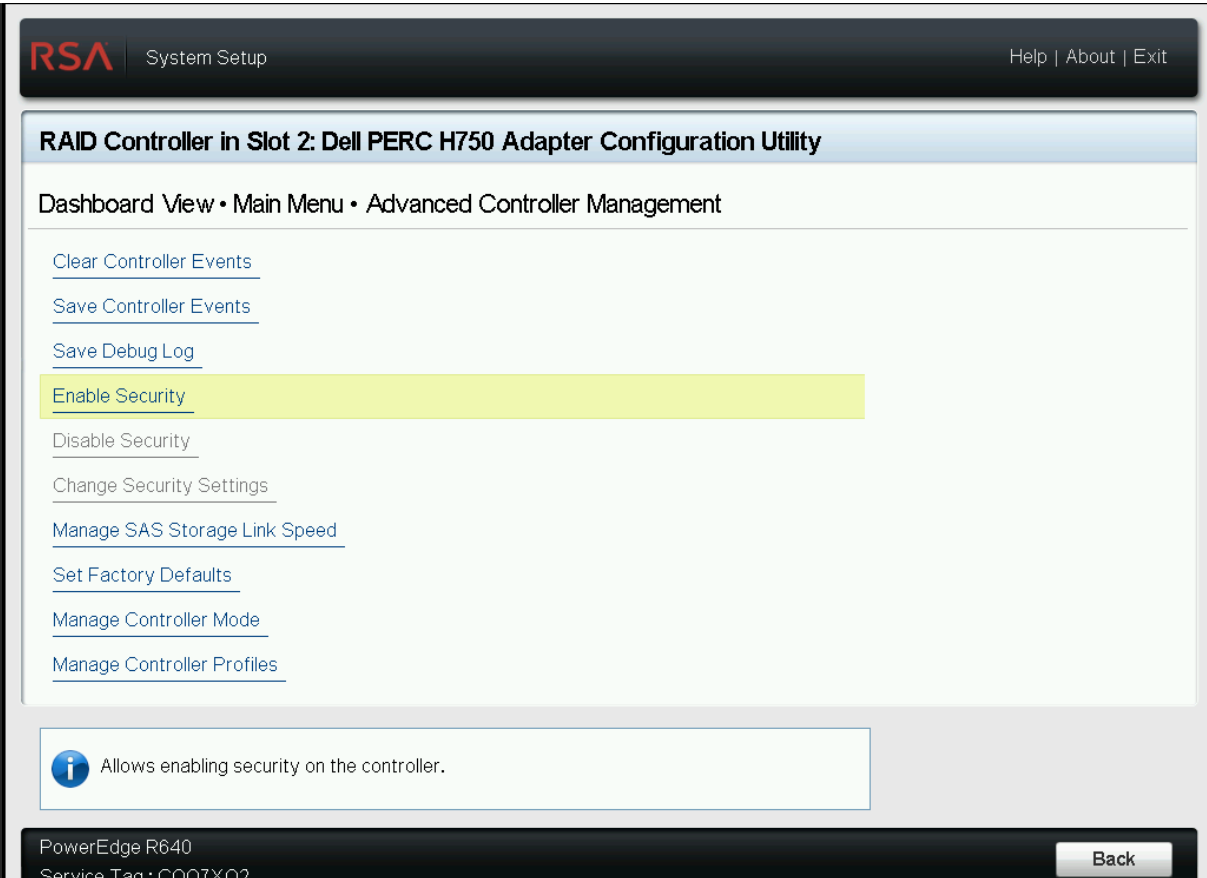
-
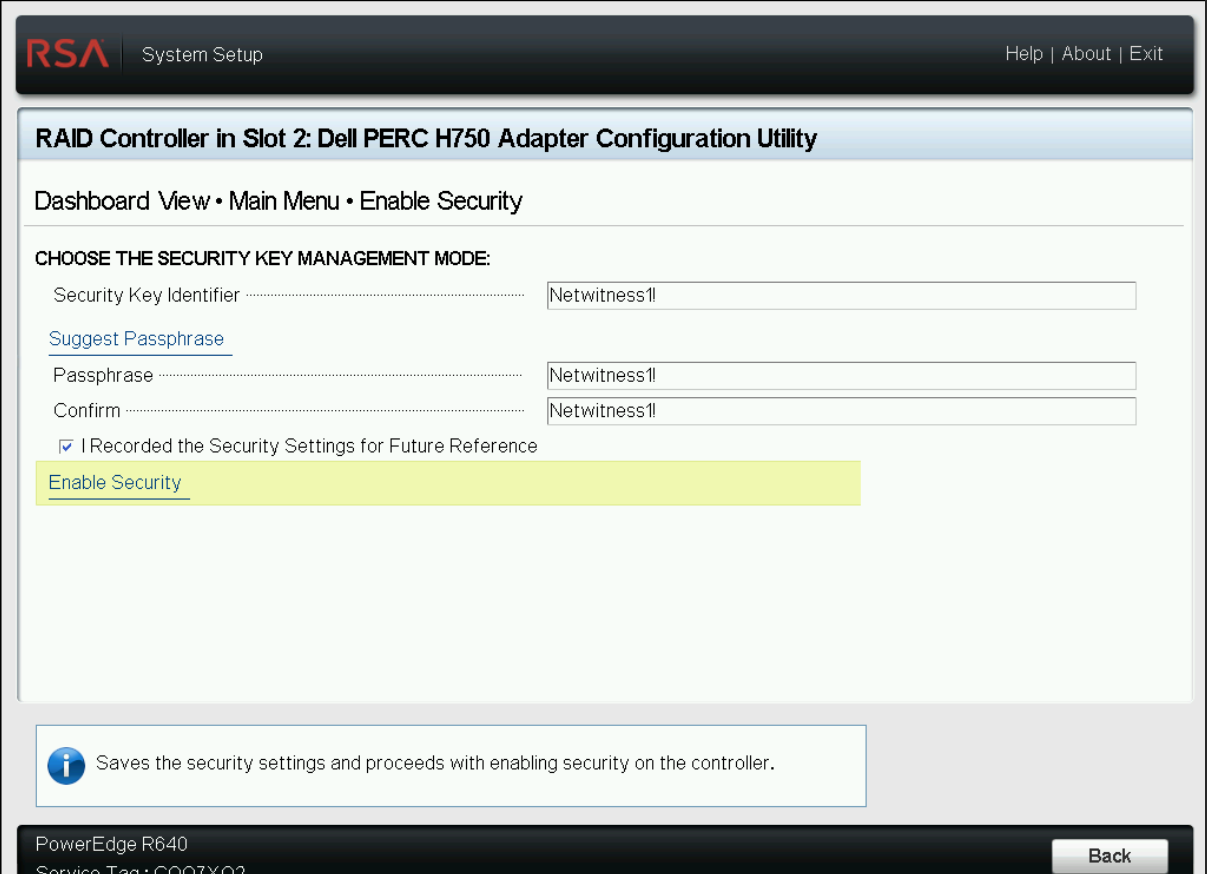
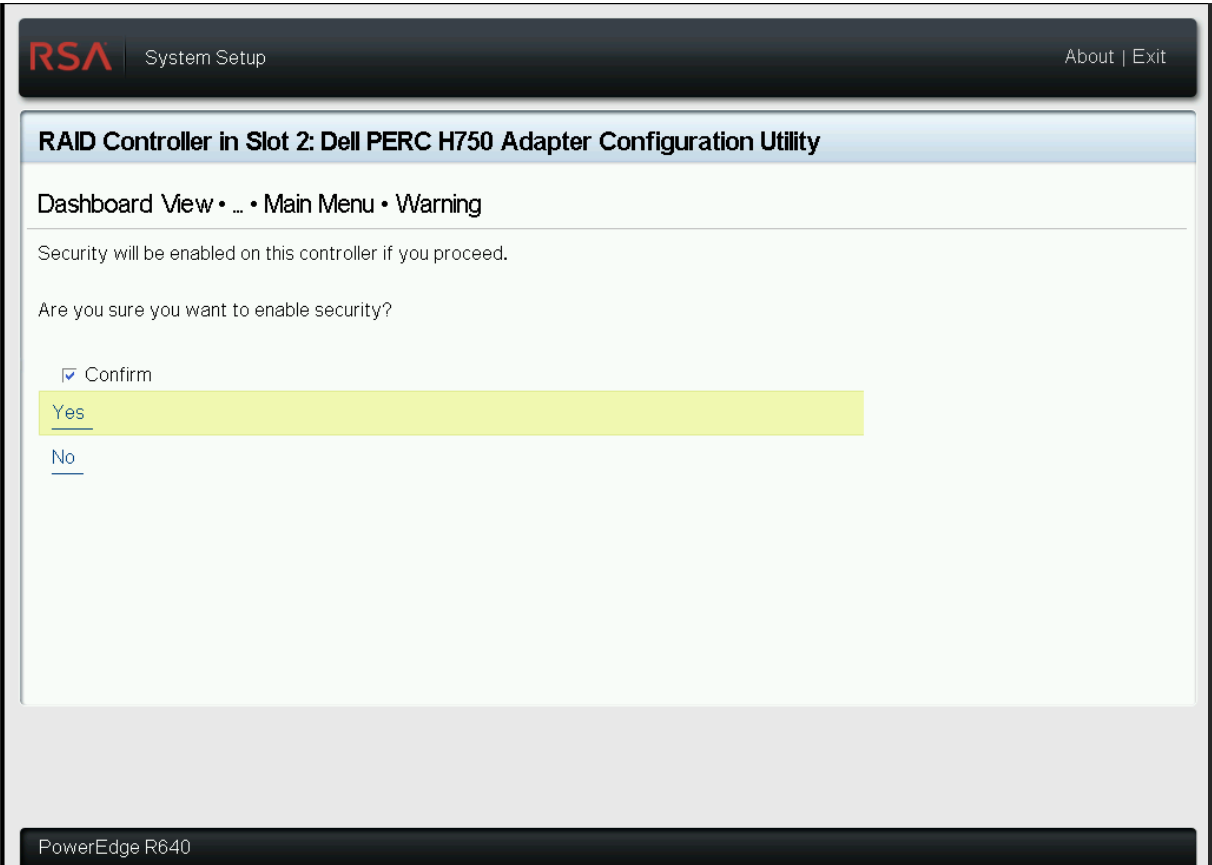
Enter the Security Key Identifier and Passphrase used to encrypt the drives on the failed host, Select Enable Security, confirm and OK. For example, ‘Netwitness1!’ is used as Key Identifier and Passphrase to encrypt drives initially on the failed host. Use the same values on the new host controller. NOTE: If you enter incorrect Security Key Identifier or Passphrase, IO errors is displayed after booting and the appliance is not usable.
-
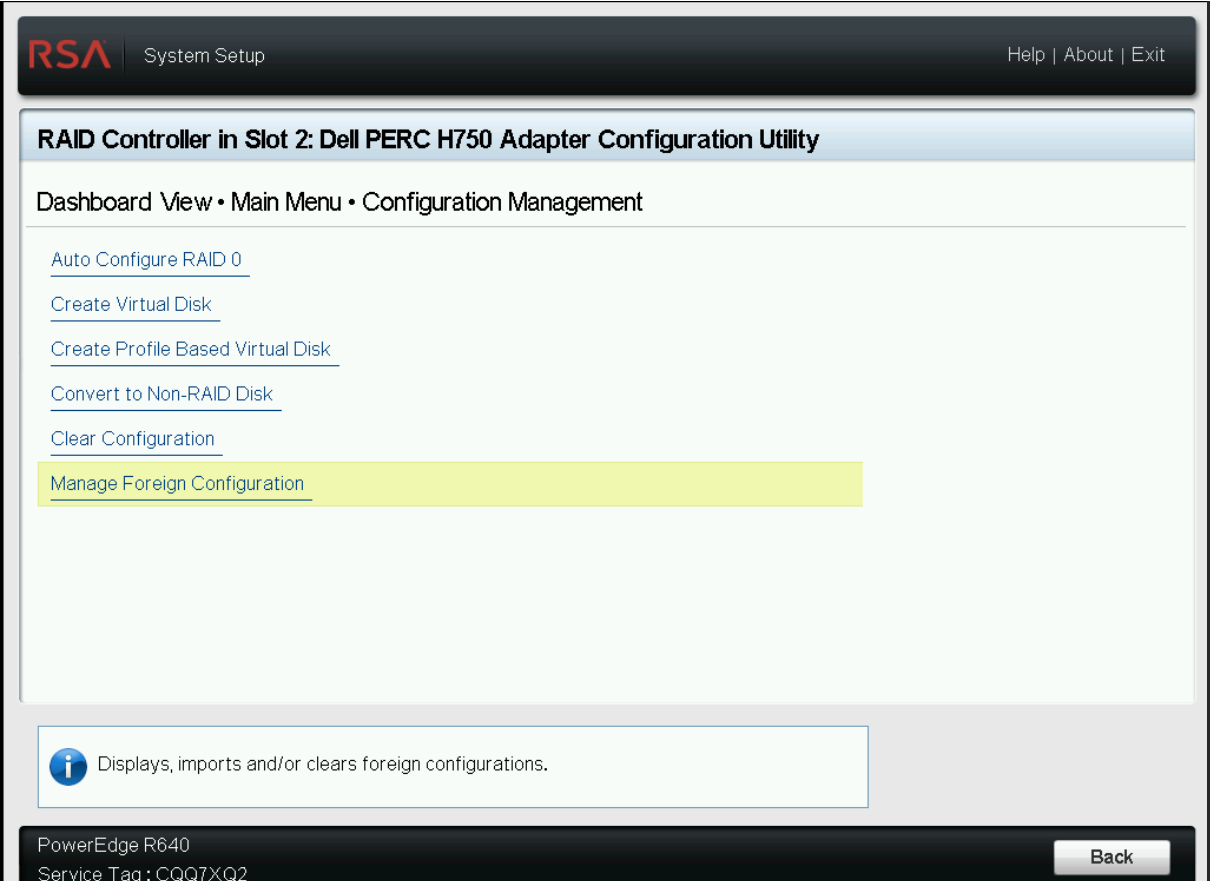
To Import Foreign Configuration, return to Main Menu and Select Manage Foreign Configuration > Preview Foreign Configuration > Import Foreign Configuration F2 > Device Settings >
 > Main Menu > Configuration Management > Manage Foreign Configuration
-
Select Confirm and press Yes.
-
Press OK on the success status page.
-
Set the Boot Device (post drive swap) by Selecting Main Menu > Controller Management F2 > Device Settings >
 > Main Menu > Controller Management > Select Boot Device > Select VD corresponding to 1.091 TB. Note: Usually this is VD239
-
Revert to the Main Menu and select Finish as necessary to complete the configuration.
-
Reboot the appliance (Cold Boot / Power Cycle System).
Product Details
NetWitness Product Set: NetWitness PlatformNetWitness Product/Service Type: NetWitness Platform
NetWitness Version/Condition:
Platform: CentOS
O/S Version: 6/7
Approval Reviewer Queue
Technical approval queue