.png?width=180&height=32&name=NW%20Logo%20(2).png)
Issue
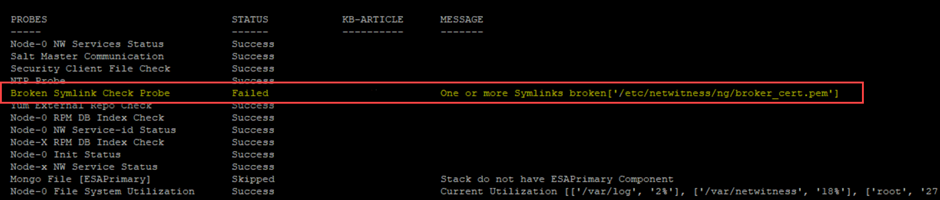
The precheck tool indicates a probe failure due to the error shown below.
"BrokenSymlinkCheckProbe: There are one or more broken symlinks:
. Please restore it'.
Sample probe error as below: One or more symlinks broken[
]
Cause
The presence of the broker symlink may result from manual intervention.
Resolution
Please Restore the missing symlink(s) using the following command:
1: Access the Admin server via SSH and execute the following command:
nw-manage --refresh-host --host-key <AdminServer_IP>
2: Re-run the Precheck tool to verify the symlink status.
Internal Comments
Pradeep GM - 17 Feb 2024
Created article.
Pradeep GM - 01 Mar 2024
Corrected the cause and title.
Pradeep GM - 01 Mar 2024
Corrected the Title, Issue, Cause and Resolution.
Pradeep GM - 23rd May 2024
Updated OS information i.e AlmaLinux
Product Details
Netwitness Product Set: NetWitness Platform
Netwitness Product/Service Type: Node-Zero (Admin Server)
Netwitness Version/Condition: 12.0 or later
Platform: CentOS/AlmaLinux
Approval Reviewer Queue
Technical approval queue