.png?width=180&height=32&name=NW%20Logo%20(2).png)
NTP Settings Panel
NTP setting panel is a protocol designed to synchronize the host machine clocks over a network. For more information on NTP see the home page (http://www.ntp.org/).
Note: NetWitness core hosts must be able to communicate with the NetWitness Server host with UDP port 123 for NTP time synchronization.
You use the  (Admin) > System > NTP Settings view to configure one or more NTP servers. After you configure an NTP server, NetWitness uses NTP to synchronize the host machine clocks. You configure multiple NTP servers for Fail Over purposes.
Workflow

What you need to do?
Related Topics
- Configure NTP Servers
- Troubleshoot Issues identified in the NTP Settings Panel or Log Files Messages
Quick Look
The following example illustrates an NTP setting panel. The panel defines how to add NTP server to NTP setting panel.
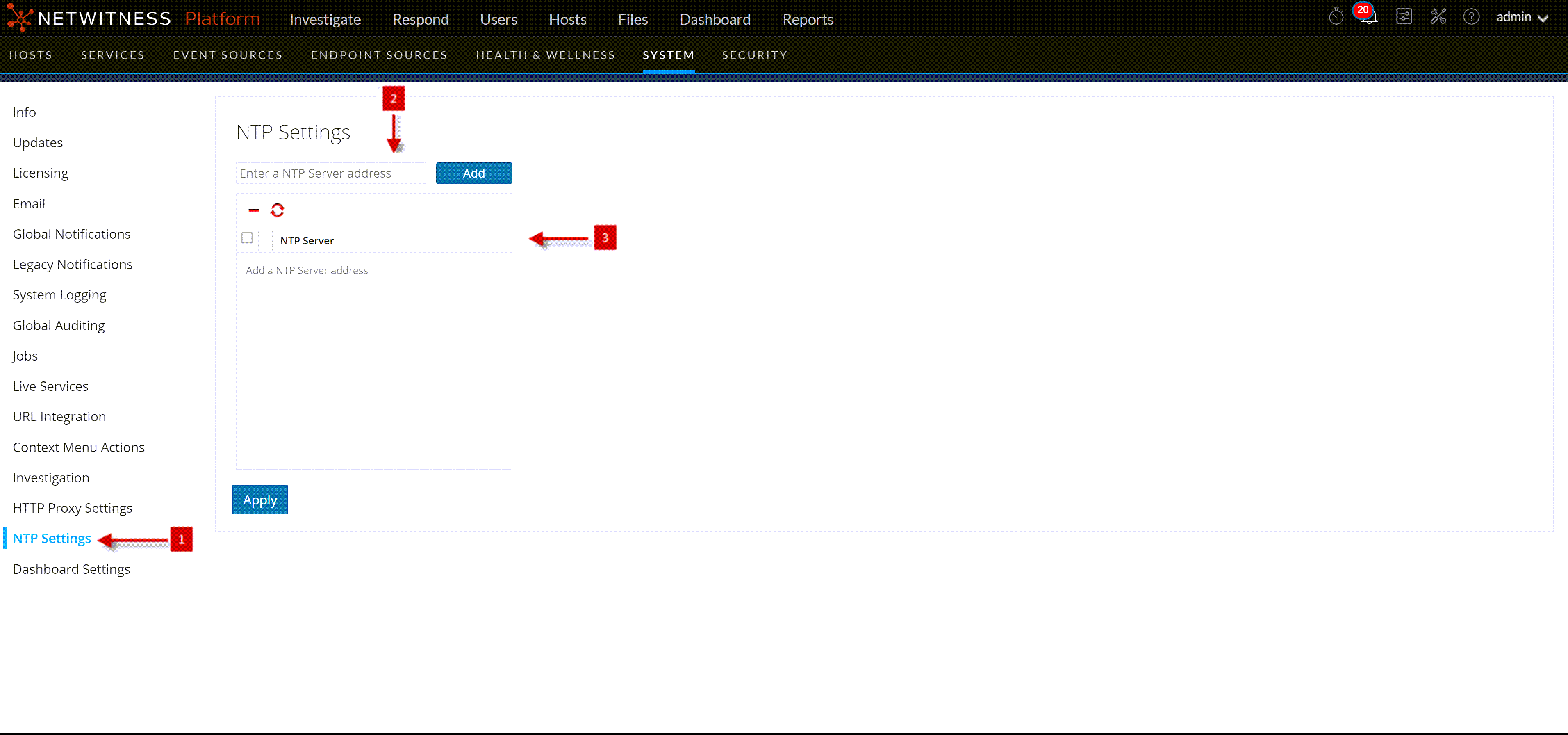
The following table describes the settings in the NTP Settings panel.