.png?width=180&height=32&name=NW%20Logo%20(2).png)
Issue
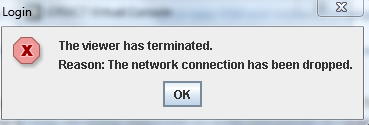
Opening Virtual Console from iDRAC Web UI fails with the following error.The viewer has terminated.
Reason: The network connection has been dropped.
Cause
The issue can occur when the port 5900 is blocked by the firewall. 5900 needs to be open for Virtual Console connection.Resolution
Please modify the firewall rule to allow port 5900.Please refer to the following link for additional ports required for iDRAC connection.
http://www.dell.com/support/manuals/au/en/aubsdt1/integrated-dell-remote-access-cntrllr-7-v1.50.50/iDRAC7UG1.50.50-v1/iDRAC7-Port-Information?guid=GUID-84DAF55C-3171-49FC-B423-CC870F508689&lang=en-us
Product Details
RSA Product Set: Security AnalyticsRSA Product/Service Type: SA Core Appliance, iDRAC
RSA Version/Condition: 10.4.x, 10.5.x, 10.6.x, iDRAC7
Platform: CentOS
O/S Version: 6
Approval Reviewer Queue
ASOC Approval Group