.png?width=180&height=32&name=NW%20Logo%20(2).png)
Review Endpoint Alerts using Process TreeReview Endpoint Alerts using Process Tree
From version 12.0.0.0 and higher, the Alert details page for Endpoint alerts will show a process tree along with the details of Summary, Event details, Process details, etc.
After you filter the Endpoint alerts in the Alerts List view, you can go to the Alert Details view for more detailed information on the Endpoint alerts, to determine the action required. An alert contains one or more events. In the Alert Details view for Endpoint alerts, you can view the alert details in the form of a process tree and additional event details, process details and much more on the right panel. The following figure shows an example of the Alert Details view for Endpoint alerts.
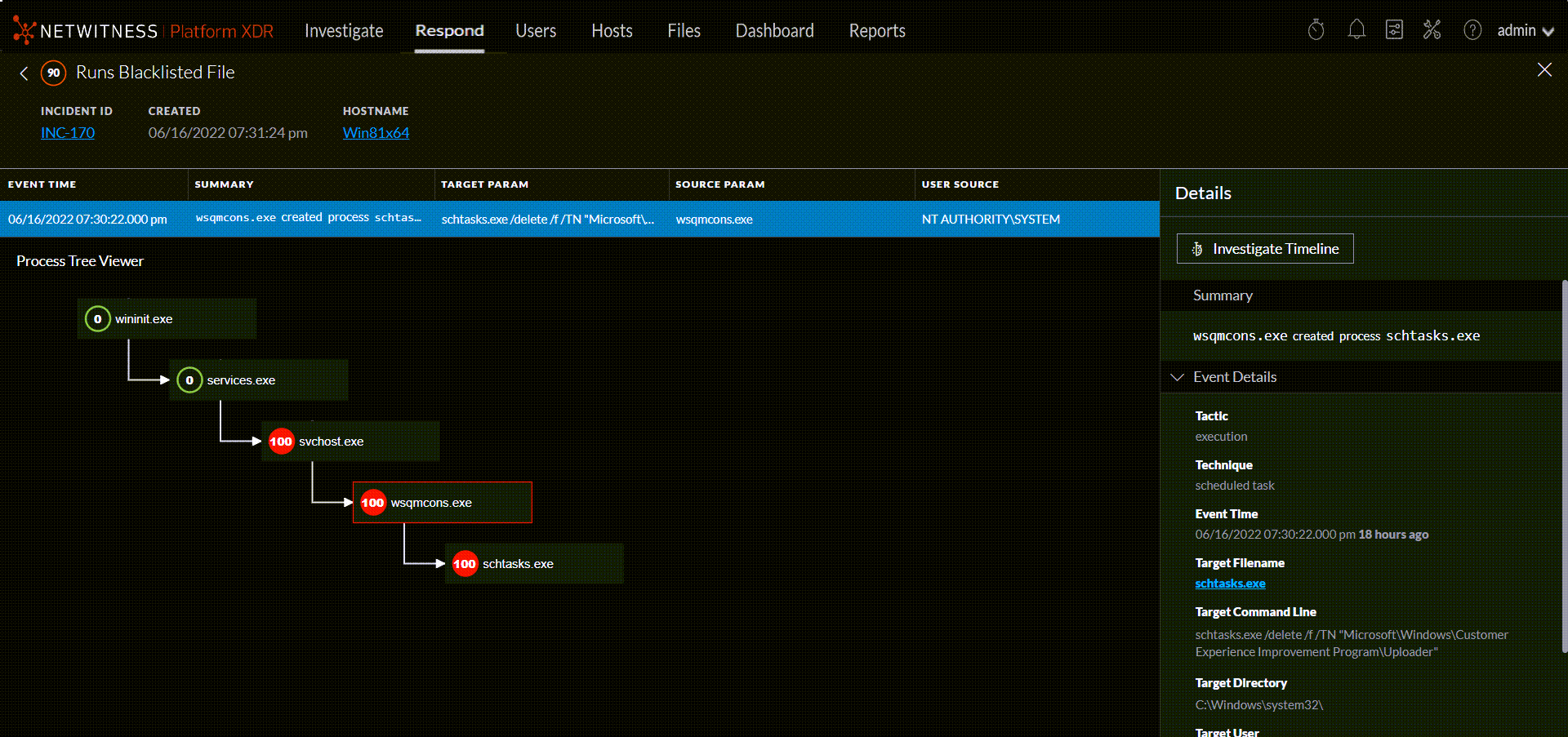
The process tree on the Alert Details view provides a complete picture about where the suspicious/malicious file originated including the path in the form of a process tree.
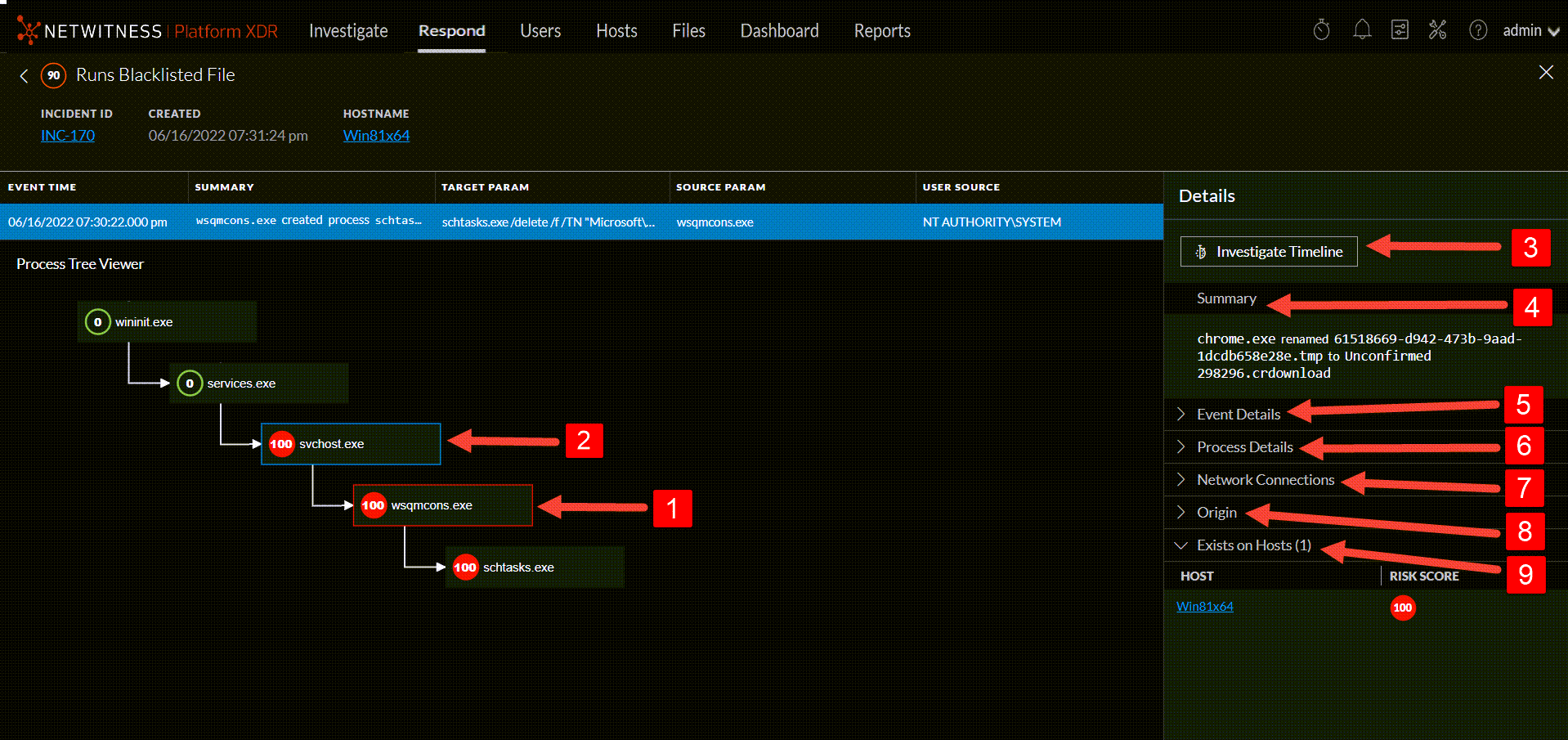
The Details panel on the right has more information for an alert than the Overview panel in the Alerts List view.
 - The file that caused the alert is outlined in red.
 - Selected file is outlined in blue.
 - The file that caused the alert, and it is outlined in red. If you click on this file, the red outline will become blue to show it is selected.
 - The file from which the suspicious/malicious file is originated.
 - Investigate Timeline takes to the Investigate view for the selected alert.
 - Summary shows a short description of the event.
 - Event Details section provided a detailed information about the event that includes the Event Time, Target Filename, Tactic, Technique, Target User etc.
 - Process Details section shows the Directory where the file is stored besides User name, Hash value, Risk score, Signature etc.
 - Network Connections shows any network connection the selected file established since ten minutes before and till ten minutes after the alert triggered time. For example, if the alert was triggered at 16:00 hours, the network connections(if any)established by the selected file from 15:50 hours to 16:10 hours will be shown.
 - Origin section shows how the selected file originated in the host.
 - Exists on Hosts shows the list of hosts(with risk score) the selected file exists.
Process Details Section ValuesProcess Details Section Values
Event Details Section ValuesEvent Details Section Values
Note: The process tree will be invisible if you drag it to the right end of the screen. Refresh the page to reload the process tree.