Roles Tab
Roles Tab
Roles are assigned to all NetWitness users. Users receive the permissions the roles allow. In the Roles tab you can create, duplicate, edit and delete a role. You can also see a list of all roles and their respective permissions.
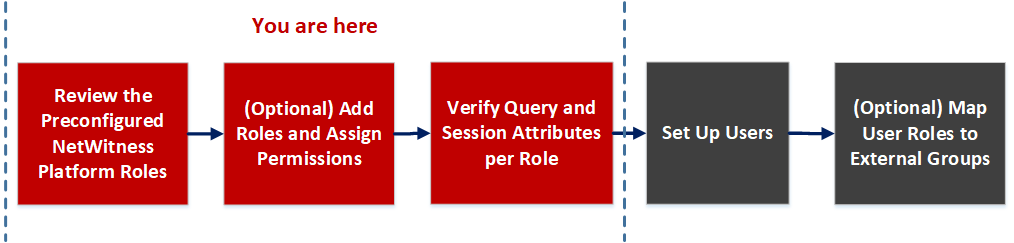
Workflow
Related Topics
What do you want to do?
- Role: Admin
- I want to ...: View preconfigured roles
- Show me how: Review the Preconfigured NetWitness Platform Roles
- Role: Admin
- I want to ...: Create a new role
- Show me how: (Optional) Add a Role and Assign Permissions
Related Topics
Quick Look
To access Roles tab view, go to
(Admin) > Security and click the Roles tab.
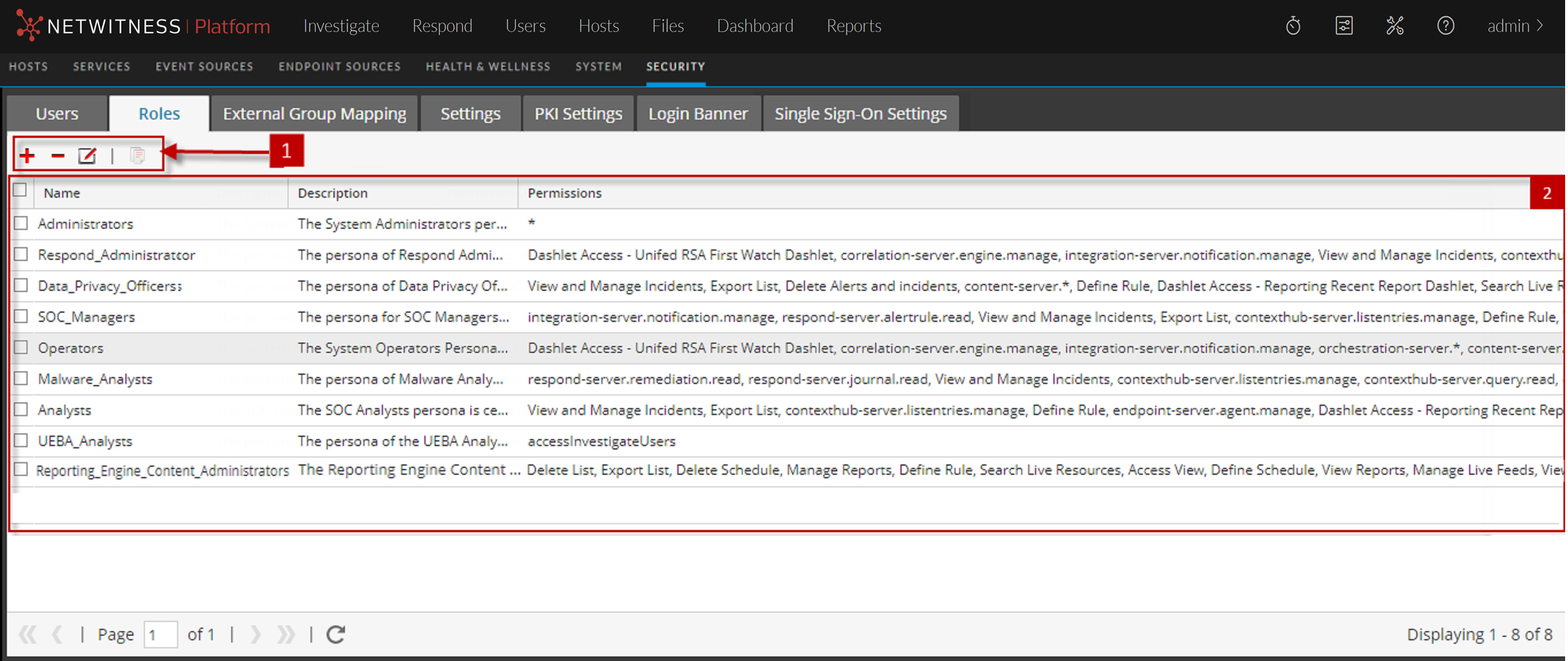
The Roles tab has the following sections.
- Column 1: 1
- Column 2: Roles toolbar
- Column 1: 2
- Column 2: Roles list
Roles Toolbar
The following table describes the Roles toolbar.
- Icon:

- Description: Displays the Add Role dialog.
- Icon:

- Description: Displays the Edit Role dialog.
- Icon:

- Description: Displays a warning message, and asks for confirmation that you want to delete a role.
- Icon:

- Description: Duplicates a role to save with a different name.
Roles list
The following table describes the columns in the Roles list.
- Column: Name
- Description: Displays the name of a role that can be given to a user.
- Column: Description
- Description: Displays a description of the role.
- Column: Permissions
- Description: Displays the permissions assigned to the role.