.png?width=180&height=32&name=NW%20Logo%20(2).png)
Issue
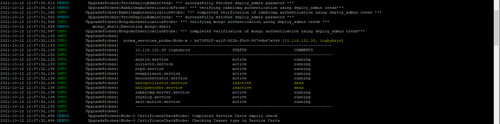
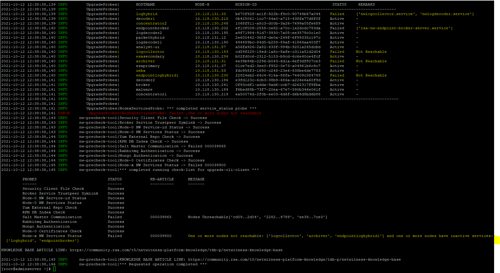
NetWitness Platform Node X service is down.NetWitness Platform Node X service is inactive or down.
Resolution
Do any one of the following:- If the error message is ‘One or more nodes not reachable’, you must check if the node is powered on or check if that node is removed from NetWitness Platform UI.
- If the node is powered off, you must turn it on.
- If the node is removed from NetWitness Platform UI, you must remove the salt-key using the below command:
orchestration-cli-client --remove-key <UUID of the removed node>
- If the error message is ‘One or more nodes have inactive services’
- SSH to the particular Node X to check if the services are inactive.
- Restart the inactive services.
systemctl restart <inactive-services name>
- If the error message is ‘Salt service is unavailable’, then restart the salt-master service on the SA node.
systemctl restart salt-master
- If the error message is ‘orchestration-server unavailable’, then check if rsa-nw-orchestration-server.service and mongod services on the SA node are active and running. If they are not active, then you must restart the services.
systemctl restart rsa-nw-orchestration-server.service
systemctl restart mongod
systemctl restart mongod
Product Details
RSA Product Set: NetWitness Platform, NetWitness PlatformRSA Product/Service Type: Core Appliance
RSA Version/Condition: 11.4.0.0 and Later
Platform: CentOS 7
Approval Reviewer Queue
RSA NetWitness Suite Approval Queue