.png?width=180&height=32&name=NW%20Logo%20(2).png)
Issue
VMware log collection stopped after 1 January 2020.
Cause
This was due to below VMware perl scripts that are used to collect logs have been configured with "my $defaultEndTime = ' 2020-01-01T00:00:00Z';"/etc/netwitness/ng/logcollection/content/collection/vmware/vmware-events/NwVmwareCollector.pl
/etc/netwitness/ng/logcollection/content/collection/vmware/vmware-tasks/NwVmwareCollector.pl
Resolution
Follow the below steps to start VMware collection back.- Log in to NetWitness GUI as admin.
- Go to CONFIGURE->Live Content.
- Search for "VMware ESX/ESXi Log Collector Configuration" and deploy it to Log Collector where VMware event sources configured.
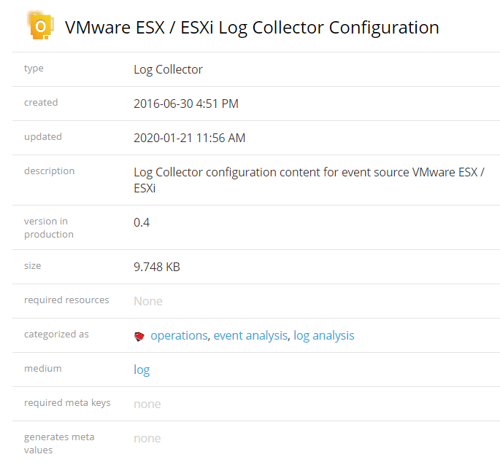
- Log in to Log Collector putty and restart collection service using systemctl restart nwlogcollector.service command.
- Verify the perl scripts that are updated with the latest end time as below.
#cat NwVmwareCollector.pl |grep -i defaulted my $defaultEndTime = '2030-01-01T00:00:00Z'; - Verify the VMware Logs are being collected in the Investigate page.
Product Details
RSA Product Set: RSA NetWitness PlatformRSA Product/Service Type: Log Collector
RSA Version/Condition: 11.X
Platform: CentOS
O/S Version: 7
Summary
This document outlines the procedure to recollect vmware events which stopped after 1 January 2020.
Approval Reviewer Queue
RSA NetWitness Suite Approval Queue