.png?width=180&height=32&name=NW%20Logo%20(2).png)
Issue
When External/Custom users investigated against Broker/Concentrator, "Failed to retrieve meta keys" error shown in investigation page as below.
Cause
This issue is due to native connection(without ssl checked) used to add services in Security Analytics.
Resolution
Please follow below steps to resolve the issue.- Login to GUI as admin.
- Navigate to Administration->Services page.
- Select the service and Click edit.
- make sure SSl option checked as below and Click save.
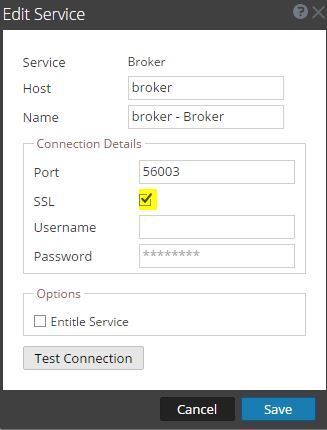
5. Login as Custom/External User and Verify investigation page shows the meta now.
Product Details
RSA Product Set: Security AnalyticsRSA Product/Service Type: SA Core Appliance
RSA Version/Condition: 10.5.X
Summary
Custom/External users cannot be investigated against Broker/Concentrator services if Broker/Concentrator services added as native connection(without ssl checked).
Approval Reviewer Queue
ASOC Approval Group