.png?width=180&height=32&name=NW%20Logo%20(2).png)
Rule Syntax DialogRule Syntax Dialog
This topic describes the features of the Rule Syntax dialog. The Rule Syntax dialog displays the EPL syntax of conditions, statements, and debugging parameters, and provides a warning when the syntax is invalid.
Quick LookQuick Look
To access this dialog:
- Go to
 (Configure) > ESA Rules.
 - In the Rule Library view, do one of the following:
- Click
 and select Advanced EPL or Rule Builder.
 - Double-click an existing rule.
- Select an existing rule and click
 in the Rule Library toolbar.
 - In the row of an existing rule, select
 > Edit.
The new or existing rule is displayed in a new tab, available to edit.
- Click
- Click Show Syntax at the bottom of the tab.
The following figure shows an example of the Rule Syntax dialog showing a valid rule.
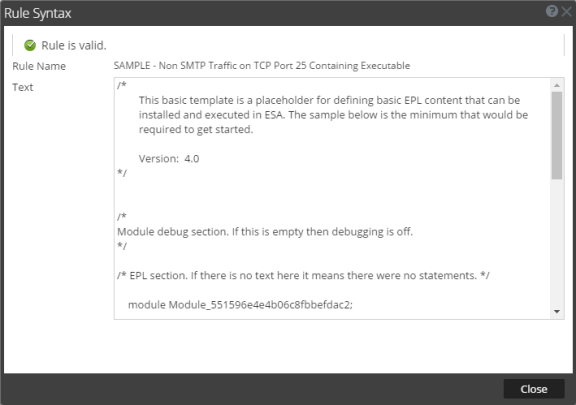
The following table describes the Rule Syntax dialog parameters.