.png?width=180&height=32&name=NW%20Logo%20(2).png)
Services Config View - AV TabServices Config View - AV Tab
This topic introduces the features and functions of the AV tab in the Service Config view for a Malware Analysis service. The AV tab provides a way to identify the anti-virus software vendors whose software is in use on your network. NetWitness can include the results from these vendors in the detailed results view of an event that has been analyzed using Malware Analysis.
WorkflowWorkflow
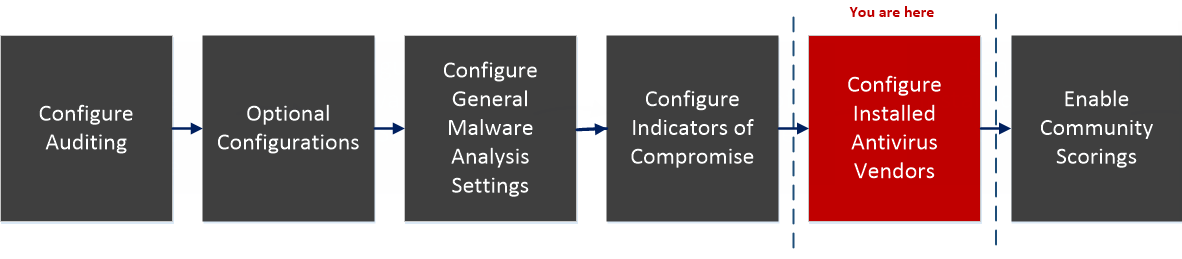
What do you want to do?What do you want to do?
*You can perform this task in the current view
Related TopicRelated Topic
Configure Installed Antivirus Vendors
Quick LookQuick Look
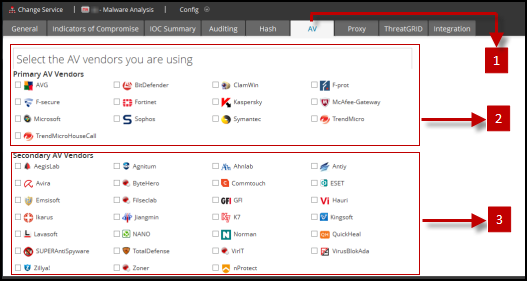
This is an example of the AV tab.
FeaturesFeatures
The AV tab lists anti-virus vendors whose software may be installed in your network. There are two categories for vendors: Primary, which are the most trusted, and Secondary, which are less known. Each vendor name has a checkbox and an icon. Checking a vendor name indicates that you have installed the selected AV software from that vendor in your environment.
This table describes the options in the AV tab.