Skip to content
  • There are no suggestions because the search field is empty.

Services Config View - General Tab

Services Config View - General Tab

The General tab for the Workbench service provides a way to manage basic service configuration. To access the General tab, go to netwitness_adminicon_25x22.png (Admin) > Services > select a service and select netwitness_ic-actns.png > View > Config.

Workflow

These are the basic steps for configuring and managing a Workbench service.
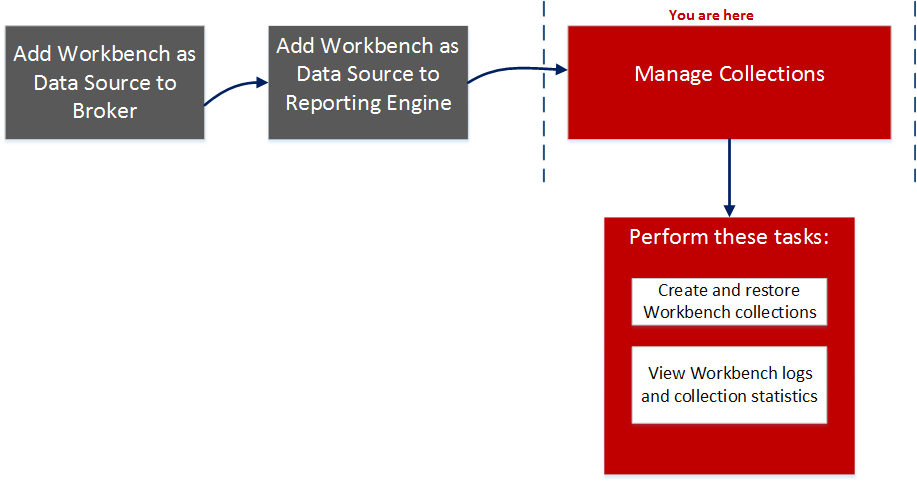
netwitness_wbwf1.png

What do you want to do?

  • Role: Administrator
  • I want to...:

    *Create and restore Workbench service collections.

  • Show me how...:

    Managing Collections


  • Role: Administrator
  • I want to...: *View Workbench logs and collection statistics.
  • Show me how...: Managing Collections

  • Role:

    Administrator

  • I want to...:

    *Process Workbench collections.

  • Show me how...:

    Managing Collections


*You can perform this task here.

Related Topics

Quick Look

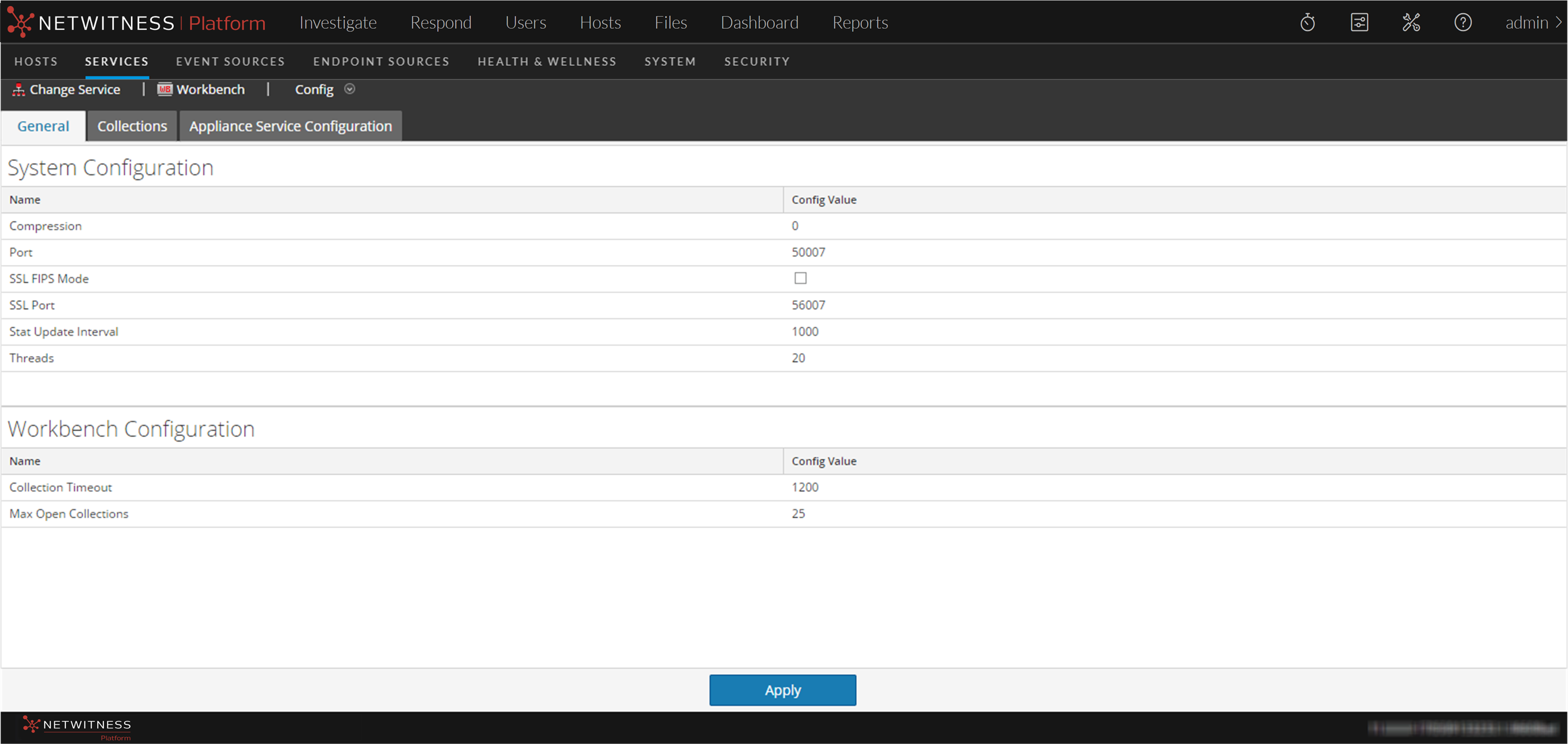
The General tab has two panels:

  • System Configuration
  • Workbench Configuration

The following figure is an example of the General tab.
121_WbVwCfg_1122.png

System Configuration Panel

The System Configuration panel displays configuration parameters for the Workbench service. The following table describes the System Configuration panel features.

  • Parameter: Compression
  • Description: When set to a positive value, the minimum amount of bytes before a message is compressed. 0 means no compression for any message. Change takes effect on subsequent connections.

  • Parameter: Port
  • Description: The unencrypted port this service will listen on. 0 means disabled. Change takes effect on service restart.

  • Parameter: SSL FIPS Mode
  • Description: Determines whether the OpenSSL library will enter FIPS mode. Change takes effect on service restart.

  • Parameter: SSL Port
  • Description: The SSL port this service will listen on. 0 means disabled. Change takes effect on service restart.

  • Parameter: Stat Update Interval
  • Description: Determines how often (in milliseconds) statistic nodes are updated in the system. Change takes effect immediately.

  • Parameter: Threads
  • Description: The number of threads in the thread pool to handle incoming requests. Change takes effect immediately.

Workbench Configuration Panel

The Workbench Configuration panel displays configuration parameters for the Workbench collections. The following table describes the Workbench Configuration panel features.

  • Parameter: Collection Timeout
  • Description: The number of seconds before an idle collection is automatically closed.

  • Parameter: Max Open Collections
  • Description: The number of collections that can be open at once. A setting of 0 disables the limit.

  • Parameter: Apply
  • Description: Updates the modified configurations in the panel.