Services Config View - Integration Tab
This topic introduces the features and functions of the Integration tab in the Administration Services Config view for Malware analysis. This tab provides a way to test connections and enable Community scoring by registering the Malware Analysis service. An administrator can test the connection to cloud.netwitness.com and to a core service that was configured for continuous scan.
Workflow
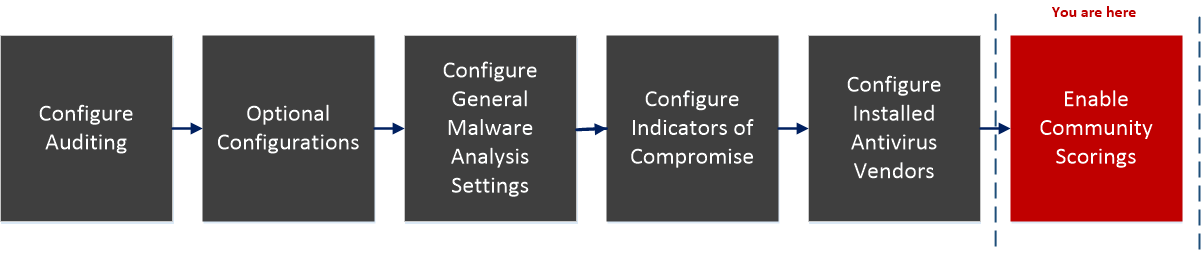
What do you want to do?
- Role: Administrator
- I Want to...: Configure General Malware Analysis Settings
- Show me how: Configure General Malware Analysis Settings
- Role: Administrator
- I Want to...: Configure Indicators of Compromise
- Show me how: Configure Indicators of Compromise
- Role:
Administrator
- I Want to...:
Configure Auditing on Malware Analysis Host
- Show me how:
- Role: Administrator
- I Want to...: Configure Hash Filter
- Show me how: (Optional) Configure Hash Filter
- Role:
Administrator
- I Want to...:
Configure Installed Anti virus Vendor
- Show me how:
- Role: Administrator
- I Want to...: Configure Malware Analysis Proxy Settings
- Show me how: (Optional) Configure Malware Analysis Proxy Settings
- Role:
Administrator
- I Want to...:
Register a TreadGRID API Key
- Show me how:
- Role: Administrator
- I Want to...: Enable Community Analysis*
- Show me how: Enable Community Analysis
*You can perform this task in the current view
Related Topic
Quick Look
The following figure is an example of the Integration tab.
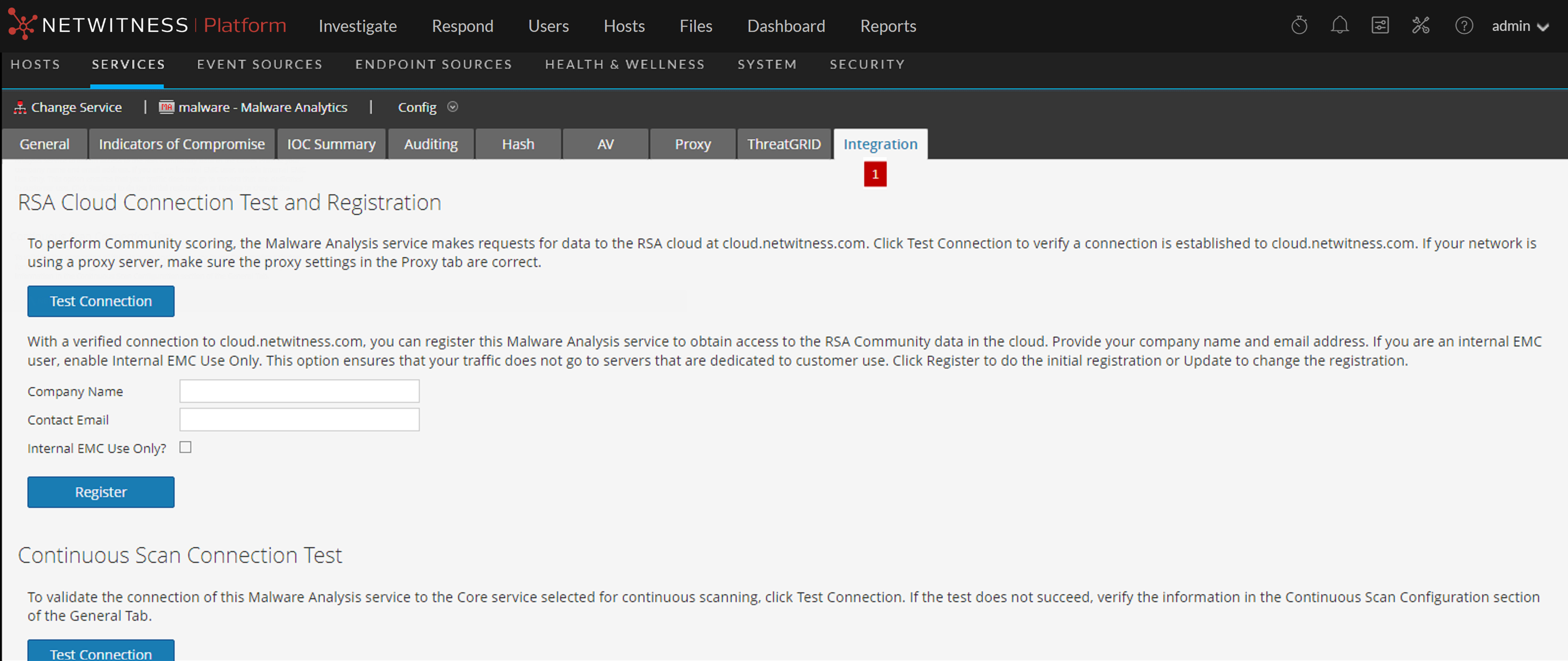
- Column 1: 1
- Column 2: Displays the Integration Tab.
Features
This tab has two sections: NetWitness Cloud Connection Test and Registration and Continuous Scan Connection Test. The following table describes the features.
- Feature: NetWitness Cloud Connection Test and Registration
button - Description:
Clicking this button tests for an active connection to cloud.netwitness.com. NetWitness tests communications with the site and checks Proxy settings. A valid connection is required in order to register with the Community Service.
- Feature: Company Name
- Description:
This is the name of your company. This is a required field.
- Feature: Contact Email
- Description:
This is the contact email. This is a required field.
- Feature: Internal EMC Use Only Check box
- Description:
This is an optional field. EMC customers, salespersons, or demo users should check this option to ensure that their requests do not use bandwidth on the production server. When the box is checked the following warning is displayed:
Checking this box may cause a less robust performance because the production server isn't being used.
- Feature: Register button
- Description:
Clicking the Register button completes registration if all required fields are filled in. The Register button becomes the Update button after registration is complete.
- Feature: Update button
- Description:
The Update button is displayed after registration is complete.
- Feature: Continuous Scan Connection
Test button - Description:
Clicking this button initiates a check to verify that the Malware Analysis service can connect to the Core service selected for continuous scanning (the Source Host, Source Port, Username, and User Password as specified in the General tab).