Services Config View - Proxy Tab
Service Config View - Proxy Tab
This topic introduces the parameters configured in the Proxy tab in the Service Config view for a Malware Analysis service. This tab configures Malware Analysis communication via web proxy with the NetWitness Cloud for community analysis and with the sandbox service for sandbox analysis to preserve anonymity. If you are using a local sandbox service, communications via web proxy are unnecessary and may slow performance. When configuring the sandbox module in the General tab, you can choose to bypass the configured web proxy.
Workflow
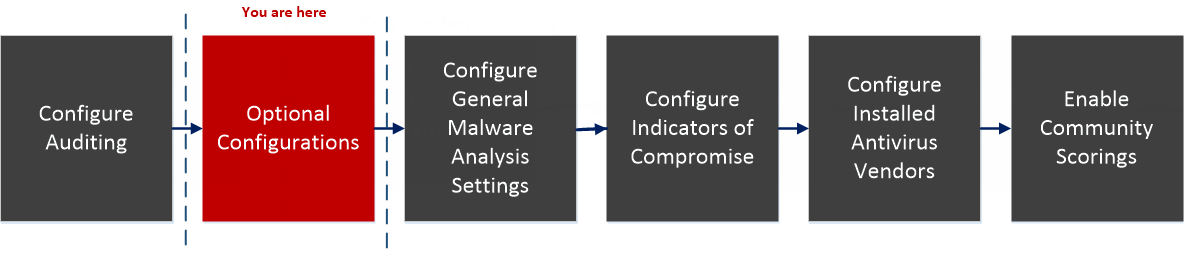
What do you want to do?
- Role: Administrator
- I Want to...: Configure General Malware Analysis Settings
- Show me how: Configure General Malware Analysis Settings
- Role: Administrator
- I Want to...: Configure Indicators of Compromise
- Show me how: Configure Indicators of Compromise
- Role:
Administrator
- I Want to...:
Configure Auditing on Malware Analysis Host
- Show me how:
- Role: Administrator
- I Want to...: Configure Hash Filter
- Show me how: (Optional) Configure Hash Filter
- Role:
Administrator
- I Want to...:
Configure Installed Anti virus Vendor
- Show me how:
- Role: Administrator
- I Want to...: Configure Malware Analysis Proxy Settings*
- Show me how: (Optional) Configure Malware Analysis Proxy Settings
- Role:
Administrator
- I Want to...:
Register a TreadGRID API Key
- Show me how:
- Role: Administrator
- I Want to...: Enable Community Analysis
- Show me how: Enable Community Analysis
*You can perform this task in the current view
Related topic
Quick Look
This is an example of the Proxy tab.
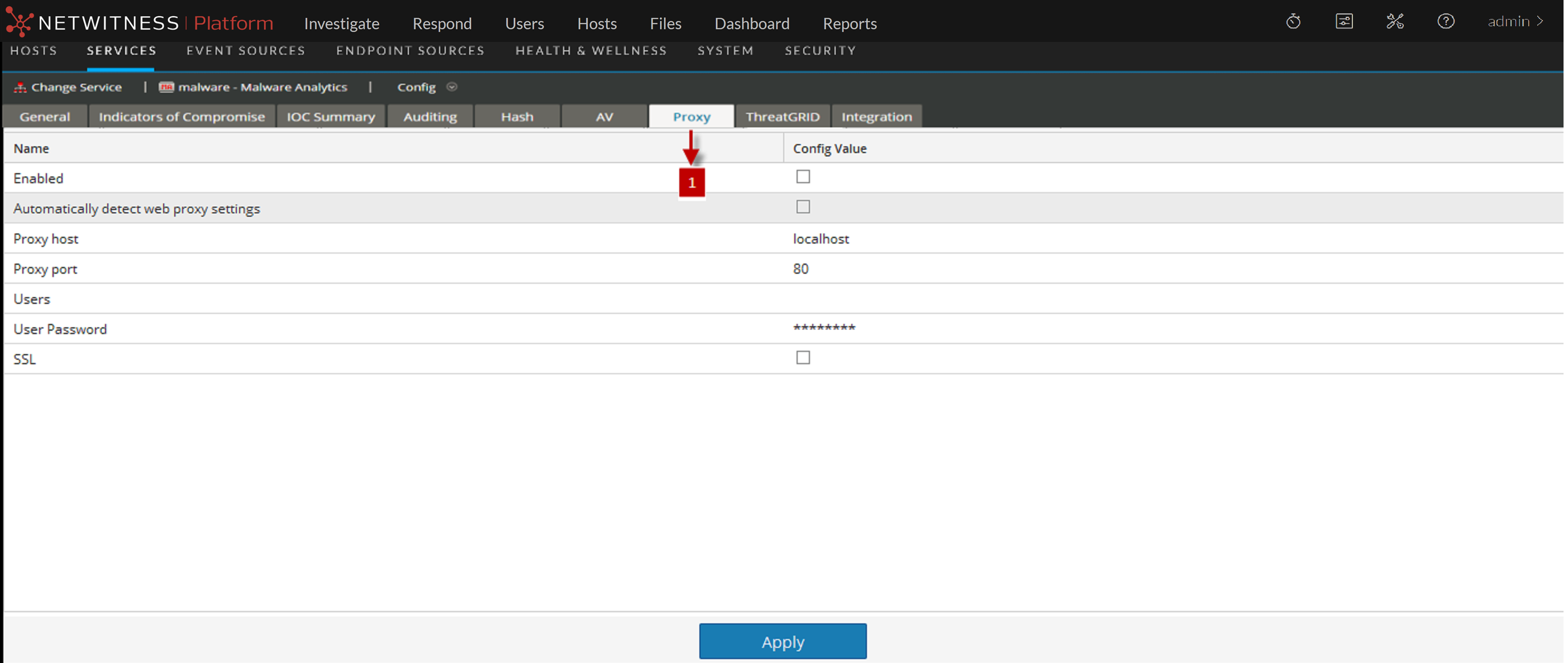
- Column 1: 1
- Column 2: Displays the Proxy Tab.
Features
This table describes the features in the Proxy tab.
- Feature: Enabled
- Description: Select the checkbox to enable communication via web proxy with the NetWitness Cloud for community analysis and with the sandbox service for sandbox analysis to preserve anonymity.
- Feature: Automatically detect web proxy settings
- Description: Select the checkbox to use settings configured in the System settings.
- Feature: Proxy host
- Description: Enter the hostname for the proxy host.
- Feature: Proxy port
- Description: Enter the port used for communication on the proxy host
- Feature: Users
- Description: Enter the username used to log on to the proxy host.
- Feature: User Password
- Description: Enter the user password used to log on to the proxy host.
- Feature: SSL
- Description: (Optional) Select the checkbox to enable communication using SSL.
- Feature: Apply button
- Description: Click the Apply button to submit chosen settings.