.png?width=180&height=32&name=NW%20Logo%20(2).png)
Services Config View - Rules TabsServices Config View - Rules Tabs
The Rules tabs in the Services Config view (  (Admin) > Services > select a service and click
  > View > Config) enable you to define and manage capture rules. Each type of rule has a list with slightly different columns and different parameters in the Rule Editor dialog. Application and correlation rules apply to both Decoders and Log Decoders. Network rules apply only to Network Decoders.
Workflow
The following figure depicts the workflow for common Decoder configuration tasks with the steps you can complete in this view highlighted.

What do you want to do?
*You can complete these tasks here.
Related Topics
- Configure Common Settings on a Decoder
- Decoder and Log Decoder Quick Setup
- App Rules Tab
- Correlation Rules Tab
- Network Rules Tab
Quick Look
This is an example of the App Rules tab.
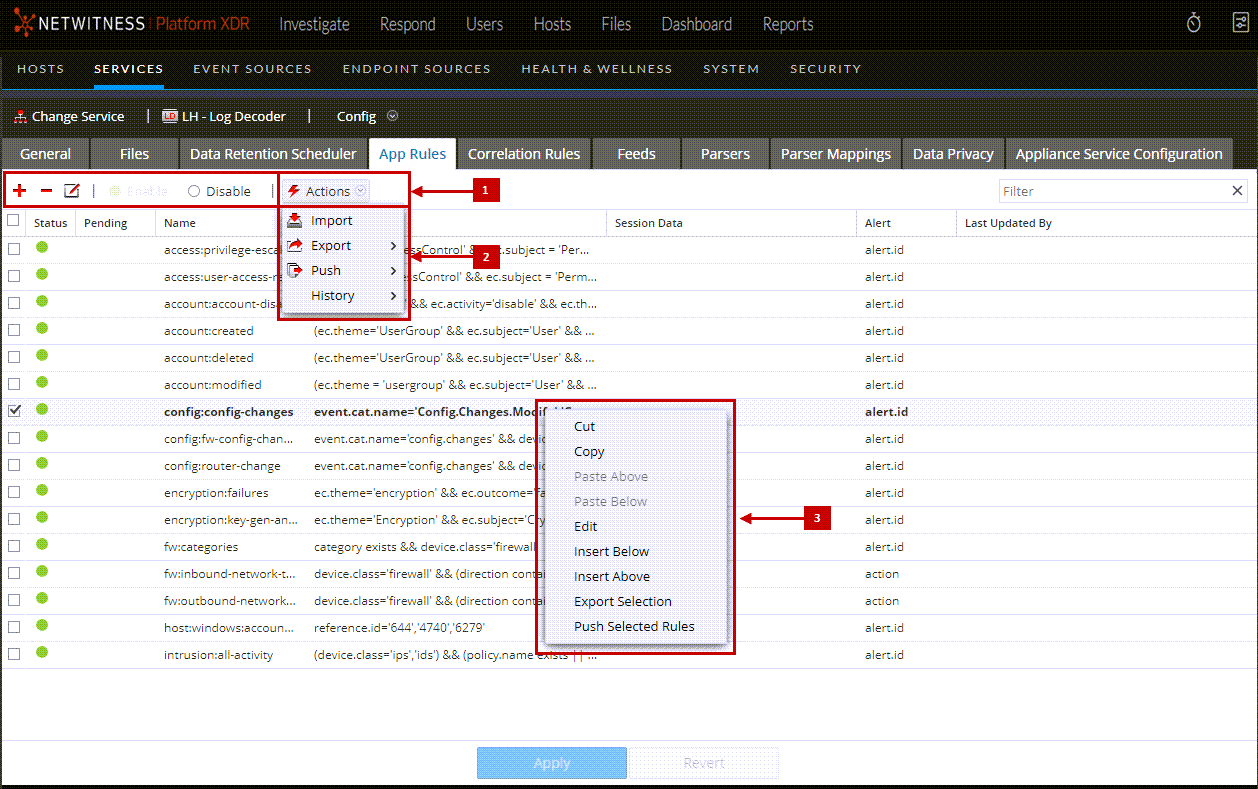
Rules Tab Toolbar
The toolbar is the same for all Config view > Rules tabs.

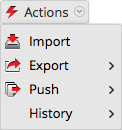
Rules Actions Menu
The Actions menu has options that help to manage sets of rules.
Rules List Context Actions
Within a rules list, right-clicking a row displays the Rules list context menu.