.png?width=180&height=32&name=NW%20Logo%20(2).png)
Set Up a Lockbox
What Is a Lockbox
A lockbox is an encrypted file that you use to store confidential information about an application. The NetWitness Lockbox stores an encryption key for the Log Collector.
The encryption key is used to encrypt all event source passwords and the event broker password.
When you create the Lockbox, you need to define a password for the Lockbox.
The Log Collector operates the Lockbox in a mode during data collection that does not require you to specify the password (the Log Collector uses the host system fingerprint instead).
These are the lockbox security settings.
Set Up a Lockbox
To set up a lockbox you need to set a password, as follows:
- Go to
 (Admin) > Services.
 - Select a Log Collection service.
- Under Actions, select
 > View > Config to display the Log Collection configuration parameter tabs.
 -
Click the Settings tab.
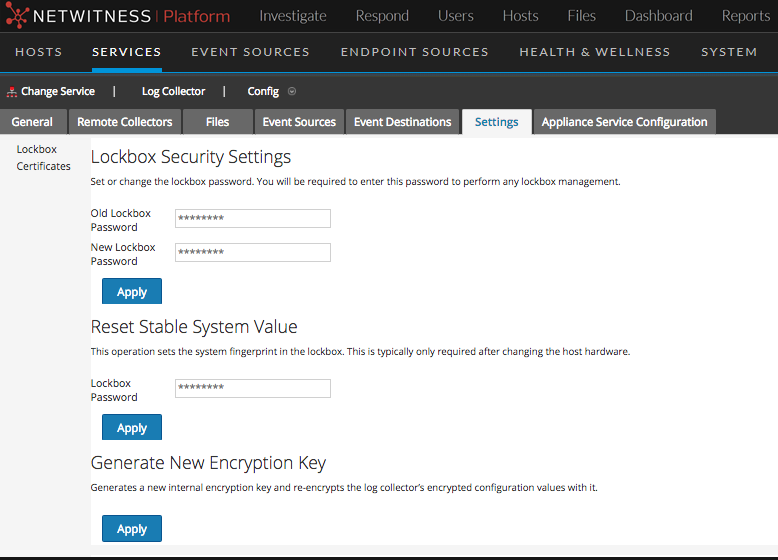
- In the options panel, select Lockbox to configure Lockbox settings.
- Under Lockbox Security Settings, enter a password in the New Lockbox Password field and click Apply.