Skip to content
  • There are no suggestions because the search field is empty.

Sources and Destinations Configuration

Sources and Destinations Configuration

The Sources and Destinations tab for a Warehouse Connector in the Services Config view provides a way to manage basic service configuration and configure source and destination.

Workflow
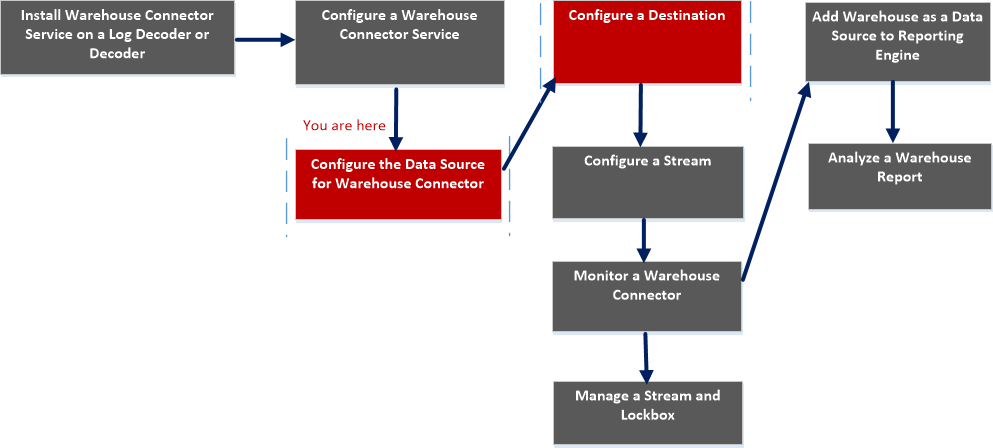
netwitness_sourcedestconfig_workflow.png

What do you want to do?


  • Role:

    Administrator

  • I want to...:

    Add Warehouse as Data Source to Reporting Engine

  • Refer to...:

    For more information, see "Add Warehouse as a Data Source to Reporting Engine" in the Reporting Engine Configuration Guide.


  • Role: Administrator
  • I want to...: Analyze a Warehouse Report
  • Refer to...: For more information, see "Step 4. Analyze a Warehouse Report" in the Warehouse Guide.

  • Role:

    Administrator

  • I want to...:

    Manage a Stream and Lockbox

  • Refer to...:

    Manage a Stream


*You can perform this task in the current view

Related topics

Quick Look

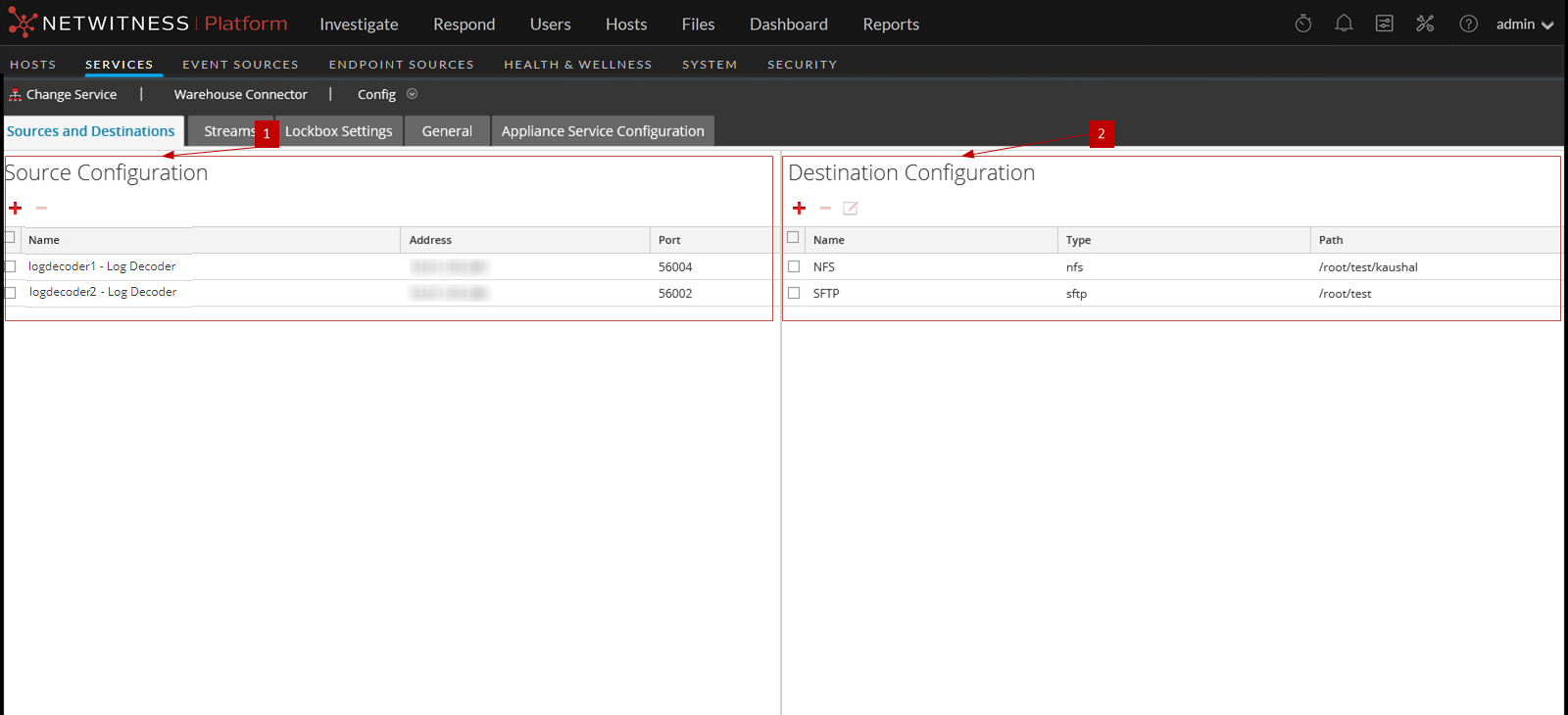
The following figure shows the Sources and Destinations tab on the Warehouse Connector Services Config view.
121_SourceDest_config_view_1122.png

The Sources and Destinations tab includes the following two sections:

  • Column 1: 1
  • Column 2: Source Configuration

  • Column 1: 2
  • Column 2: Destination Configuration

Source Configuration

The Source Configuration section allows you to configure the data sources from which the Warehouse Connector service needs to collect data.

The following is an example of the Source Configuration section.

netwitness_srcconfig.png

The Source Configuration section allows you to perform the following:

  • Features: netwitness_add.png
  • Description: Add the data source.

  • Features: netwitness_delete.png
  • Description: Delete the data source.

Destination Configuration

The Destination Configuration section allows you to configure the destination to which the Warehouse Connector service needs to write the collected data.
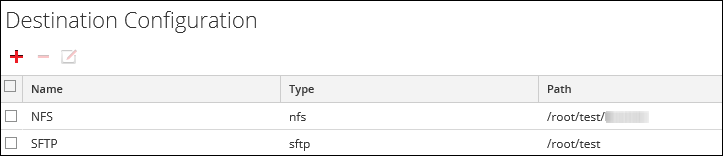
netwitness_destconfig.png

The Destination Configuration section allows you to perform the following:

  • Features: netwitness_add.png
  • Description: Add the destination.

  • Features: netwitness_delete.png
  • Description: Delete the destination.

  • Features: netwitness_edit.png
  • Description: Edit the destination.

    Note: You can only edit the SFTP destination type.