.png?width=180&height=32&name=NW%20Logo%20(2).png)
Streams Configuration
The Streams tab for a Warehouse Connector in the Services Config view provides a way to manage stream configuration.
Workflow
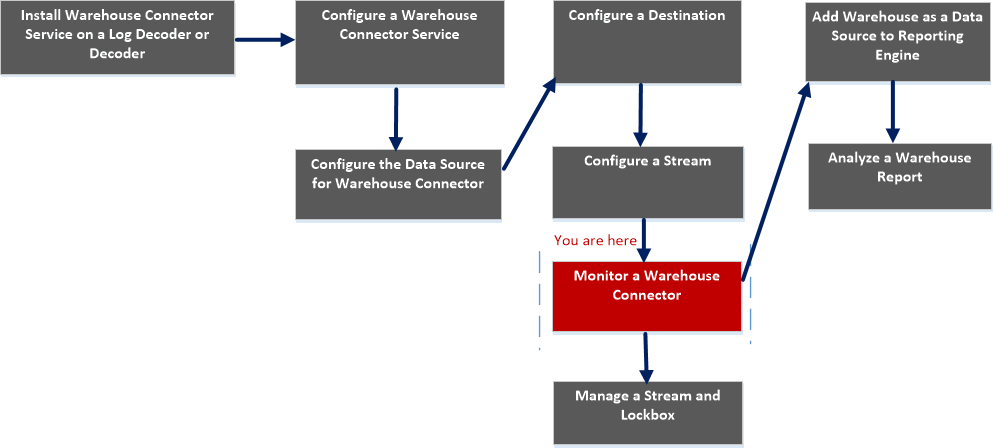
What do you want to do?
*You can perform this task in the current view
Related topics
Quick Look
The following figure shows the Streams tab on the Warehouse Connector Services Config view.
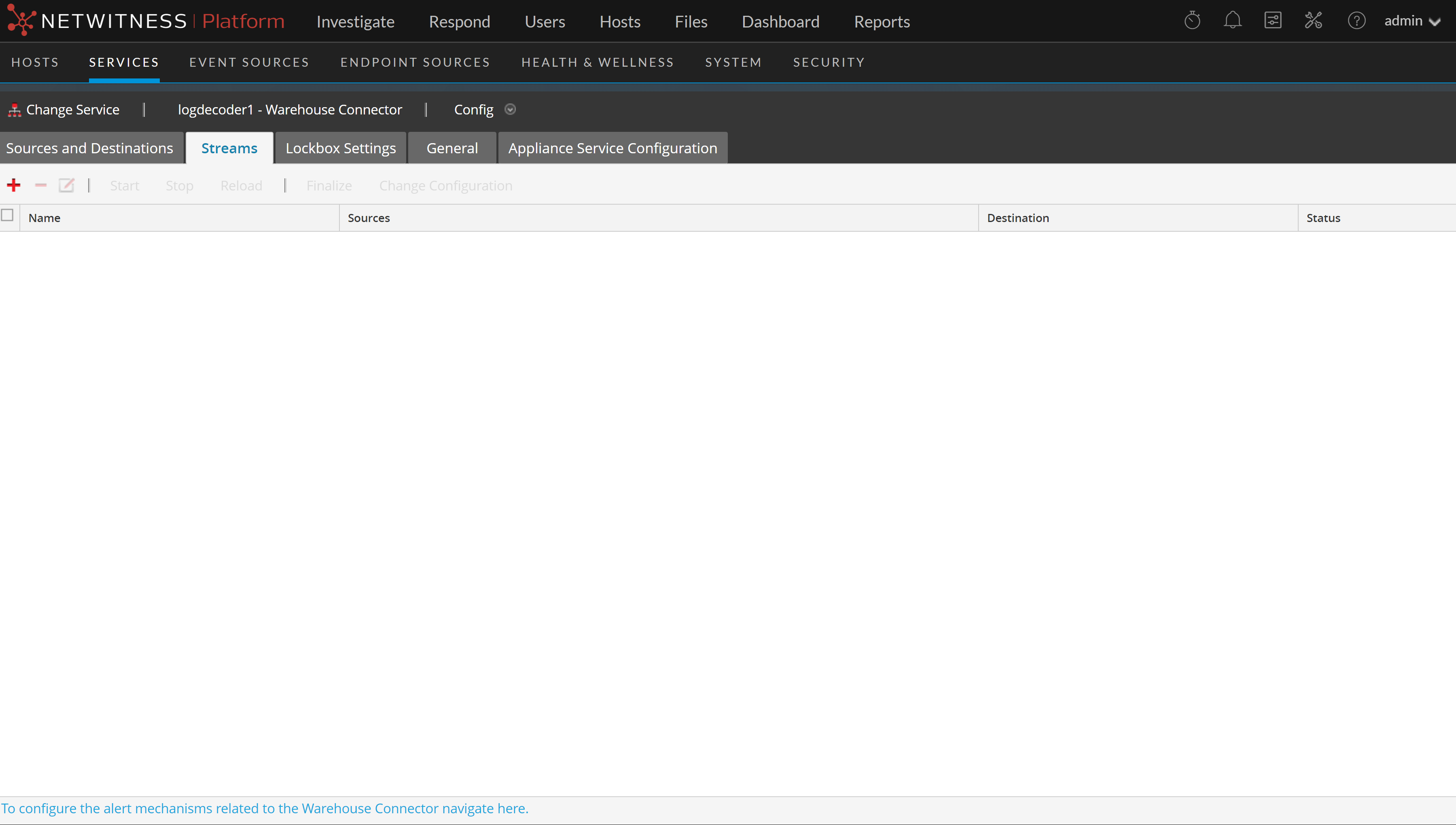
The Streams tab allows you to perform the following:
The following table describes the fields in the Streams tab:
Stream Statistics
You can view the statistics of a configured stream. Click the  icon next to the name of the stream.
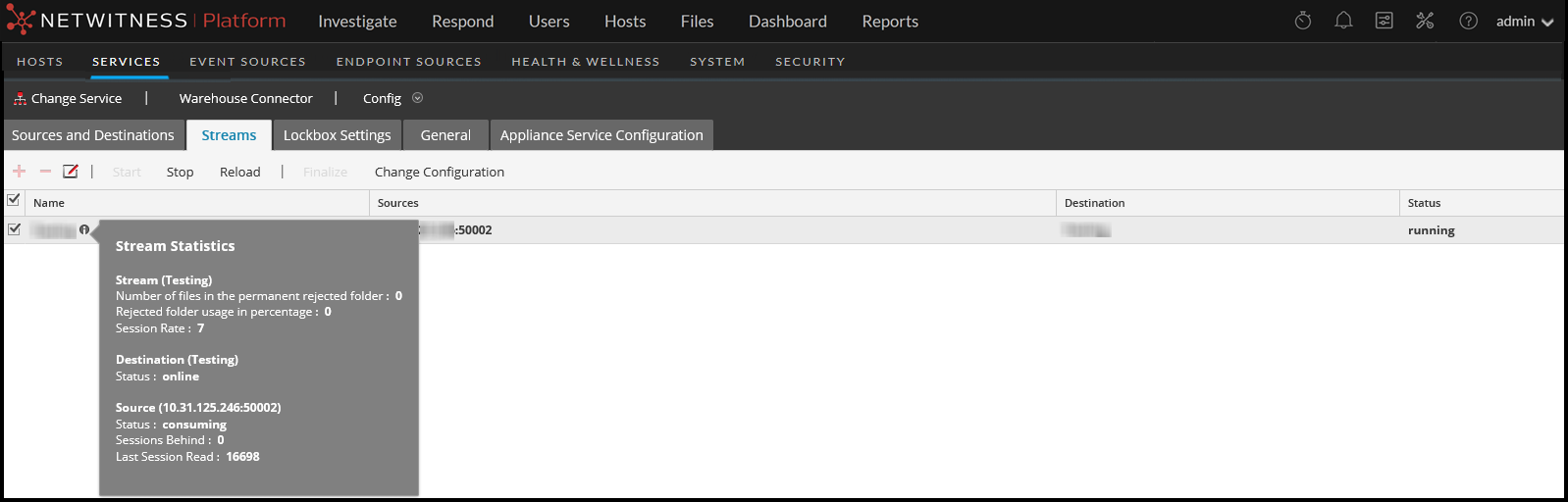
The following parameters are displayed in the Stream Statistics:
Change Stream Configuration
You can change configuration of a stream in runtime. In the Streams tab, click Change Configuration to change the configuration of the selected stream.
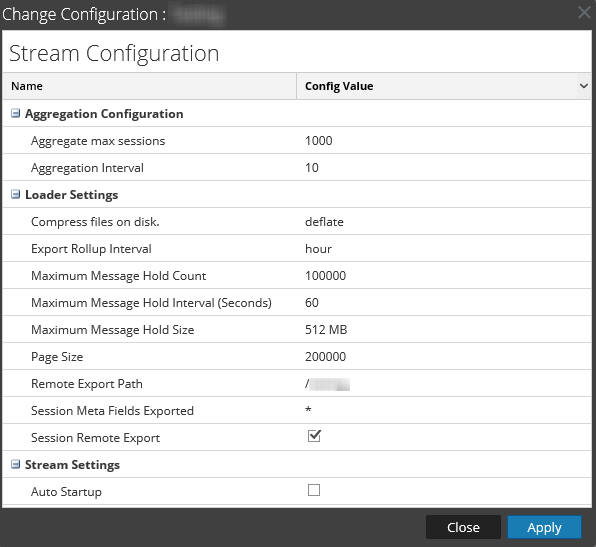
You can change the following parameters of the Stream Configuration:
Note: If you change the value of any parameter in stream configuration, make sure that you restart the stream.
After upgrading, if the values of Maximum Message Hold Count, Maximum Message Hold Interval and Maximum Message Hold Size are 3000000, 60 and 128 respectively, ensure that you assign the following values to the streams:
- Maximum Message Hold Count - 2400000
- Maximum Message Hold Interval - 600
- Maximum Message Hold Size - 512
You can assign these values by modifying the existing Stream configuration.