.png?width=180&height=32&name=NW%20Logo%20(2).png)
Test a Chart ViewTest a Chart View
In the Test a Chart view, you can view and test the charts.
Workflow
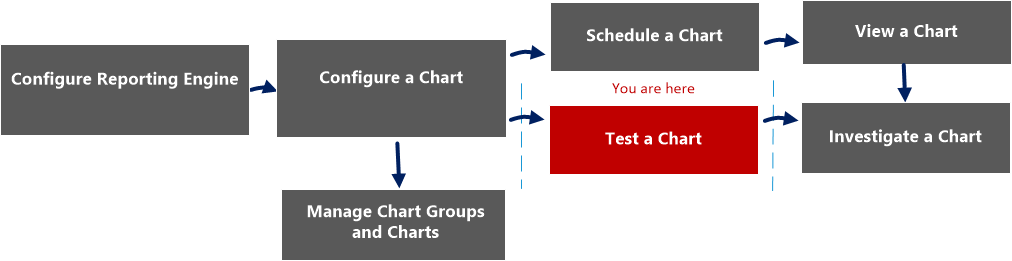
What do you want to do?
*You can complete these tasks here.
Related Topics
Quick View
The following figure is an example with the important features labeled.
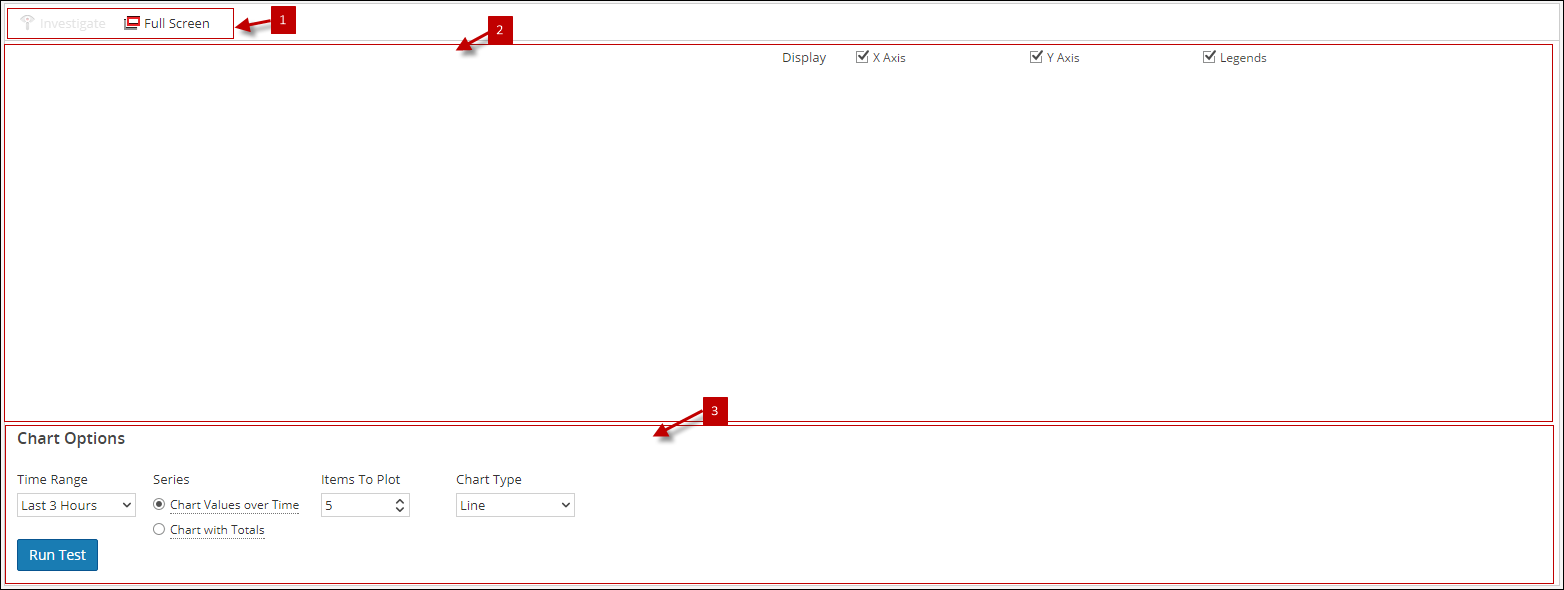
The Test a Chart view consists of the following panels:
Chart Toolbar
The Charts toolbar allows you to investigate on a particular chart and change the screen to full screen.

Chart Output Panel
The Chart Output panel displays the information in a chart format for the selected time chart options.
The following table lists the features in the Test a Chart View and their descriptions.
Chart Options Panel
The following figure shows the Chart Options panel, which displays the time range, series, and chart type fields to configure the chart display.

The following table lists the fields in the Charts Options panel and the descriptions.