.png?width=180&height=32&name=NW%20Logo%20(2).png)
Issue
After navigating to the RSA Link Tools page (clicking on Tools in the Avatar Menu) and downloading the Jive Anywhere extension for Google Chrome, a warning message is displayed in the downloads bar asking if you wish to continue with the download.
After clicking Continue the extension attempts to install but then displays the following message:
Apps, extensions, and user scripts cannot be added from this website.

If the extension is installed manually by dragging the JiveAnywhere_Chrome.crx file into the Chrome Extension page then the extension will work for a short time and then become disabled.

Cause
Due to increased security restrictions in later releases, Google Chrome will disable extensions that are not installed via the Chrome Web Store.For more information about this restriction, refer to the Chrome Web Store knowledge base.
Resolution
Installing the Extension
To successfully install the extension you will need to download it from the Chrome Web Store.
Configuring the Extension
Once the extension is installed, it will need be configured to be associated with RSA Link. To do this, click on the extension icon in the top-right corner of the browser and select Options, which will prompt you to connect to a Jive instance. In the Your Jive instance URL field simply type https://community.rsa.com (which is the URL for RSA Link) and click the Connect button.
Once the URL has been connected, RSA Link will be listed under the Manage existing accounts section along with your name and username. (The username will be a long alphanumeric string.)

Using the Extension
Once the extension is installed and configured, a discuss button will appear on the right border of the browser that includes the RSA logo.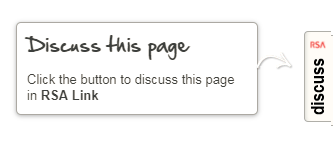
Clicking on the button will cause a pop-up window to appear which will list existing discussions relating to the web page you are visiting and will provide the option of creating a new discussion on RSA Link.

Product Details
RSA Product Set: RSA Link (community.rsa.com)RSA Product/Service Type: Jive Anywhere Extension
Platform: Google Chrome
Approval Reviewer Queue
Non-Product Approval Queue