.png?width=180&height=32&name=NW%20Logo%20(2).png)
Issue
Uploading response.bin file which is downloaded from Flexera, to ADMIN-System-Licensing-Settings fails with an error, There was an error uploading your file./var/log/netwitness/license-server/license-server.log shows an error relating to expired response.bin file although it has not passed 72 hours since the download.
Cause
Sometimes, it is required for RSA Support to download response.bin for customers who do not have access to https://my.rsa.com/sso and share it with them.This is done from Flexera but sometimes, the response file is not refreshed with the current date and shows an issue date older than 72 hours causing the upload to fail.
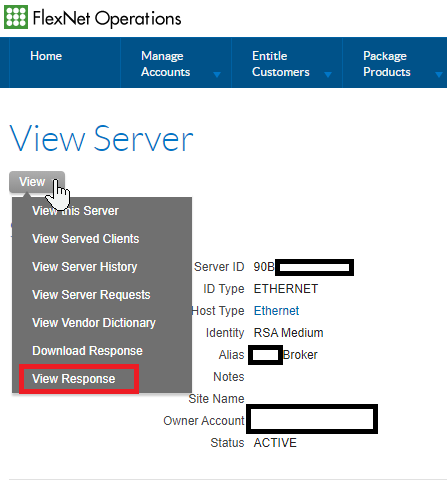
The issue date can be confirmed by clicking View Response from Flexera or opening the downloaded response.bin file in text editors like Notepad++.
Option 1 - View Response

Option 2 - Text Editor

Resolution
The issue appears to affect the response files that are downloaded from Flexera so in order to resolve the issue, contact RSA LSR team to click Generate response button before downloading the response file again.
Alternatively, you can request LSR to retrigger an order for the customer or TSE and then log in to myRSA to download the response.bin file from there.
Once the file is downloaded check the content to ensure the issue date has been updated.
Product Details
RSA Product Set: RSA NetWitness PlatformRSA Product/Service Type: Admin server, Licensing, myRSA
RSA Version/Condition: 11.x
Platform: CentOS
O/S Version: 7
Approval Reviewer Queue
RSA NetWitness Suite Approval Queue