Skip to content
  • There are no suggestions because the search field is empty.

Users Tab

Users Tab

The Users tab in the Admin Security view allows you to set up user accounts. Each NetWitness user must have a user account. In the Users tab, you can create, edit, delete, enable, disable, and unlock a user account.

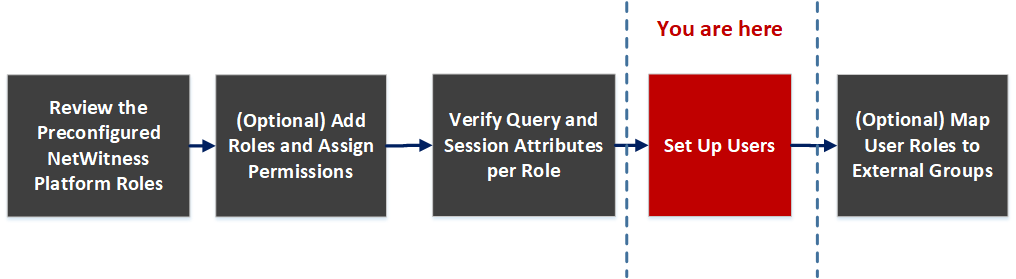
Workflow
netwitness_usertabworkflow.png

What do you want to do?

  • Role: Admin
  • I want to ...: Set up a new user
  • Show me how:

    Set Up Users


  • Role: Admin
  • I want to ...: Manage user accounts
  • Show me how:

Related Topics

Quick Look

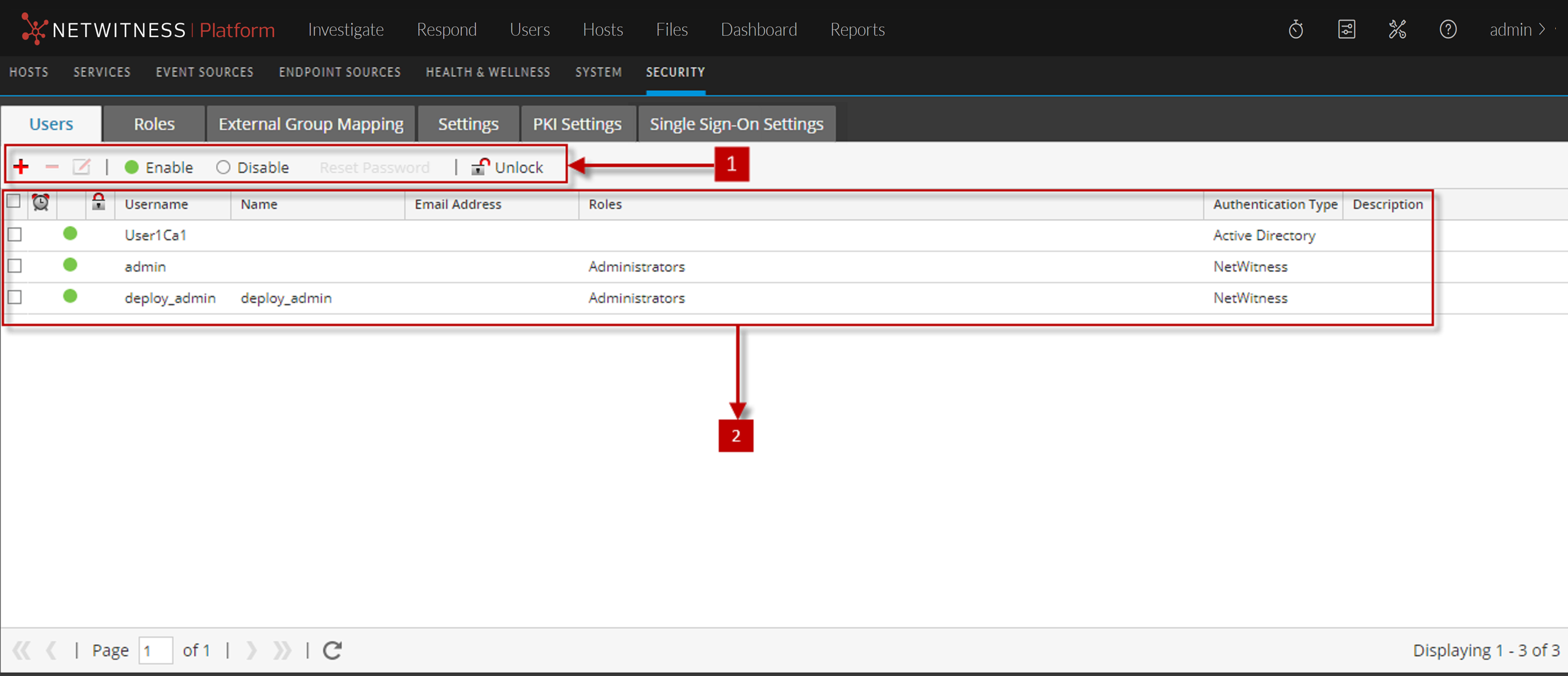
To access this view, go to netwitness_adminicon_25x22.png (Admin) > Security. The Security view displayed with Users tab open.
122_SecAdminView2_1122.png

The Users tab includes the following panels.

  • Column 1: 1
  • Column 2: Users toolbar

  • Column 1: 2
  • Column 2: Users list

Users Toolbar

The following table describes the Users toolbar.

  • Feature: netwitness_icon_add.png
  • Description: Opens the Add User dialog.

  • Feature: netwitness_icon_delete.png
  • Description: Deletes the selected user.

  • Feature: netwitness_icon_edit.png
  • Description: Opens the Edit User dialog for the selected user.

  • Feature: netwitness_enableicon.png
  • Description: Enables a disabled user account with all user preferences intact.

  • Feature: netwitness_disableicon.png
  • Description: Blocks user access without deleting user preferences so that upon re-enabling users, user preferences are intact.

  • Feature: Reset Password
  • Description: Opens the Reset Password dialog, which enables you to change the password of the selected user. This dialog lists the password format requirements necessary to change the password and allows you to force the user to change their password on the next login.

  • Feature: netwitness_unlockicon.png Unlock
  • Description: Unlocks a user account that has been locked due to too many failed login attempts.

Users List

The following table describes the columns in the Users list.

  • Column: netwitness_icon_clock.png
  • Description: If this icon appears in a user row, it indicates that the user password has expired.

  • Column: Username
  • Description: Username to log on to NetWitness.

  • Column: Name
  • Description: Name of the user to whom the account belongs.

  • Column: Email Address
  • Description: Email address of the user.

  • Column: Roles
  • Description: Role assigned to the user.

  • Column: Authentication Type
  • Description: Authentication method, which could be external by Active Directory or PAM or internal by NetWitness.

  • Column: Description
  • Description: Description of the user account.