.png?width=180&height=32&name=NW%20Logo%20(2).png)
View a Deployment
You can view deployments in the following ways:
-
Using the ESA Deployments tab. The ESA Deployments tab provides a consolidated view of all the available deployments within CCM. You can create, edit, remove, and pause deployments.
-
Using a specific policy. In this method, you cannot view other deployments. You must go to each policy to create, edit, remove, and pause a deployment.
To view all deployments using the ESA Deployments tab
-
Go to
 (CONFIGURE) > Policies > Content.
-
Under Settings, click Event Stream Analysis > ESA Deployments.
The available deployments are displayed.
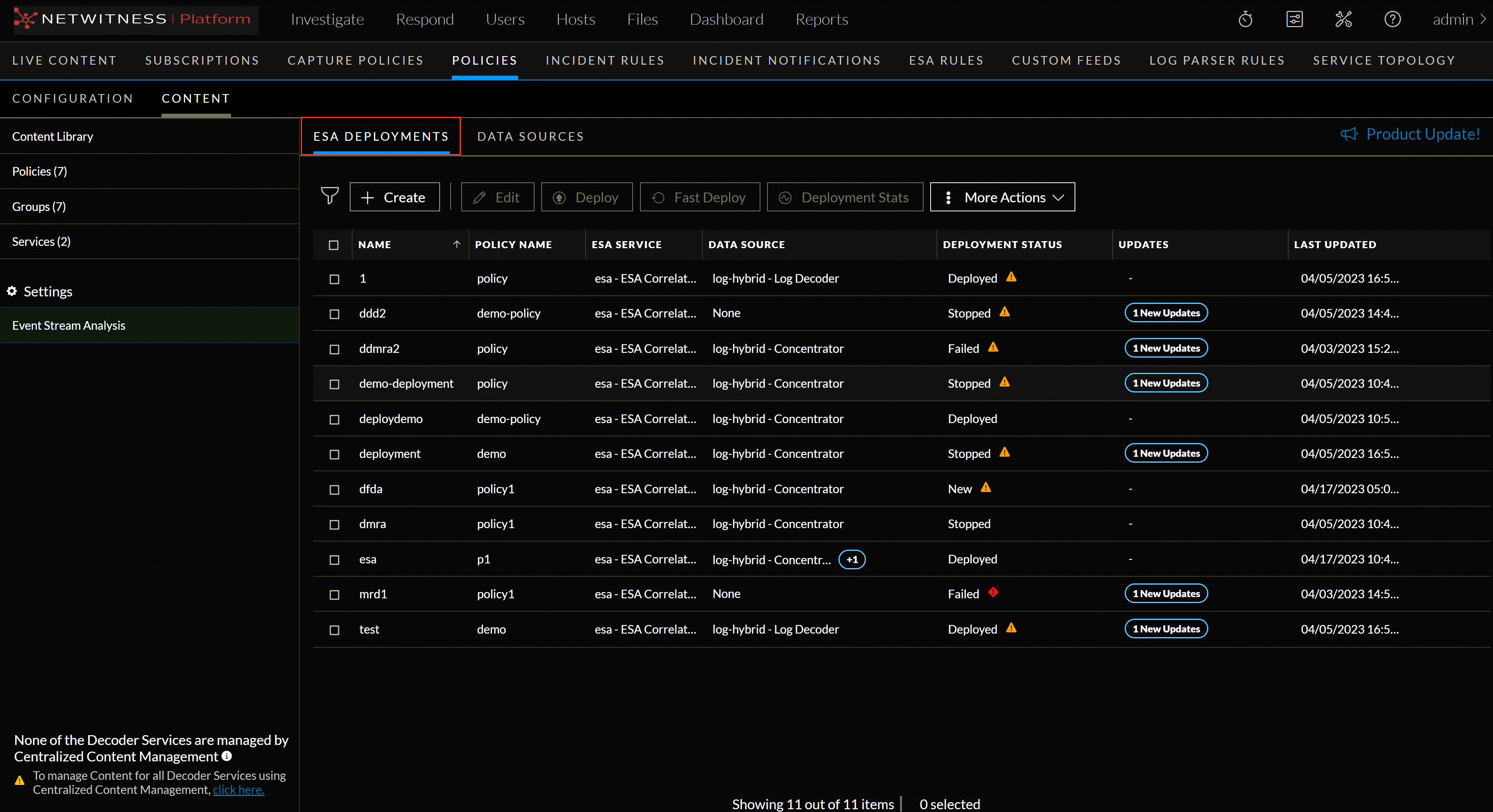
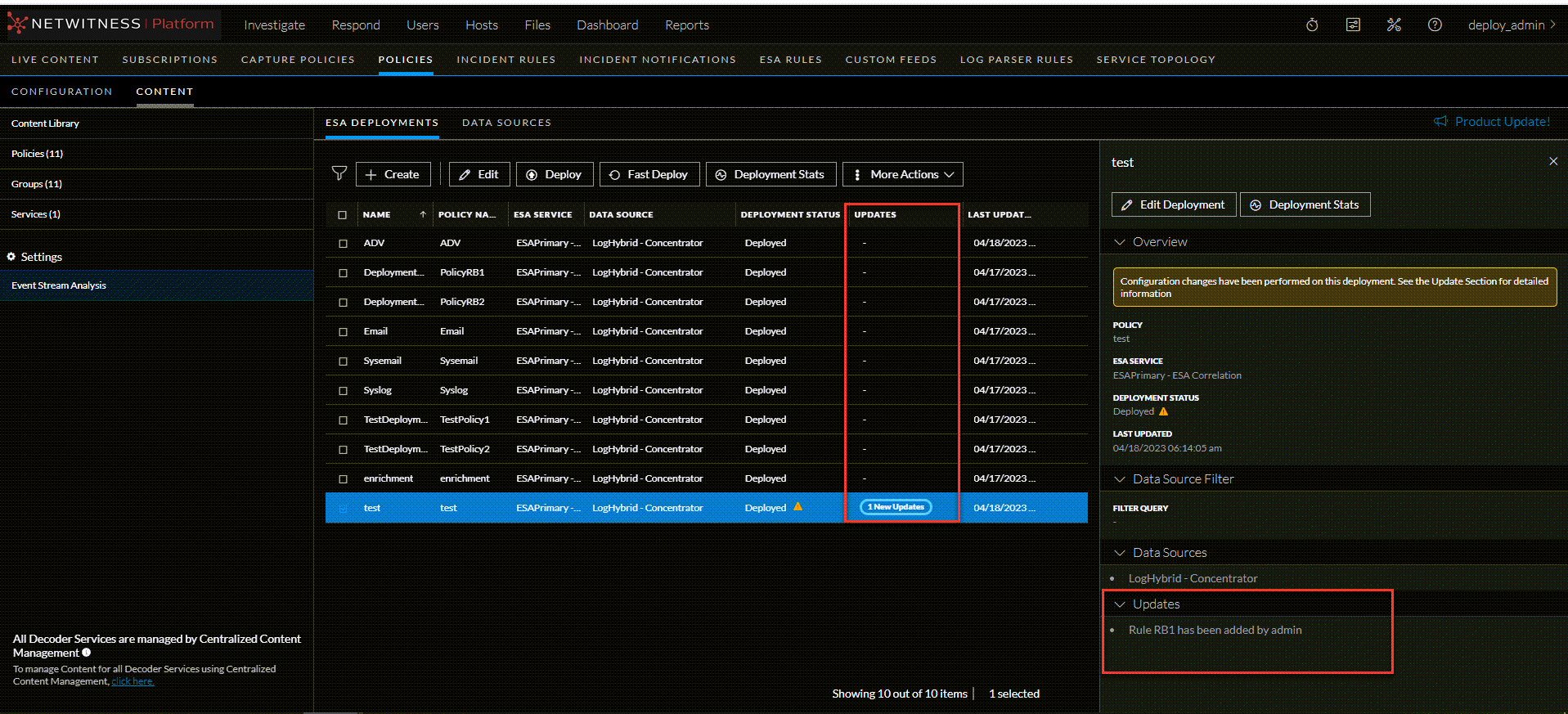
Note: Any changes made, like add/edit/delete to rules, notifications, and enrichments on the ESA Rules page for deployments, are displayed in the Updates section of the ESA Deployments view.
IMPORTANT: Any changes required for rule configurations must be made on the ESA Rules page only.
To view a deployment from a selected policy
-
Go to
 (CONFIGURE) > Policies.
-
In the policies panel, click Content.
The available policies are displayed.
-
Click a Policy.
The selected policy view is displayed, and the Application Rule is default selected.
-
Click Event Stream Analysis Rule > Deployments.
The available deployments for the selected policy are displayed.
Caution: An icon
 in the deployments view indicates services require deployments. Publish policy will fail for correlation servers. You may need to create deployments for such services if required.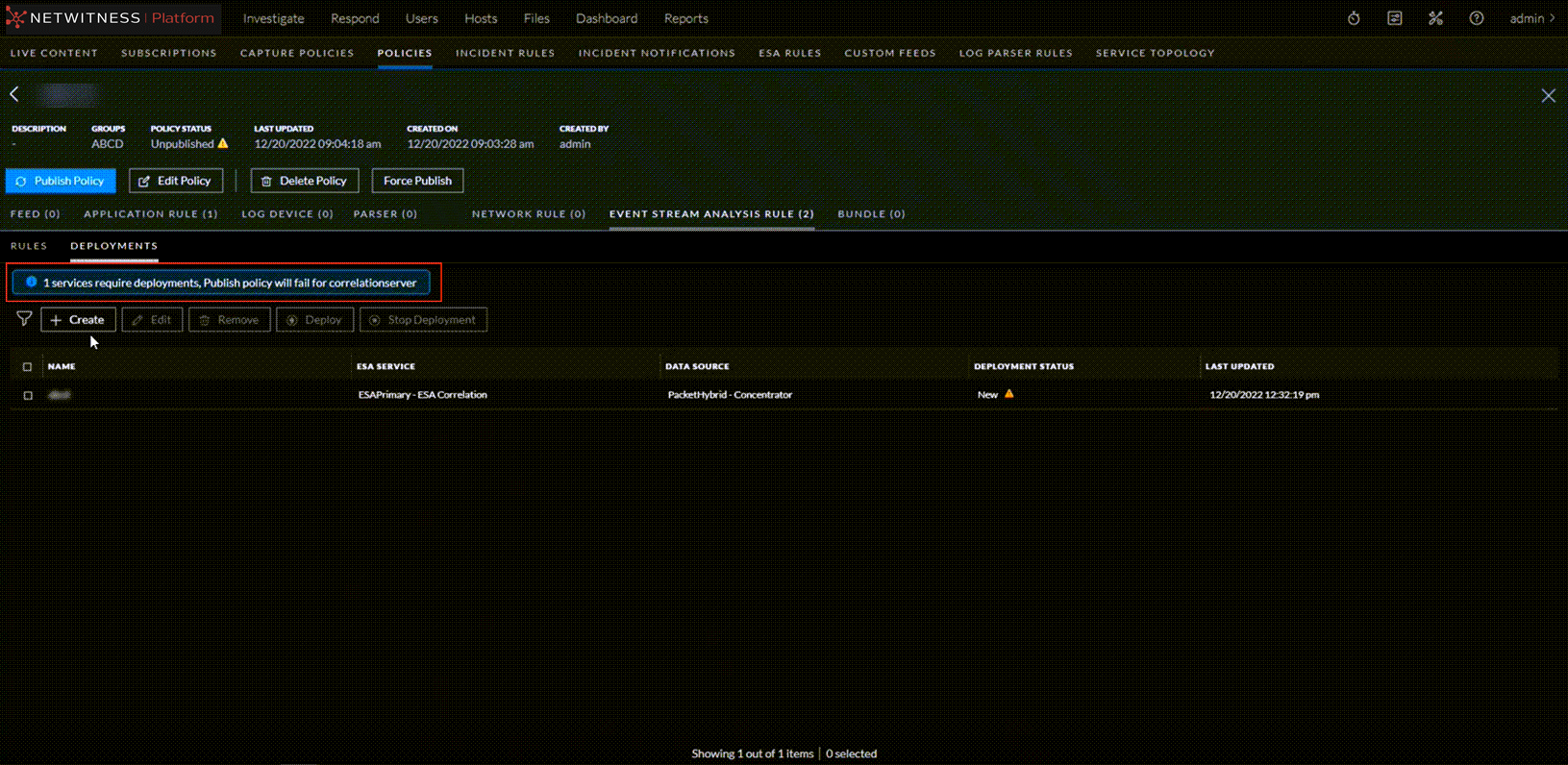
-