.png?width=180&height=32&name=NW%20Logo%20(2).png)
Issue
When booting from an ISO on a NetWitness Host, you are presented with a "Troubleshooting -->" option: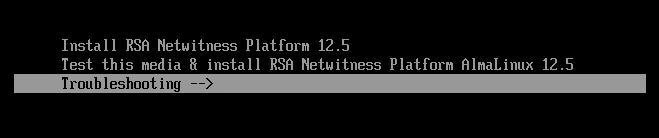
Which then takes you to: 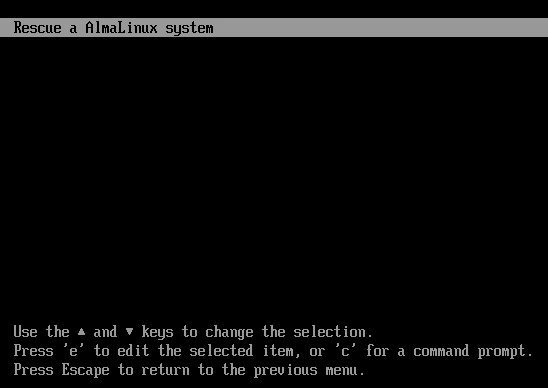
Once initiated, a user is presented with these options:
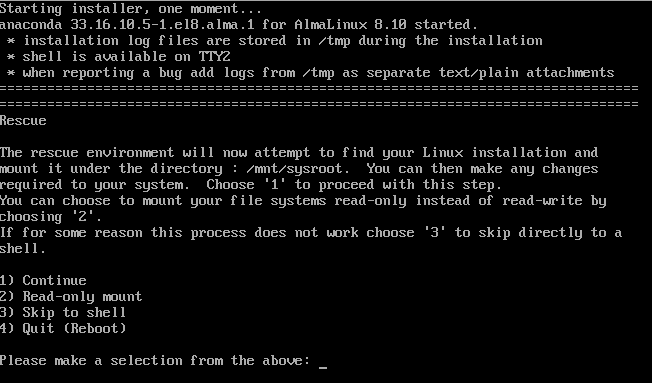
However, there is no instruction on how to use this option.
Resolution
Rescue installed system is a AlmaLinux feature which boots a rescue kernel and attempts to find and mount the local file system and prompts to activate the network interface. The recovery is a manual process via the Linux command line.
When this option is selected, the user is prompted to provide the location of the installation media, cdrom, hard drive, etc.to load the rescue kernel.
Please refer to https://docs.redhat.com/en/documentation/red_hat_enterprise_linux/6/html/installation_guide/ap-rescuemode#s1-rescuemode-boot for more information. Note, this documentation is written for RHEL but will apply to AlmaLinux as well.
Product Details
NetWitness Product Set: NetWitness Platform
NetWitness Product/Service Type: All Hosts
NetWitness Version/Condition: 12.4 +
Platform: AlmaLinux
Approval Reviewer Queue
Technical approval queue